

1月16日的Cam.G应用程序分析

Cam.G
- Lee Minku
- Apple 应用商店
- 免费
- 生活方式
I. Cam.G Help
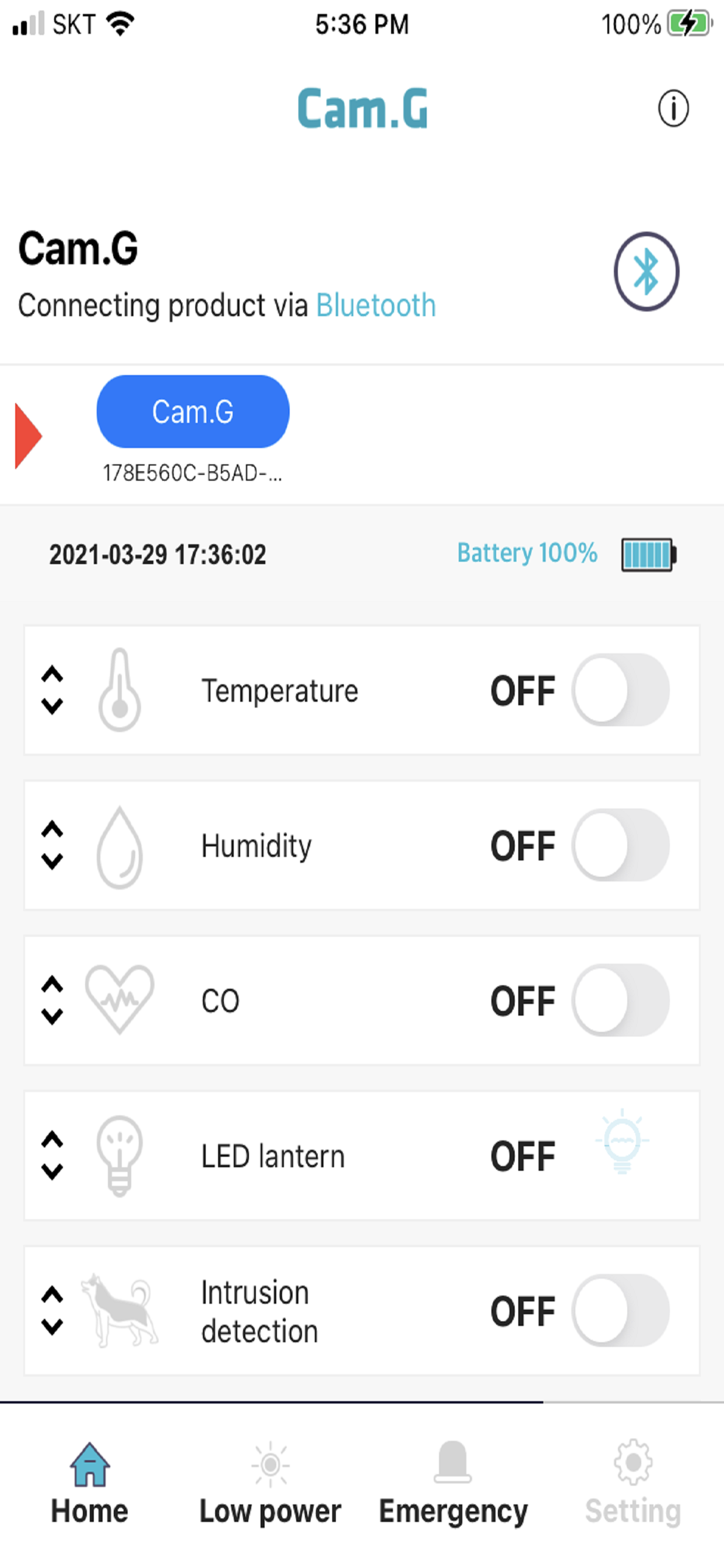
1. Run the Cam.G app and click the ‘Connecting the product via Bluetooth’ button at the top of the home screen to select Cam.G to connect. For Cam.G Plus, the initial password is in the product manual. If you lose the password you set, you must contact the customer center to receive and enter the initialization code. The reset code is changed daily and is only valid for that day (Cam.G Mini and Cam.G Air do not require a password).
2. If you press Cam.G on the connection screen, you can change the product name to your desired name. This is a convenient function when using the multiple registration function.
3. After connecting the app, you can monitor and use the information through the home screen.
4. If you tap and move the icon of each function on the home screen, you can set the My Menu by moving the functions up and down in the order you want.
5. On the setting screen, you can set the temperature and humidity alarm function and options.
* If you install and run the app but it does not run and the app crashes, please reset the iPhone Settings → General → Reset → Reset All Settings.
II. Use of product multi-registration function
1. It is a function to register multiple Cam.G units and connect them to move.
2. Click the ‘Connecting the product via Bluetooth’ button to display a list of products that can be registered. At this time, if you select and connect the desired device, the connected product is registered at the top of the home screen, so you can conveniently connect the product.
3. If you want to disconnect a specific product after multiple product registration, you can delete the registration by long pressing the name of the connected product. If you delete a connected product, it is automatically connected to the next device in the list, and the name of the connected product moves to the front of the list.
* Cam.G, which was released before Cam.G Plus, does not provide product multi-registration.
商店排名
商店排名基于 Google 和 Apple 设置的多个参数。
所有品类在
美国--
生活方式在
美国--


 Cam.G VS.
 一月 16, 2026