

12月25日的Ute Mobile Dictionary应用程序分析

Ute Mobile Dictionary
- The Language Conservancy, Inc
- Apple 应用商店
- 免费
- 参考资料
The Ute Mountain Ute Mobile Dictionary is the best way to look up Ute words and hear pronunciation while on the go. It’s the ultimate electronic Ute learning and reference tool.
• More than 3,000 Ute entries
• More than 1,000 Linked Cross References
• More than 4,000 English Reversal Entries
• Male and female voices for audio
• Consistent spelling
• Superior cross-referencing capabilities
• Fast and responsive
• Works offline, without active data connection
• Built-In advanced search engine finds conjugated verbs, word forms, and corrects spelling mistakes
• Over 20 native speakers contributed to its development and review
• Regularly updated
• Accurate and reliable
• Fun to use and explore
• An excellent self-study tool
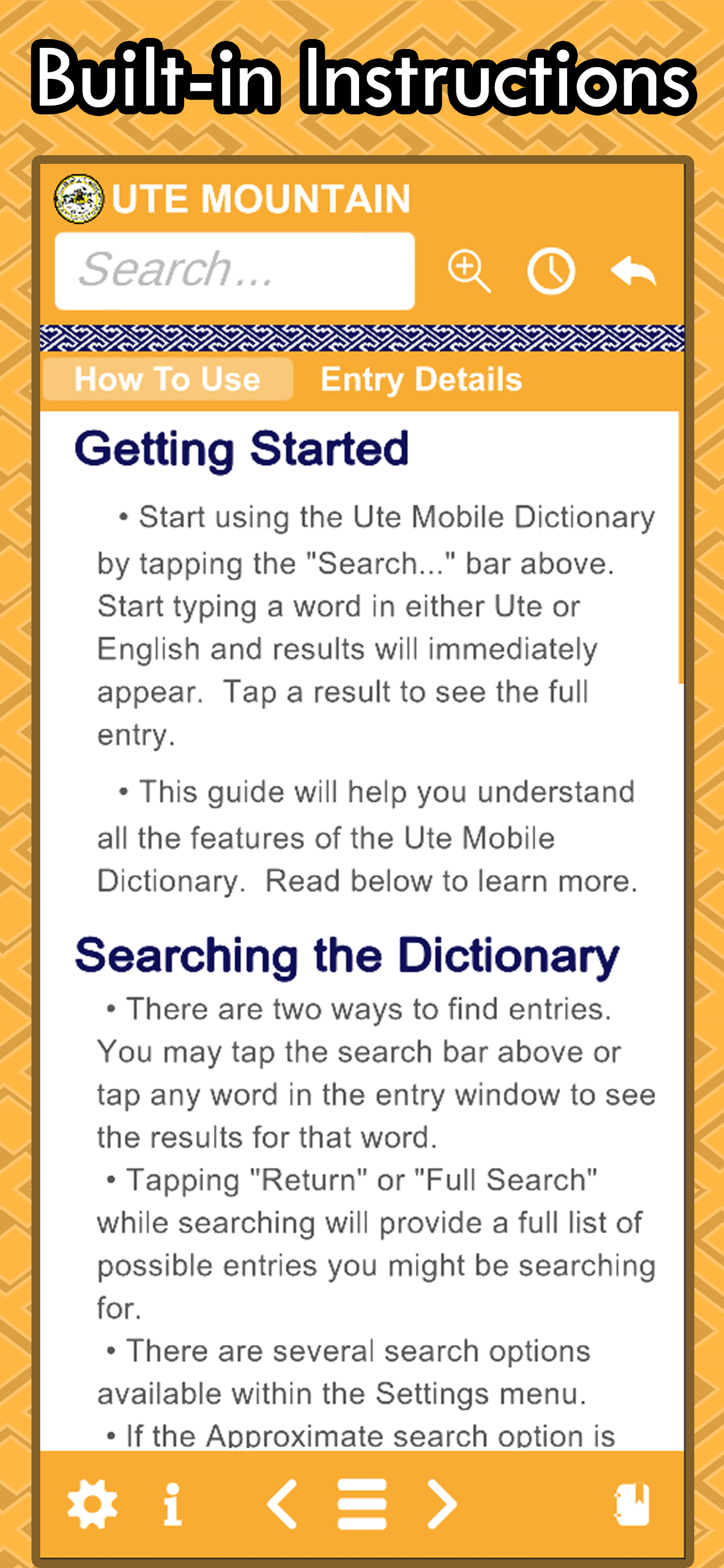
Searching the Dictionary
• There are two ways to find entries. You may tap the search bar above or tap any word in the entry window to see the results for that word
• Tapping "Return" or "Full Search" will provide a full list of possible entries for the word you have entered
• There are several search options available within the Settings menu
• If the Approximate search option is "on", the app will try to find relevant entries even if you spelled the word incorrectly.
• If the Full Text search option is "on", results that have your search elsewhere in the entry (example sentences or notes) will also show in the results.
Buttons
• The Ute Mobile Dictionary uses a simple tap and go interface
• You are currently reading the information section. Select a tab from the sliding bar above to learn more about "How To Use" the dictionary, "Entry Details", "Morphology", and "Phonology."
• The Settings menu allows you to refine how the search works, change the font size, and turn “AutoPlay Audio” on or off. See the “Searching the Dictionary” section for more details on the search settings
• Tapping the Zoom button increases the entry font size until it resets back to the smallest size again
• The History Panel shows you your recent entry history. Any entry you view is logged here for a short period of time so that you may go back and review
• The Back button quickly takes you back to the previous entry in your History with a single tap
• There are two sides to the Ute Mobile Dictionary. If you are currently viewing a Ute word, you are on the “Ute” side. The left and right buttons will take you to the next or previous Ute word in alphabetical order. Tapping the Hamburger button will provide you with a list of the nearest alphabetical words to the entry you are currently looking at
• The Favorites panel allows you to save your favorite words like a bookmark. From this panel, you can create new lists, add words to specific lists for later review, and better organize using the Ute Mobile Dictionary as YOUR Ute language learning tool
• The comment button at the bottom of every entry allows you to send feedback to us so that we can make improvements to future versions of the dictionary
商店排名
商店排名基于 Google 和 Apple 设置的多个参数。
所有品类在
美国--
参考资料在
美国--


 Ute Mobile Dictionary VS.
 十二月 25, 2025