

1月10日的Metal Detector 3D Plus应用程序分析

Metal Detector 3D Plus
- Heng Jia Liang
- Apple 应用商店
- 付费
- 公共事业
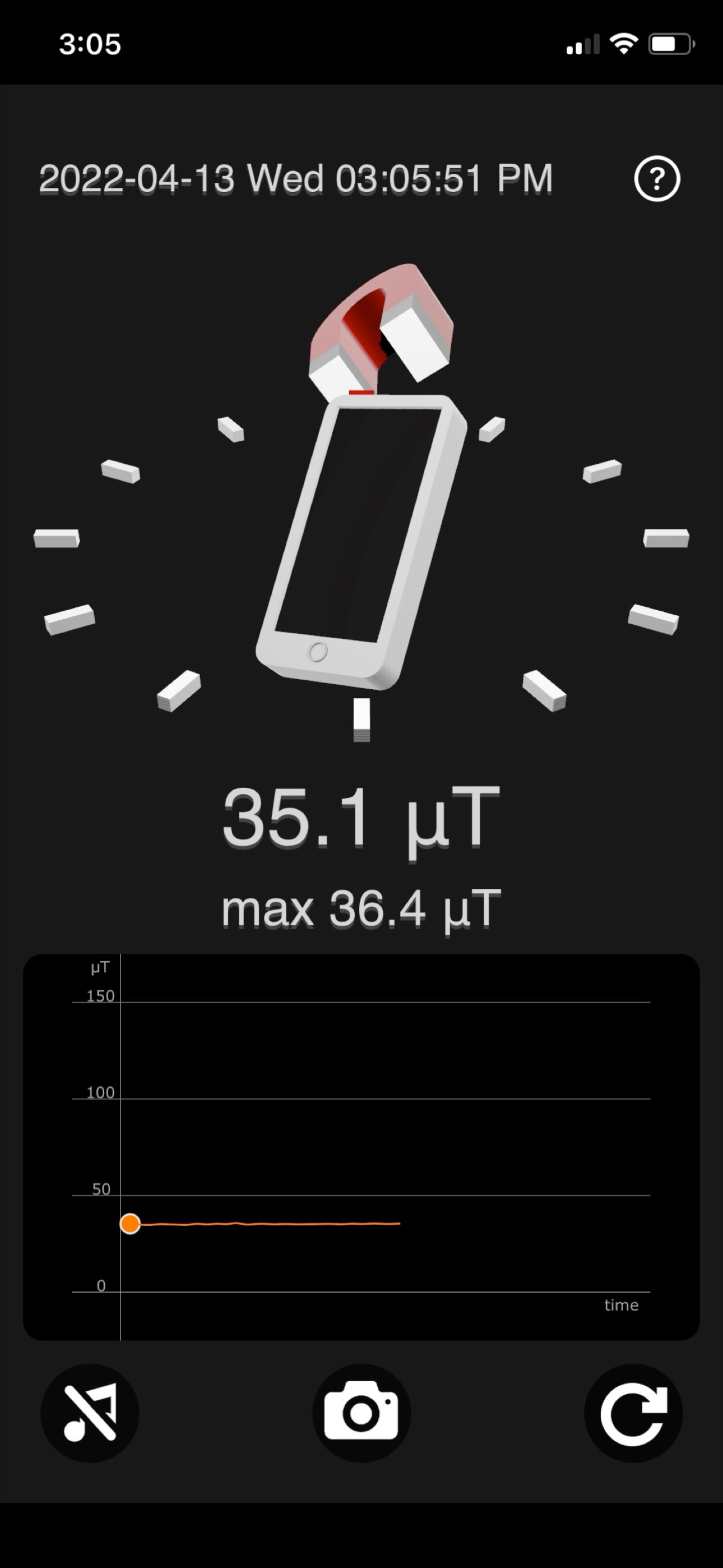
Metal Detector enables you to detect metal objects using your iOS devices. You can preview the magnetic field level through a graph and a 3D directional display.
Metal Detector measures the magnetic field using the device’s built-in magnetic sensor.
The natural magnetic field level (EMF) typically ranges from 25 to 65 µT (microtesla), or 250 mG (milligauss).
1 µT = 10 mG.
Any reading above this range may indicate the presence of metal or a change in electromagnetic activity in the area.
The magnetic field level increases when metal (such as steel or iron) is near the phone.
Magnetic field levels will fluctuate as you move around.
You can use this app to find metal objects like electrical wires in walls or iron pipes underground.
Metal Detector is most effective at detecting ferromagnetic materials (e.g., iron) and cannot detect non-ferromagnetic materials such as wood, glass, plastic, paper, copper, or aluminum.
Features:
• Displays device orientation in 3D space using a compass.
• 3D magnet icon enlarges as magnetic field strength increases.
• Shows maximum detected magnetic field level.
• Graph displays magnetic field level over time.
• Screenshot functionality with saving to the camera roll.
• 3D magnet orientation defaults to magnetic north, like a traditional compass.
• Option to reset the maximum magnetic field value.
• Sound notification when the maximum magnetic field level is reached.
• Option to enable or disable sound notifications.
Usage:
• Detect metal objects such as electrical wires in walls or buried iron pipes.
• Identify objects that may or may not be metal.
• Monitor magnetic field level changes in specific areas (e.g., when approaching large metal structures).
• Some users believe it may detect paranormal activity (use at your own discretion).
• And much more—limited only by your imagination!
You can also record your screen for reference:
• Go to Settings > Control Center > Customize Controls, then tap the + next to Screen Recording.
• Open Control Center.
• Tap the Screen Recording icon (circle with a dot inside) to start recording.
• The recording begins after a 3-second countdown.
• To stop, tap the red status bar or red icon.
• The screen recording will be saved in Photos for later viewing.
Note:
Magnetic field readings may be affected by nearby electronic equipment (TVs, computers, microwaves) due to electromagnetic interference.
Thank you for your support! Visit nitrio.com for more great apps for your iOS devices.
商店排名
商店排名基于 Google 和 Apple 设置的多个参数。
所有品类在
美国--
公共事业在
美国--



 Metal Detector 3D Plus VS.
 一月 10, 2026