

1月18日的TaSe应用程序分析

TaSe
- 晓伟 庄
- Apple 应用商店
- 免费
- 金融
TaSe Bookkeeping is an easy-to-use bookkeeping application that helps users easily record their daily income and expenses, manage their monthly spending limits through budget settings, manage multiple wallets, quickly grasp information about their assets, and better manage their finances.
Features:
- Detailed View.
Provide a variety of viewing methods, there is always one suitable for you.
- Simple Bookkeeping.
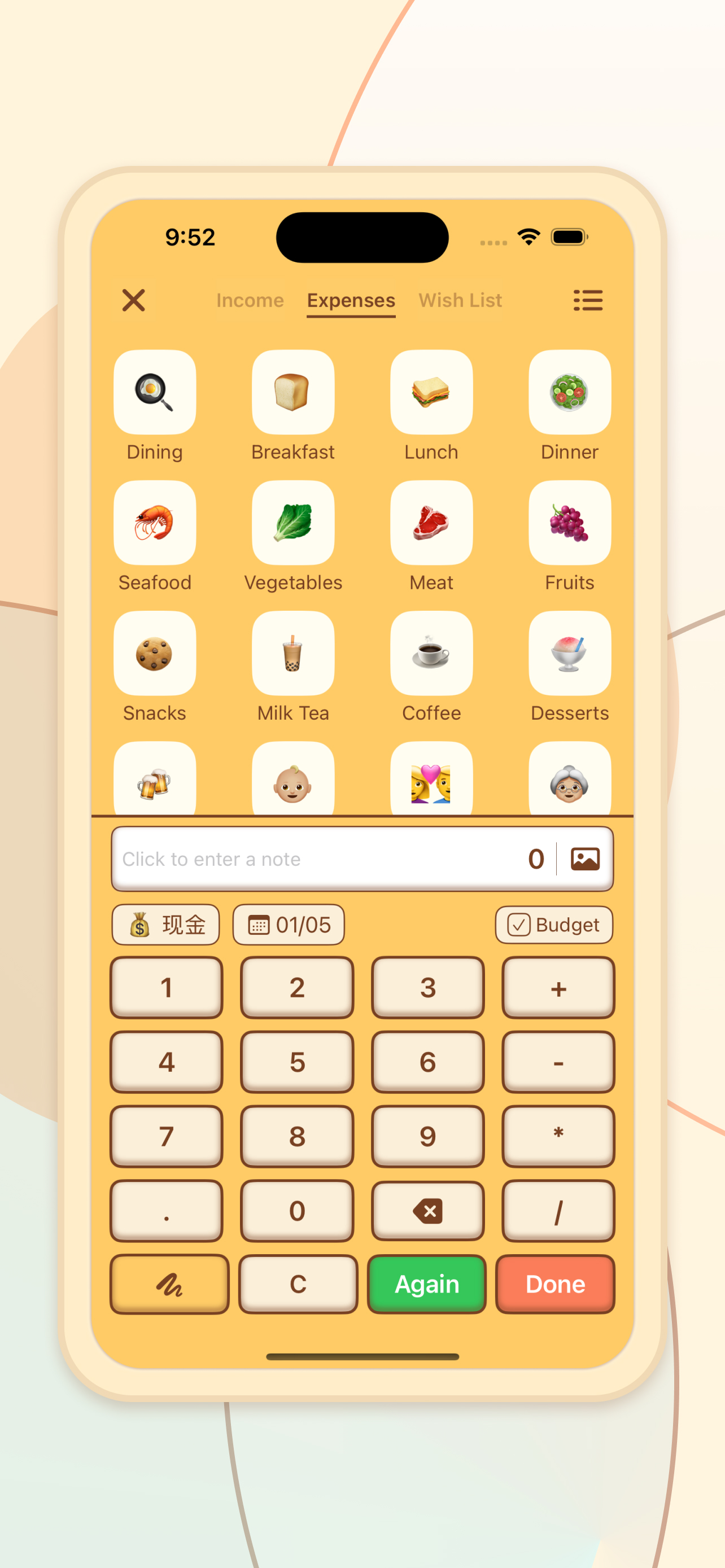
Simple and quick to record your income and expenses, you can also add pictures to capture the moment for you.
- Quick and automatic accounting.
You can set up your accounts in advance, and then click on the widget on your desktop to do it automatically.
- Month start date setting.
Convenient for users who need different bookkeeping cycles.
- Periodic bookkeeping.
Support to record periodic expenses such as subscriptions and installments, automatic bookkeeping, no worry about forgetting.
- Budget management.
Set a budget for each month to remind yourself to control your expenses.
- Budget Category.
Add budgets for each category in the monthly budget to strictly manage various categories of expenses.
- Wallet Management.
Add multiple wallets, synchronize with your actual assets, and get a clear view of your assets.
- Multi-currency support.
Support multiple currencies, synchronize with automatic exchange rates, and update daily.
- Billing Reminder.
By setting multiple reminder dates, you will not miss your daily bookkeeping and develop a daily bookkeeping habit.
- Trend analysis.
Provide various dimensions of statistical trends, so that you can understand your income and expenditure, better plan your next month's expenses, and quickly understand your assets.
- Lock screen protection.
Protect your data from being viewed freely.
- Color schemes.
Multiple color schemes to choose from, define your own theme.
Data Sync.
Free iCloud sync support for multiple devices.
Subscriptions and Buyouts.
1. Some features of TaSe require unlocked premium membership for full access. You can choose to unlock all features on a monthly, yearly or buyout basis.
2、When you choose monthly or yearly subscription, it will automatically renew by default at the end of each subscription period, unless you explicitly cancel the auto-renewal by yourself.
3、Buyout is a one-time unlocking, lifetime use. When you choose to buy out, you can use the advanced features indefinitely without paying again.
Automatic subscription service description
1. Subscription Services
TaSe Bookkeeping monthly subscriptions, TaSe Bookkeeping annual subscriptions
2. Subscription Price
The monthly subscription is $5/month and the annual subscription is $30/year.
3. Payment
Users will be credited to their iTunes account after confirming their purchase and payment.
4.Automatic Renewal
The Apple iTunes account will be charged within 24 hours before the expiration date, and the subscription period will be extended by one subscription period after the successful charge.
5.Close the service
You can go to "Settings" -> "iTunes Store and App Store" -> click "Apple ID", select "View Apple ID", enter "Account Settings" page, click "Subscriptions", and manage automatic subscription service. If you want to cancel it, you can close it 24 hours before the end of each billing cycle, and the subscription will not be charged within 24 hours before the expiration date.
6. Service Agreement
Terms of Use: https://tyrant2013.github.io/tyrant.github.io/TermsOfUse.html
Privacy Policy: https://tyrant2013.github.io/tyrant.github.io/privacy.html
商店排名
商店排名基于 Google 和 Apple 设置的多个参数。
所有品类在
美国--
金融在
美国--




 TaSe VS.
 一月 18, 2026