

Oscillator 对比 AudioTools Wireless 的使用情况和统计数据
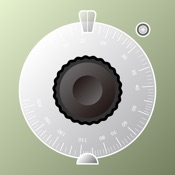
Oscillator is a simple and rough audio generator application which has the following functions. You can use it as a test tone and play it as a strange musical instrument.
- Four waveforms. (i.e. sine wave, square wave, saw wave and white noise.)
- Exponential Frequency control using the slider.
- Frequency numeric input using the software keyboard.
- Equal distance panning control using the slider.
- dB style amplitude control using the slider.
- Sound output on/off button.
- All sliders and buttons are multi-touch controlled.
Please note the limitations below before you purchase/use this application.
- The frequency control is not effective with the white noise oscillator.
- The panning control is not effective with an iPhone internal speaker because it is monophonic. Use headphones or stereo speakers.
- The audio output might be interrupted on a keyboard input, a view change and so on.
- The accuracy of the audio output is not very high but it is reasonable.
- Apple 应用商店
- 付费
- 音乐
商店排名
- -
AudioTools Wireless is a pro-caliber SPL Meter, with A and C weighting, and also includes an audio signal generator that can produce sine waves, square waves, and white and pink noise.
It also can send the microphone audio wirelessly to other Studio Six Digital apps running on another iOS device over a LAN.
In addition to sending the uncompressed digital audio, AudioTools Wireless also sends the calibration data to the host application, so that the dB value on the host application will match the value on the AudioTools Wireless device.
When linked to a Studio Six Digital audio app, AudioTools Wireless can also be used as a remote generator, so that you can control the generator output signal wirelessly.
AudioTools Wireless is compatible with the Studio Six Digital iTestMic. Since iTestMic stores its calibration internally, when you plug it into AudioTools Wireless that calibration is extracted and transmitted to the host device.
Data is sent in full 48kHz 16-bit format, uncompressed for full fidelity. You can control the latency to account for local network performance.
Currently the following Studio Six Digital apps are supported for wireless communication with AudioTools Wireless, more coming soon:
* RTA -- Real Time Analyzer
* FFT -- Fast Fourier Transform audio analyzer
* SPL Meter -- Sound Level Meter
* Smaart Spectrum -- FFT-based audio analyzer
* AudioTools -- Requires AudioTools 6.6 or later
- Apple 应用商店
- 付费
- 音乐
商店排名
- -
Oscillator与AudioTools Wireless排名比较
对比 Oscillator 与 AudioTools Wireless 在过去 28 天内的排名趋势
排名
Oscillator 对比 AudioTools Wireless 的排名,按国家/地区比较
对比 Oscillator 与 AudioTools Wireless 在过去 28 天内的排名趋势
所有品类
音乐
通过免费试用版比较任何网站
 Oscillator VS.
  AudioTools Wireless
十二月 28, 2025