

1月8日的Bookslot应用程序分析

Bookslot
- Gianluca Zompa
- Apple 应用商店
- 付费
- 图书
With Bookslot, managing books is simple and satisfying!
Discover all the features that make Bookslot your personal assistant, perfect for accompanying you in managing your books and reading.
ADD BOOKS
You have 4 options to choose from
• Manual
• Online search (by title, author or ISBN)
• Scan barcode
• Importing a list in CSV format
BOOK MANAGEMENT
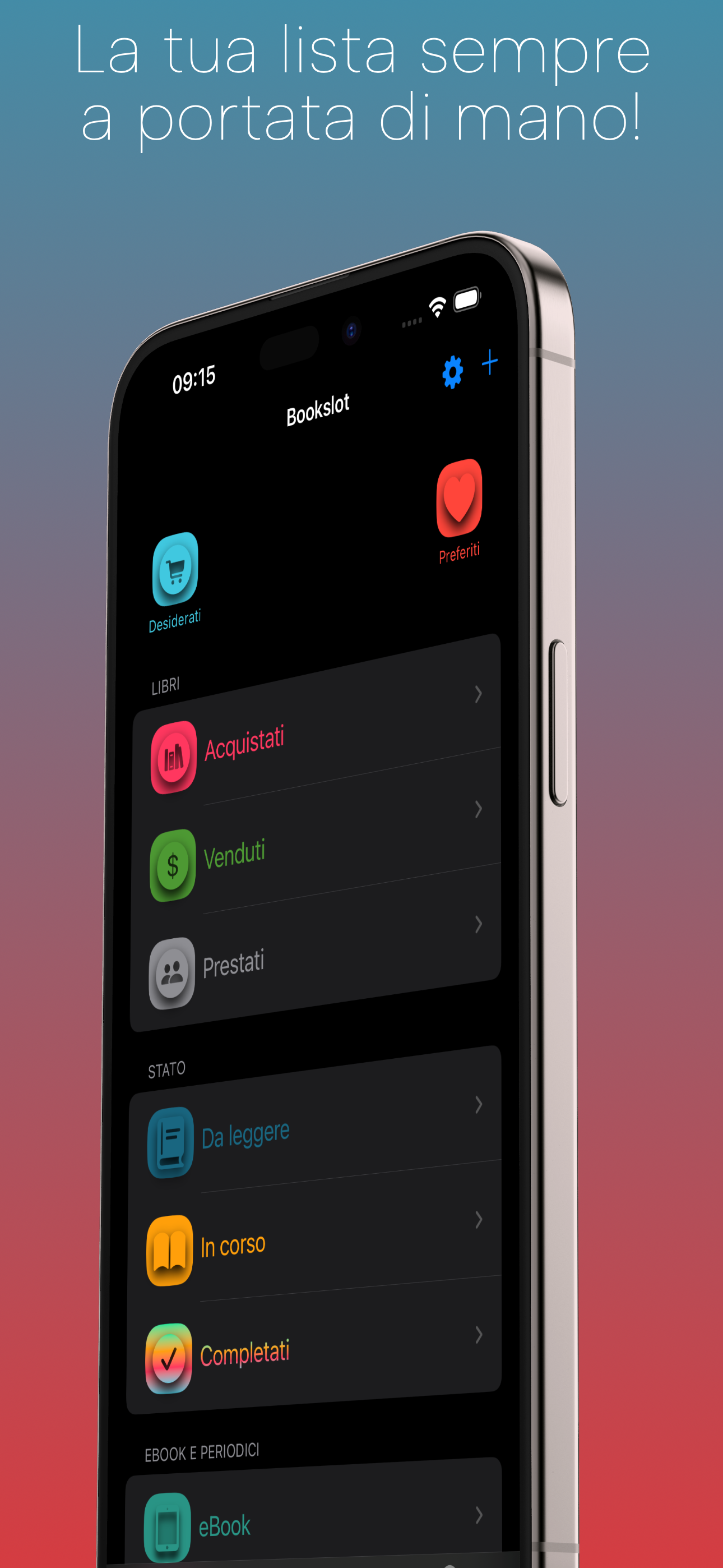
Organise your books with 10 smart lists:
• Wishlist
• Favorites
• Purchased
• Sold
• On loan
• To read
• In progress
• Completed
• eBooks
• Periodicals
Each book is automatically assigned to the right list. For example, if you add a book without marking it as ‘Purchased’, it will end up in the ‘Wishlist’ list. When you purchase it, one click on ‘Purchased’ will move it to the correct list. You can also save information such as purchase date, price and shop.
DYNAMIC VISUALISATION
The app adapts to you! Only display relevant information, e.g. if a book has not been purchased, you will not see sections such as purchase or reading progress. Likewise, the sale section will only be visible for books marked as sold. This principle applies to all information related to ownership (such as books wanted, bought, sold or lent) and/or reading status, providing a smooth, intuitive and natural experience.
TRACKING PROGRESS
Are you reading a new book? Select ‘In Progress’, start the stopwatch and enjoy reading. When finished, stop the stopwatch and update the number of pages read to keep up.
READING STATISTICS
Curious to know how much you read? Select a period, consult the graph and find out how many books you have completed, how much time you have spent reading and how many pages you have read.
MONITOR YOUR PURCHASES
Monitor your spending and the shops where you have purchased your books. You can view all purchases or filter by period. Want details of a specific shop? Click and immediately get a list of titles purchased there.
LOCAL SEARCH
Find any book in your library! Search by title, author, series or ISBN. Icons next to the details show you at a glance which list it is in. You can also decide whether to search everywhere or in a specific list.
OTHER FUNCTIONALITIES
• Export: Save your list in a CSV format file for use wherever you want.
• Reading reminder: Set a reminder so you don't forget to read.
• Quote Sharing: Hold down on a quote and click ‘Share’ to show it to your friends.
TIPS
Here are 3 useful tips:
1. When creating a new book, click on the ‘Save’ button at the top right of the navigation bar to save it.
2. If you have to make several changes, make them all and once you have done so, click on the ‘Save’ button.
3. If the ‘Save’ button is not enabled, don't worry, it means that there are no changes to save or that the saving was done automatically.
If you have any problems, please contact me at: bookslotsupport@createbycoding.it.
If, on the other hand, you have any advice, requests or simply feel like sharing some thoughts on your reading, please contact me at: letstalk@createbycoding.it.
Happy reading!
商店排名
商店排名基于 Google 和 Apple 设置的多个参数。
所有品类在
美国--
图书在
美国--



 Bookslot VS.
 一月 8, 2026