

1月21日的Remote Terminal Companion应用程序分析

Remote Terminal Companion
- Pierre CARRON DE LA CARRIERE
- Apple 应用商店
- 付费
- 开发者工具
Manage Your Mac from Your iPhone
Remote Terminal provides a convenient way to interact with your Mac’s command-line environment and browse files directly from your iPhone. Designed for developers, IT professionals, and advanced users, it offers a secure and streamlined tool to perform routine tasks on your Mac when both devices are on the same local network.
Key Features
Terminal Access
Send commands to your Mac’s terminal and view the output in real time. Ideal for performing development tasks, checking system information, managing files, and running scripts you have created.
File Browser
Explore your Mac’s file system with an intuitive visual interface. Quickly access common folders such as Home, Desktop, Documents, Downloads, and iCloud Drive.
Quick Actions
Use predefined shortcuts to retrieve system details such as:
• System information
• Storage usage
• Network configuration
• Active processes
Local & Secure Connection
Remote Terminal operates only when your Mac and iPhone are connected to the same local Wi-Fi network.
• No external servers
• No cloud usage
• No analytics or tracking
• Data remains on your devices
Simple Setup
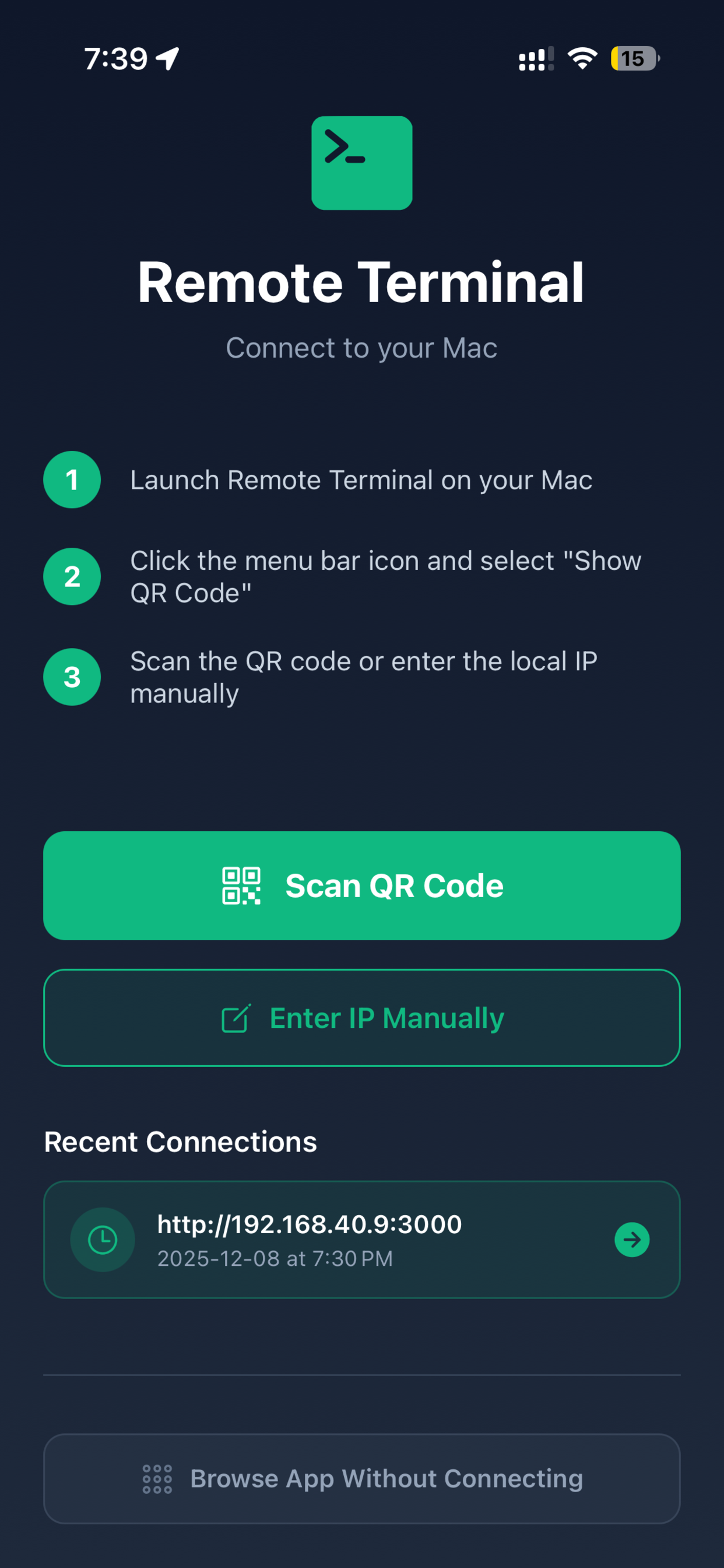
1. Install the companion Remote Terminal desktop app on your Mac
2. Pair your devices by scanning a QR code
3. Start managing tasks on your Mac from your iPhone
Ideal For
• Developers
• System administrators
• IT teams
• Power users who work with terminal tools
• Anyone needing convenient access to their Mac’s command-line environment
How It Works
The companion Mac app runs in your menu bar and creates a secure local connection that your iPhone can access. Only devices on the same network can connect, ensuring full user control and privacy.
What You Can Do
• Execute commands you would normally run on your Mac’s terminal
• Navigate folders and review file structure
• View system details
• Manage running tasks
• Access frequently used directories and utilities
Requirements
• macOS 10.13 or later
• Remote Terminal companion app for Mac (free download)
• iPhone with iOS 13.0 or later
• Both devices connected to the same Wi-Fi network
Privacy
Remote Terminal is designed with privacy in mind. All communication occurs directly between your iPhone and your Mac over your local network. No personal data, command content, or file information is transmitted externally.
Support
Access help anytime:
• In-app FAQ
• Email support: support@fleetiqo.com
• Step-by-step setup guide
商店排名
商店排名基于 Google 和 Apple 设置的多个参数。
所有品类在
美国--
开发者工具在
美国--
Remote Terminal Companion一月 21, 2026