

12月9日的spectrum eye RTA应用程序分析

spectrum eye RTA
- Naumenko Oleg
- Apple 应用商店
- 付费
- 音乐
For music professionals, audio engineers, sound technicians, sound system installers and audio students.
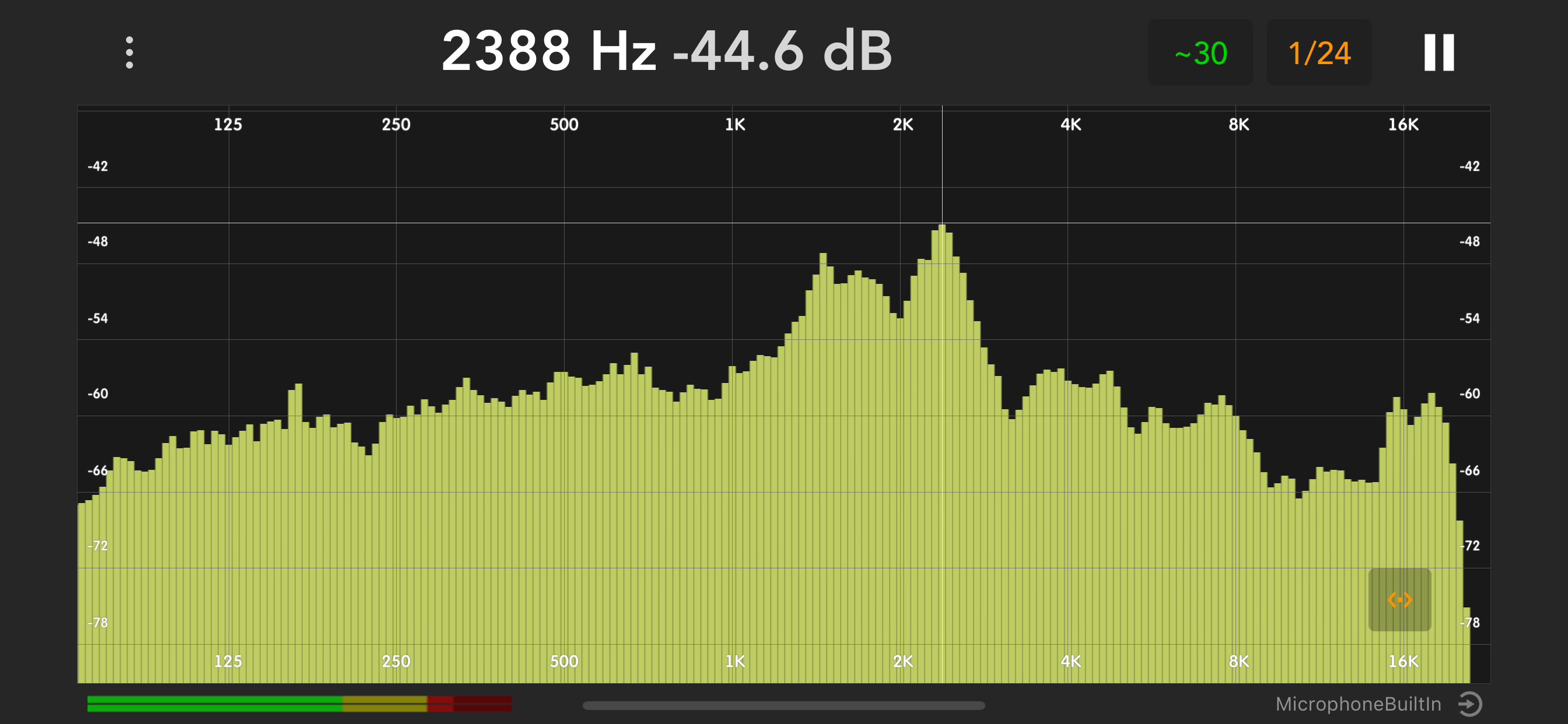
Equally great both for quick reference and for long - term live spectra display. Supports multiple FFT sizes, adjustable averaging time and bandwidth, selectable mic input, selectable plot color.
Main features:
- vide range of frequency resolutions & averaging times
- scalable & movable plot that animates smoothly
- uses the whole audio range even on built-in mic
- selectable input source/mic or external device
With Spectrum-Eye, You can:
- monitor sound quality on concerts,
- ring out feedback in stage monitors,
- find resonances in acoustic environments,
- evaluate spectral properties of audio material in studio,
- develop Your hearing skills (frequency - aware hearing practice),
- detect problematic frequencies in speech/music,
- tune up car sound systems
Supports external microphones & audio interfaces compatible with Your iPad or iPhone. Currently uses sum of input channels 1 & 2.
Allows selecting preferred iPad mic when no external audio input is connected. You will discover how many mics and mic directivity configurations Your device has.
Uses iOS "Audio measurement mode" to bypass built-in mic processing. This setting too can be switched on/off for comparison.
Nominal sampling rate, Hz: 48000
Measurement frequency range, Hz: 8...22000
Measurement magnitude range, dB: 144dB
Magnitude precision, dB: ± 0.2
Frequency resolution (bandwidth):
- 1 octave
- 1/3
- 1/6
- 1/12
- 1/24
- 1/48
- 1/96 (iPad only)
App also employs pink noise generator for cases where You will use it with external audio interfaces. You can use the app as a pink noice generator even when screen is off.
Basic usage tips:
Re-position plot by sliding on scales (frequency scale for moving horizontally, dB scale for moving vertically). Scale the plot horizontally or vertically using two finger pinch.
Slide Your finger over the plot to move the cursor and see it's position in Hz and dB.
You can also find some tweaks and fine - tunings in Settings, accessible using three-dot button on top left.
The app is in active development, Your suggestions welcome!
商店排名
商店排名基于 Google 和 Apple 设置的多个参数。
所有品类在
美国--
音乐在
美国--



 spectrum eye RTA VS.
 十二月 9, 2025