

12月3日的Split & Merge PDF files应用程序分析

Split & Merge PDF files
- Wonder Apps Valley
- Google Play 商店
- 免费
- 工具
PDF Utility
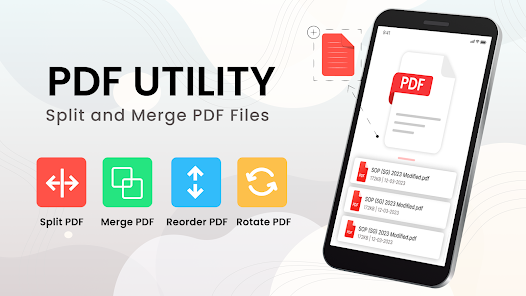
Using this PDF utility, you can perform the following tasks with your PDF files.
-Merge PDF files
-Split PDF file
-Rearrange pages
-Rotate PDF pages
-PDF reader
-Share PDF file
This user-friendly PDF merger page allows you to merge PDFs by combining multiple PDF files, deleting or extracting pages from a PDF file, or rearranging pages from a PDF file. Now you can better organize your merged PDF files and split PDF pages by removing extra pages or combining useful pages from different PDF files into one PDF. This PDF manager makes it easy to sort all your PDF files to split PDF files and documents and merge PDF page files. Also rotate PDF file pages and rearrange PDF pages.
In this PDF file splitter and merge app, you can merge PDF files and combine PDF files into one file. You can also rotate PDF pages and files in the PDF rotator and rearrange PDF pages to save time and work quickly in an all-in-one way. application. PDF splitter and merge to split PDF documents and merge PDF pages.
Merge PDFs and combine PDFs using the PDF combiner:
It often happens that your work is divided into different files when you want to group them into a single file. This PDF file merger combiner comes to your rescue. Select PDF files from your mobile phone and merge them. It can merge two or more PDF files.
Split PDF file:
This PDF utility also helps you delete pages from a PDF file or extract PDF pages from a PDF file to create a new one. If you have a PDF file with a large number of pages but only a few pages interest you.
You can assign page numbers or a specific range to split a PDF file. It provides the following options in Free PDF Split and Merge:
1. Delete pages:
Select the desired pages or provide page numbers in the Split PDF file editor. Now press the “Delete Pages” button and a new file will be saved with the selected pages deleted. You can rename, share or read this new PDF using the app's PDF reader.
2. Extract PDF pages:
Select the desired pages one by one or specify page numbers in the split PDF document file editor. Now press the “Extract PDF Pages” button and a new file will be saved with the selected pages only.
3. Rearrange pages:
Tap, hold and move a page to any position to rearrange pages in PDF files to rearrange pages in
4. Rotate the pages of the PDF file:
Select a page, then tap the “Rotate” icon in the header. Tap once to rotate the page 90 degrees to rotate the PDF file or pages in the PDF rotator (Split PDF).
Options after modifying the PDF:
You can open to read PDF file, rename, delete or share the file after splitting or combining PDF files.
In Split and Merge PDF Free, you can rotate and rearrange PDF pages to split PDF documents and merge PDF pages and PDF rotator. So easily merge PDF files in the app and split PDF pages to save time and work more with this app.
Split & Merge PDF files 使用排名
使用率排名基于 Similarweb 的算法,该算法会计算 28 天内的当前安装量和活跃用户数。
所有品类在
德国--
工具在
德国#2,924
用户兴趣点和热门类别
Split & Merge PDF files 用户使用的热门类别和应用程序



















 Split & Merge PDF files VS.
 十二月 3, 2025