

12月4日的Diver 5 Black For Wear OS 4应用程序分析

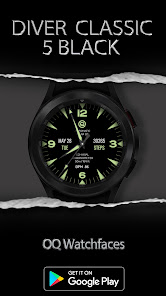
Diver 5 Black For Wear OS 4
- OQ Watchfaces
- Google Play 商店
- 免费
- 个性化
=======================================================
NOTICE: READ THIS ALWAYS BEFORE AND AFTER DOWNLOADING OUR WATCH FACE TO AVOID ANY SITUATION YOU DON'T LIKE.
=======================================================
This watch face for WEAR OS has been made in latest released Samsung Galaxy Watch face studio V 1.6.9 which is still evolving and has been tested on Samsung Watch 4 Classic , Samsung Watch 5 Pro, and Tic watch 5 Pro. It also supports all other wear OS 3+ devices. Some feature experience can be slightly different on other watches.
a. Visit this link to official Install Guide written by Tony Morelan. (Sr. Developer, Evangelist)For Wear OS Watch faces powered by Samsung Watch face Studio. It is very detailed and precise with graphical and image illustrations on How to install the watch face bundle part to your connected wear os watch.
link:-
https://developer.samsung.com/sdp/blog/en-us/2022/11/15/install-watch-faces-for-galaxy-watch5-and-one-ui-watch-45
b. A Big Thanks to Bredlix for source code of new helper app.
Link
https://github.com/bredlix/wf_companion_app
c. An effort also has been made to make a brief install guide as well (an image added with screen previews) .It is the last image in previews of this watch face for newbie android Wear OS users or those who do not know how to install the watch face to your connected device. So it is requested to also make an effort and read it before posting cannot install statements.
d. DO NOT PAY TWICE FROM WATCH PLAY STORE . Wait for your purchases to be synced or if you do not want to wait you can always select direct install to watch method without even helper app.Just ensure that you select your connected watch in install button drop down menu where your wearable device will be shown.Just simply ensure that when you install from phone play store app.
This watch face for WEAR OS has following features:-
1. Tap on text below OQ logo and it will open watch settings menu.
2. Tap on text information just above BPM text to open watch battery settings menu.
3. Tap on BPM text and it will open Samsung Health Heart Rate counter. The reading on display of watch face will also update and sync with it automatically.
4. Tap at 6 o clock and it will open watch phone app.
5. Tap at 12 o clock and it will open watch messaging app.
6. Dim Mode is available for Main and AoD separately in Customization menu.
7. 7 x customizable complications The complications have been kept off on AOD for battery optimization reason. They can also be turned off on main display by the user from the customization menu.
Diver 5 Black For Wear OS 4 使用排名
使用率排名基于 Similarweb 的算法,该算法会计算 28 天内的当前安装量和活跃用户数。
所有品类在
美国--
个性化在
美国--
用户兴趣点和热门类别
Diver 5 Black For Wear OS 4 用户使用的热门类别和应用程序












 Diver 5 Black For Wear OS 4 VS.
 十二月 4, 2025