

12月9日的DKP - Diabetes Client Program应用程序分析

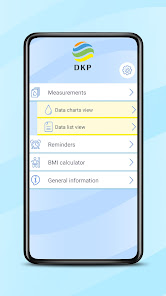
DKP - Diabetes Client Program
- 4D Soft Kft.
- Google Play 商店
- 免费
- 医疗
Receive data from Accu-Chek Instant:
Before using Accu-Chek Instant appliance with the DKP mobile app, the blood glucose meter needs to be paired with the phone.
The blood glucose meter can only be paired with one device at a time. Pairing with a second device overwrites the first pairing. The blood glucose meter and the device to be paired must be within one metre from each other. When the blood glucose meter is switched off, press and hold the (power) button until the Bluetooth symbol appears on the device. The pairing and wireless symbols will then appear and flash.
You can then launch the DKP mobile app on your phone, and in the pop-up window you can choose to sync your data from Accu-Chek Instant appliance. Then you will need to authorise the necessary accesses and enter the six-digit PIN code on the back of the blood glucose meter to pair it. If the pairing is successful, OK will appear on the blood glucose meter. The DKP application then synchronises the measurements from the blood glucose meter. If the pairing fails, the device displays Err.
In cases of some phones, communication (Bluetooth connection) with the blood glucose meter may be slow after pairing, to the extent that the blood glucose meter closes the connection first, so that the blood glucose data are not immediately displayed in the DKP app until the app is restarted. At the next measurement, you won't need to restart the app, the data will be displayed in the app immediately after submission.
Each time the DKP mobile app is launched, it will attempt to synchronise the new data on the blood glucose meter when it arrives at the home screen. This requires the blood glucose meter and Bluetooth mode to be on.
The DKP app can be synchronised with the Fitbit app. You can set up the import, export or automatic import and export of data in Settings.
----------
Please note that the DKP app is neither a medical device nor a medical device, and therefore does not provide health advice or guidance on diabetes management. The app should not be used to diagnose diabetes and is not a substitute for consulting your doctor. Always seek the advice of your doctor when using the app and avoid making any decisions about your medical condition on your own.
DKP - Diabetes Client Program 使用排名
使用率排名基于 Similarweb 的算法,该算法会计算 28 天内的当前安装量和活跃用户数。
所有品类在
美国--
医疗在
美国--


 DKP - Diabetes Client Program VS.
 十二月 9, 2025