

1月25日的Safety e-Report应用程序分析

Safety e-Report
- 행정안전부
- Google Play 商店
- 免费
- 沟通
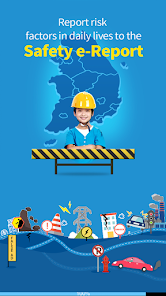
The MOIS is providing Safety e-Report services through smartphone application and Internet portal for the public to easily report risk factors in daily life and check the progress.
The report covers all the risk factors in the public safety like facilities, transport, schools, lives and maritime affairs and the reported contents are linked and processed with the e-people service.
* Call 119 for emergency fire, rescue and saving lives and 112 for the security.
Here is the guideline to the accessibility used by the app.
The accessibility below are required to normally use the app.
□ Storage space: It is the access to the device, pictures and media files and used to access the user DB like saving the setup information of the user.
□ Telephone : It is the rights of sending and managing calls and used to directly connect the call center for the government complaints and set up the push environment.
□ Camera: It is the rights of taking pictures and shooting video and used for the picture / video attachment required for the report.
□ SMS : It is the rights of sending and viewing the message and used to provide SMS services including answers, post-survey on satisfaction and events.
□ Location : It is the rights of accessing the device location and used to provide the map service based on the current location.
□ Microphone: It is the rights of recording the audio and used for the voice report.
The user may permit / refuse each right in the application setup but may not normally use functions of the app if the user refuses the required access.
You can easily set up the access rights after deleting and reinstalling the app if you refuse the popup menu for required accessibility in the app installation.
□ Safety report
- Easily report risk factors only with the photograph / video, accident location and contents.
- The address is automatically converted if you select the accident location on the e-map. The GPS function in the smartphone is only used for the user to easily select the current location as the accident site on the
- You can attach up to 3 photographs or videos with the maximum capacity of 100MB.
* The non-member should enter the private information to search for the progress in the app.
□ Report status: It summarizes and shows the total report status of Safety e-Report.
□ Safety News: The user can search for disaster-related news in Yonhap News Agency real time.
□ Major case: You can search for cases processed (improved) by Safety e-Report.
□ Membership and automatic login
- You can subscribe services after passing the mobile phone authentication and entering the private information.
- The login status maintains even if you run the app again when you select the automatic login and log in the app with your ID and password on the login screen.
□ My report
- The member can search for the report result with his/her ID and password.
- The non-member can search for the report result with his/her mobile phone number and report number.
- You can search for the result with the report number in the text message sent after the report.
- You can search for the result with the mobile phone authentication service.
□ FAQ: It provides key issues like the subscription and report process.
Safety e-Report 使用排名
使用率排名基于 Similarweb 的算法,该算法会计算 28 天内的当前安装量和活跃用户数。
所有品类在
美国--
沟通在
美国--
Safety e-Report一月 25, 2026