

You’ve hit your search limit
Start your free trial to keep exploring full traffic and performance insights.
Get StartedPocketJot - Handwritten Notes app analytics for November 22

PocketJot - Handwritten Notes
- Stefano Tosi
- Apple App Store
- Free
- Productivity
Draw your notes on your iPhone/iPad with PocketJot!
PocketJot turns your iPhone/iPad into your portable notebook.
PocketJot is fast, easy to use, fun and always with you.
>> USE IT AS A SMALL PAPER NOTEBOOK
Have fun flipping through your notes as if they were on a small notebook.
Always with you.
>> EASY TO USE
PocketJot is designed for everyday use, quick and fun.
Just trace with your finger, at full screen on your device. Or, if you like, type a note using the keyboard.
>> APPLE PENCIL
On devices that support it you can use to draw, if you want, even the pencil.
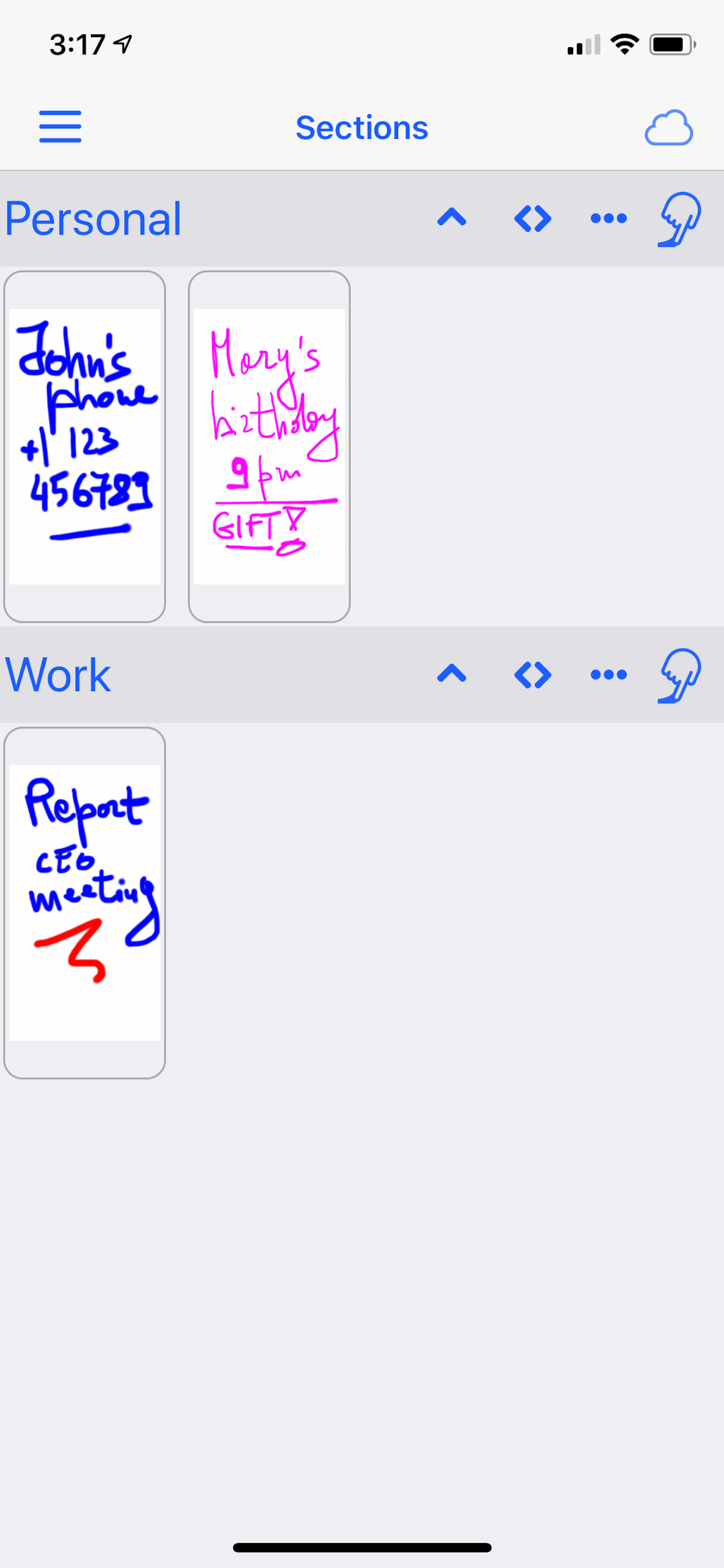
>> SECTIONS
You can, if you want, organize your notes in various sections. You can assign a name to each section and organize the order to show the sections.
>> DRAG AND DROP
You can change the order of the notes within the sections. Just keep your finger pressed on a note and drag it where you want, inside the section or in another. All very easy.
>> COMPLETED NOTES
If a section contains various notes with things to do, as you complete them
you can mark each note as 'completed'. The completed notes are displayed with a check mark.
Do you have to shop? Make a 'Supermarket' section with things to take. When you go shopping, as you take them, check them out. Once finished you can hide the check for all things to be taken for the next time.
>> PROGRAMMABLE ALARMS
Take your notes and, if you need, mark the time when the phone or tablet will warn you: a meeting, a phone call, something to do.
PocketJot will remind you to remember it!
>> SHARING NOTES BETWEEN YOUR DEVICES
Synchronize your notes and keep them automatically updated among all your devices. It is very simple: it does everything for itself. All you need to do is to enable synchronization in app Settings. PocketJot uses your iCloud account.
>> COLOR AND DIMENSION OF PENCIL TO CHOOSE
When you draw you can choose the color and the size of the stroke.
PocketJot remembers for each note the last pencil you used and reuse it when you reopen the drawing if you want to change it.
>> PHOTO
You can import a photo of your device into the note so you can draw on it. In addition, you can save your note, with what you have drawn, among the photos of your device.
>> PDF AND EMAIL
If you want to send your notes you can not only export the note saved from the photos, but directly within the app, create an email with an attached pdf file of the note.
>> SPLIT VIEW AND SLIDE OVER
PocketJot now supports multitasking modes on devices that allow for that
>> UNLIMITED NUMBER OF NOTES
Do not restrain your creativity!
The Premium version of the app allows for an unlimited number of notes.
The trial version of the app, which can be downloaded for free, allows for a limited number of notes. Within the trial version you can purchase the Premium version to unlock the limitation.
-----------------------------
Have fun with PocketJot!
-----------------------------
Store Rank
The Store Rank is based on multiple parameters set by Google and Apple.
All Categories in
United States--
Productivity in
United States--
Top Competitors & Alternative Apps
Apps with a high probability of being used by the same users, from the same store.

Handwritten Idea Notes

Pocket Note - Handwritten note

Scrol-Notes : finger writing

Handwritten note
 PocketJot - Handwritten Notes VS.
November 22, 2026