

You’ve hit your search limit
Start your free trial to keep exploring full traffic and performance insights.
Get StartedSharpScan: PDF scanner + OCR app analytics for October 21

SharpScan: PDF scanner + OCR
- PIXELNETICA DOO
- Apple App Store
- Free
- Business
Turn your iPhone into a jet Fast multi-page document scanner with SharpScan!
Recognize and Share text in Images on 50+ languages (OCR)*.
*For text layer sharing an additional in-app purchase required.
***** My requirement was simple: make a picture of a document look like it was scanned and then email that document. This app did that very easily. There was no learning curve at all and the end product was clean and professional looking. (DrDaveVA)
***** I needed to get good pics of documents and receipts. I tried 8 or 9 of the so-called "top scanner apps" and the were all mediocre at best. I usually have trouble keeping the iPad steady for detailed receipts and this has great stabilization. It also captures really well in lower light. Super easy to send to cloud storage (box, Dropbox and other I think). That part is so much faster and simpler than other apps. (Bookstore_Annie)
Perfect companion for busy users, SharpScan automatically produces small, clear, and legible standard PDF documents from any photos at a very high speed.
Share documents as a tiny Black & White PDF. Convert them to Color, Grey or Original anytime with no pixel loss.
Are you on the go and urgently need to send an expenses receipt, business card, presentation slide, or any other document to colleagues?
SharpScan offers a perfect solution to your problem. Check it out!
WHAT MAKES SHARPSCAN UNIQUE
◆ MADE WITH SPEED AND QUALITY IN MIND
Perfect combination of image processing Speed and Quality - takes less than 3 seconds from the image shot to a ready-to-use document without any annoying manual adjustments.
◆ SMART CROP
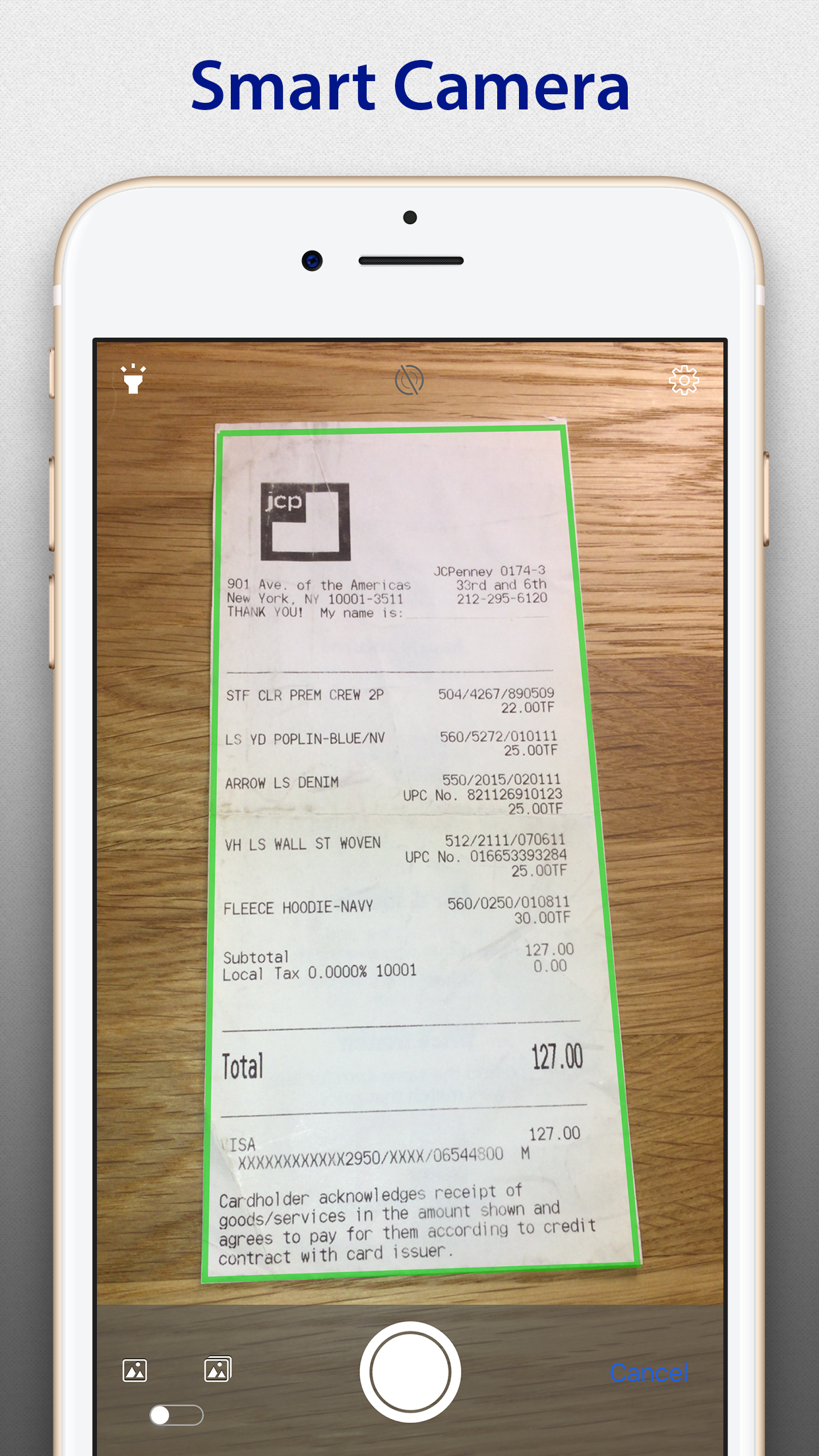
Fully automatic document boundary detection, cropping, and perspective correction without manual interaction. Of course manual adjustments are also possible.
◆ SIZE DOES MATTER
True Black & White image processing to produce tiny documents with lossless compression. Compare to ordinary JPEG: ~20x smaller with no pixel lost for compression. Can scarcely be overestimated in case of a slow or expensive network connection.
◆ PRO CAMERA
Enable Camera Stabilization to get sharpest documents you can. Use Touch Focus and Exposure to shoot crystal clear photos.
◆ MAGIC COLOR
Content oriented adaptive Color processing profile automatically generates perfect documents.
◆ SAFETY ASSURANCE
Feel free to experiment with your documents - with Non-Destructive image editing you can always revert to the original image.
You can share a document as a tiny Black & White PDF and then convert it to Color, Grey or Original with no pixel loss.
◆ EVERY PIXEL COUNTS
Highest image enhancement quality - get rid of noise, shadows, distortions, and other shooting artifacts at full resolution.
Special mode for strong shadows processing - every detail will be revealed.
◆ PDF POWER
Create industry standard PDF documents.
- Manage document and pages: Move, Copy, and Merge.
- Protect documents with passwords.
- Automatic page size and orientation detection.
- Custom page sizes including flexible (like long receipts).
◆ NO MORE MANUAL WORK
Image processing and enhancement in full auto - no tedious manual adjustments necessary.
◆ WORKING WITH LARGE VOLUMES
Harness the speed and convenience of Batch processing to scan and manage multi-page documents on the go.
◆ SHARING WITH EASE
Share documents as PDF, image or text files on the go.
Free version has advertisement, scanned documents generated with watermark.
Don’t hesitate to contact us at any time and send your suggestions or questions to our support team www.pixelnetica.com/support.html
We’ll do our best to answer to your questions as soon as possible.
TWITTER: @Pixelnetica
FACEBOOK: www.facebook.com/Pixelnetica
YouTube: www.youtube.com/user/Pixelnetica
Store Rank
The Store Rank is based on multiple parameters set by Google and Apple.
All Categories in
United States--
Business in
United States--
Top Competitors & Alternative Apps
Apps with a high probability of being used by the same users, from the same store.

Scan & Print - Scanner App

Fiscal Receipts

Perfect OCR

Collector Systems
 SharpScan: PDF scanner + OCR VS.
 October 21, 2026