

ImageMeter app analytics for October 21

ImageMeter
- Dirk Farin
- Apple App Store
- Free
- Productivity
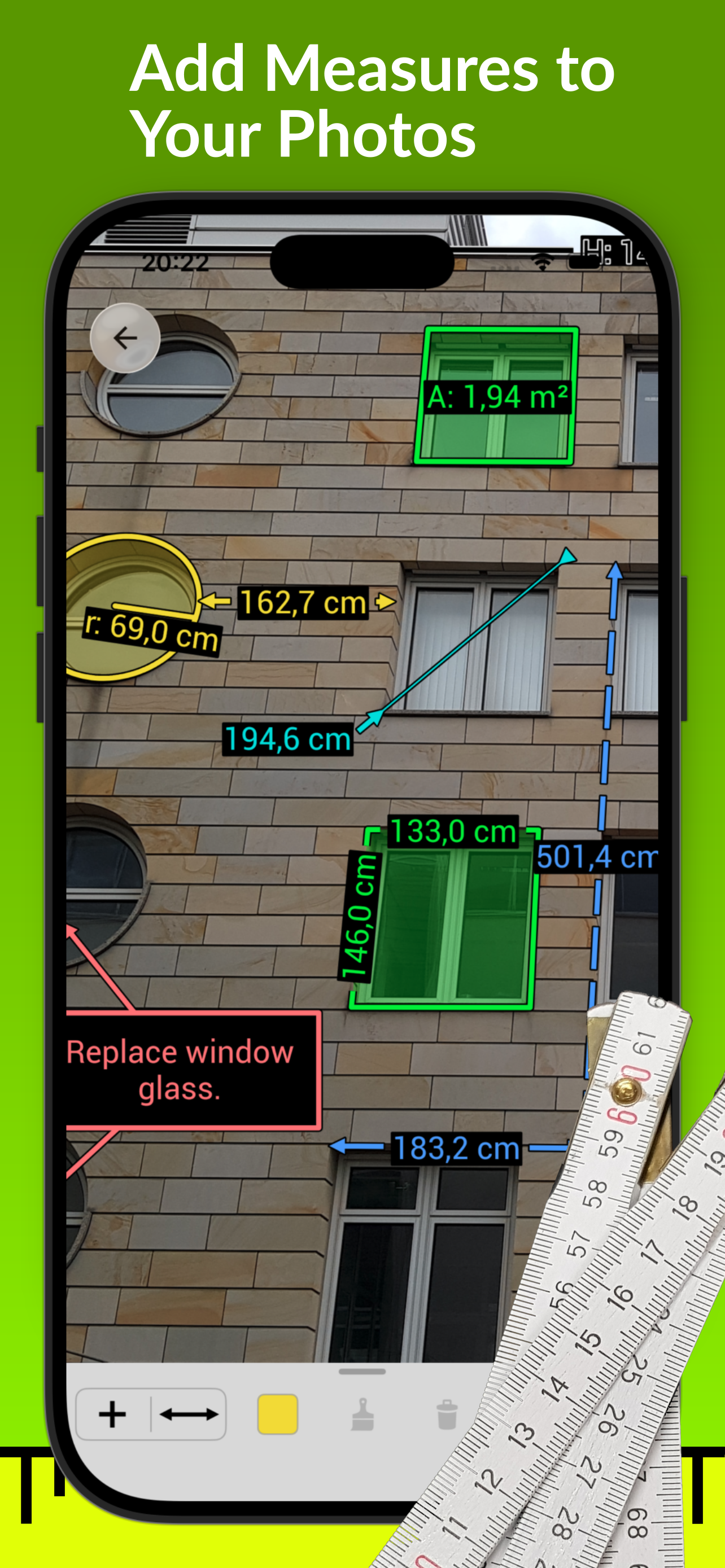
ImageMeter puts measurements and notes directly into your photos. No more hand-drawn sketches that nobody understands: take a photo on site, draw the dimensions where they belong, add notes, detail images, or audio notes, and send a clear document to your clients and colleagues.
ImageMeter is used by tradespeople, carpenters, kitchen and interior designers, property managers, sign makers, insurance assessors and many more.
ENTER MEASUREMENTS YOUR WAY
• Bluetooth laser meters: send measurements straight into the image. ImageMeter supports most laser distance meters with Bluetooth and, where the device allows it, triggers measurements remotely (https://imagemeter.com/manual/bluetooth/devices).
• Measure in the image: set a reference, such as a known wall size, a sheet of paper or a known length, and ImageMeter calculates lengths and areas, even on surfaces seen in perspective.
• Or simply type in the values from your tape measure.
TOOLS FOR EVERY JOB
• Lengths, areas, angles, circles and rectangles
• Measurement strings and polylines
• Counting tool
• Text notes, freehand drawings and arrows
• Audio notes and detail pictures inside the image
• Line styles, colors, font sizes and arrowheads
• Brightness, contrast and saturation for poorly lit photos
PDF PLANS AND FORMS
Import floor plans and drawings from PDF files. ImageMeter takes the scale of the drawing into account, so you can measure right on the plan.
Fill your PDF forms directly in the app.
EXPORT AND SHARE
• Images as JPEG or PNG, annotated PDF documents and PDF reports
• Data tables for bills of materials or measurement logs, ready for your spreadsheet
• Editable image files for other ImageMeter users
YOUR CLOUD, YOUR DATA
Sync your images with the cloud storage of your choice: OneDrive, Dropbox, Google Drive, your own Nextcloud/WebDAV server or SFTP. Continue working on your office computer with ImageMeter for macOS, Windows and Linux.
FREE, PRO AND BUSINESS
ImageMeter is free to download and try. The free version has a limited number of measurements per image, and exported images carry a watermark.
Pro (one-time purchase) adds: unlimited measurements, no watermarks, PDF import and annotation, subfolders, unlimited range for Bluetooth laser meters, circles and rectangles, measurement strings, counting tool, perspective length measurement and audio notes.
Business (monthly or yearly subscription) includes everything in Pro, plus image sync between your devices and backup to your own cloud storage, your company logo on images, data table export and layers.
Subscriptions renew automatically unless cancelled at least 24 hours before the end of the current period. You can manage or cancel them in your App Store account settings.
ImageMeter® and the ImageMeter logo are registered trademarks of "Dirk Farin - Algorithmic Research e.K." in the EU and the USA. All other product names, logos and brands are the property of their respective owners.
Terms of Use: https://www.apple.com/legal/internet-services/itunes/dev/stdeula/
Privacy Policy: https://www.iubenda.com/privacy-policy/43586350
Store Rank
The Store Rank is based on multiple parameters set by Google and Apple.
All Categories in
United States--
Productivity in
United States--
Top Competitors & Alternative Apps
Apps with a high probability of being used by the same users, from the same store.

Screenshot Pixel Measure Tool

Image Ruler - Measures

Photo Measures

My Measures + AR Measure
 ImageMeter VS.
 October 21, 2026