

Liforte TinyPlanet vs ReShoot 360 Uso & Estadísticas
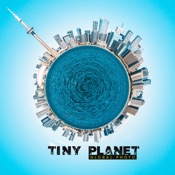
Do you like the photos of planet? TinyPlanet is a great app to design your photos, turn your photos into impressive Tiny Planet.
No need waste hours for edit in Photoshop. TinyPlanet help you create amazing photo with several simple step immediately.
Features:
- Make your photos into tiny planet with simple steps. Design and Change attribution to get amazing photo you want.
- Automatic Gallery: TinyPlanet save your photos automatically collected in Gallery - all your tiny planet will place to view, show and share.
- Share your planet to everyone in your social like Facebook, Instagram, Twitter, Whatapps, via email or SMS or save to your camera roll.
- No WaterMask add in your photos
- No Advertisements in app.
HOW TO USE:
1. Pick your photo or take a picture from app or photo album.
2. Editing your photo with attributions.
3. Save or share your tiny planet photo to everyone!
- App Store de Apple
- Gratis
- Foto y vídeo
Clasificación de tiendas
- -
Reframe your 360° photos & videos
=> Transform your 360° spherical content into stunning creations and grow your audience on social media.
Note: This app does not capture 360° photos or videos. It is designed to edit existing 360° content.
Works with all 360° cameras and any equirectangular file:
- Insta360 X
- GoPro Max
- DJI Osmo 360
- Ricoh Theta
=> Use your 360° camera app to export your 360° file and then open it in ReShoot 360.
Free Version
- Filters – Instantly reframe your 360° photos & 360° videos
- Editor – Add keyframes, transitions & control camera movements
- AI Tracking – Automatically follow faces, bodies, animals & more
- Photo to Video – Animate your 360° photos with smooth camera moves
- Social Media Presets – Export optimized for TikTok, Instagram, YouTube, X, Facebook
PRO Version (subscription)
=> Unlock the full potential with PRO features:
- High Quality – Export up to 8K photos & 4K/60fps videos
- Spherical Tools – Hide tripod & straighten horizon
- Creative Effects – Add Mirror & Spiral
- Split Pano – Turn your 360° photo into swipeable Instagram posts
Whether you are a creator, influencer, or just experimenting, this app makes 360° editing easy, fun, and powerful!
Plenty of video tutorials are available on the ReShoot 360 YouTube channel.
- App Store de Apple
- Gratis
- Foto y vídeo
Clasificación de tiendas
- -
 Liforte TinyPlanet VS.
  ReShoot 360
enero 21, 2026