

Análisis de la app Decimal & Fraction Calculator para 21 de diciembre

Decimal & Fraction Calculator
- Grant Thompson
- App Store de Apple
- Pagado
- Educación
Calculator:
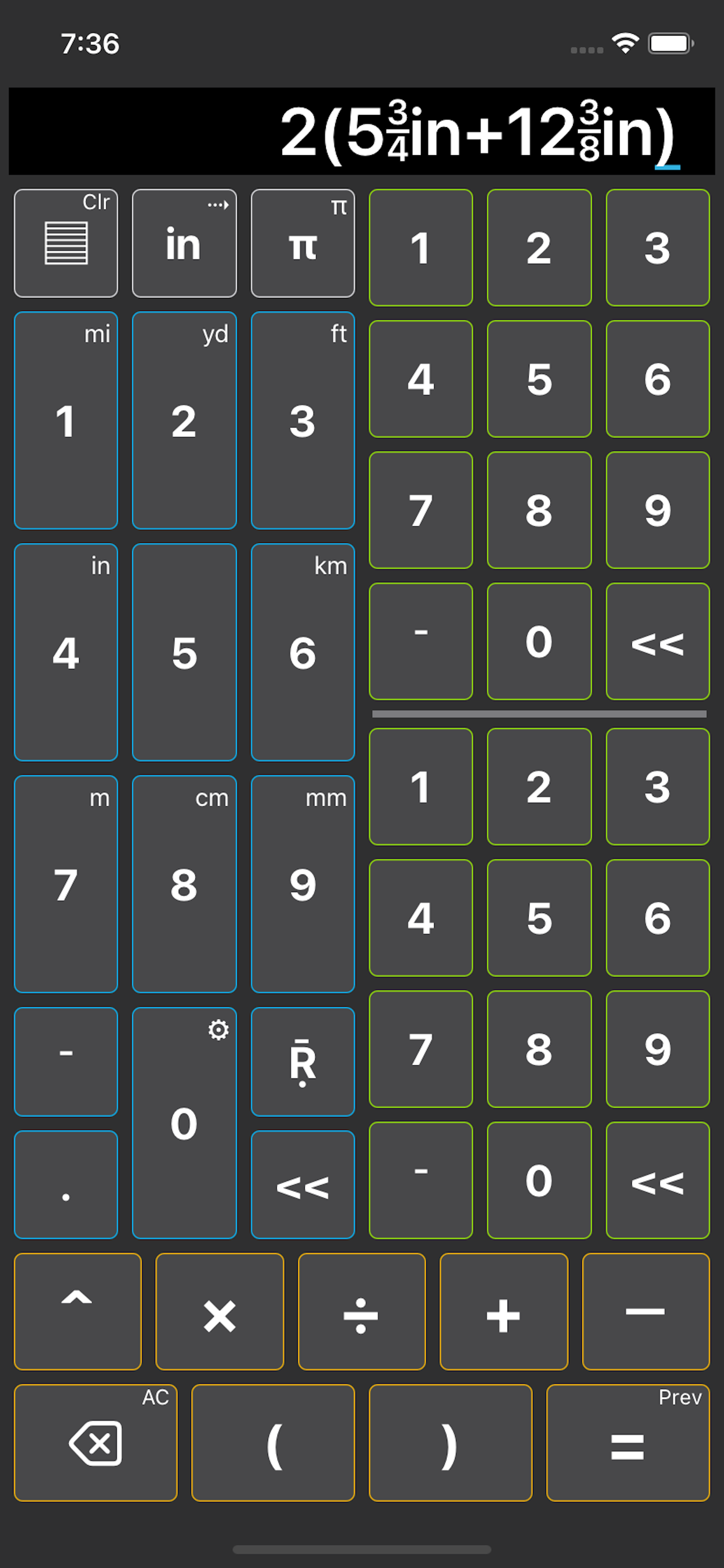
• Works with fractions, decimals and repeating decimals in the order of operations
• Calculator operations: ( ) ^ x ÷ + —
• Easy fraction entry: Blue buttons for whole numbers and Green buttons for numerator over denominators.
• Decimal entry uses Blue buttons. Begin repeating decimals entry by clicking the Ṝ button.
• Units of measure include yd, ft, in, m, cm, mm
• π as 22/7 or 'long click' π for 355/113
• Edit equation by clicking the term you want to edit. Then click the equation again to return to normal entry mode.
• Operator edit: Click operator you want to edit, click orange delete button, enter new operator. Click on the equation again to return to normal entry mode.
• Copy equation: Long click the equation. Then paste into a google search to compare / confirm answers.
• Long click in/cm unit button to switch between base units.
• Display your entered fraction, decimal or answer to the measurement screen by clicking the "=" button.
Inch to/from Centimeter:
• Convert answer between inch and centimeter by long clicking the in/cm base unit button in the upper left calculator row. Then click the "=" button.
Memory lists usage:
(top left button of calculator buttons)
• Select the list button to fill the equation (after operator) with either "Saved" or "History" answer values
• If input has an answer, select the list button to "Save"
• Hold (Long click) the list button to clear the "Saved" or "History" list of all values
• History list saves the last 50 calculations
Convert a decimal to fraction or fraction to decimal:
• Converting fraction to decimal displays last 3 decimal of returned value after an ellipse on decimal values of up to 12M in length
• Title Bar configurable to display total length and the repeating decimals starting position.
• Capable of inputting repeating decimals. Repeating decimals are displayed as green decimal numbers when active.
Inch style Number Line:
• Displays an imperial inch or centimeter style number line (not actual size) that updates itself as you input your values (either decimal or fraction). For both negative (increase left) and positive (increase right) input.
• 'Bump to Nearest' Decimal = 0.1, 0.01, 0.001, 0.0001 or Fraction = 1/4, 1/8, 1/16, 1/32, 1/64 and 1/128 or enter your own Custom Fraction Denominator from 1/2 to 1/10000 by clicking left or right halves of the inch style number line.
• Click setup gear to set your 'Bump to Nearest' value.
Clasificación de tiendas
El Store Rank se basa en múltiples parámetros establecidos por Google y Apple.
Todas las categorías en
Estados Unidos--
Educación en
Estados Unidos--
Principales competidores & aplicaciones alternativas
Aplicaciones con una alta probabilidad de ser utilizadas por los mismos usuarios, desde la misma tienda.

Decimal Fractions

Decimal to Fraction Math Facts
Fraction & Math Comparisons

Fraction Calculator Tutor
 Decimal & Fraction Calculator VS.
 21iciembre d, 2025