

Análisis de la app Photo Composer - Image Editor para 12 de enero

Photo Composer - Image Editor
- sunata UG (haftungsbeschraenkt)
- App Store de Apple
- Gratis
- Foto y vídeo
Turn your photos into artistic or funny artworks quickly and easily on your iPhone, iPad or Mac.
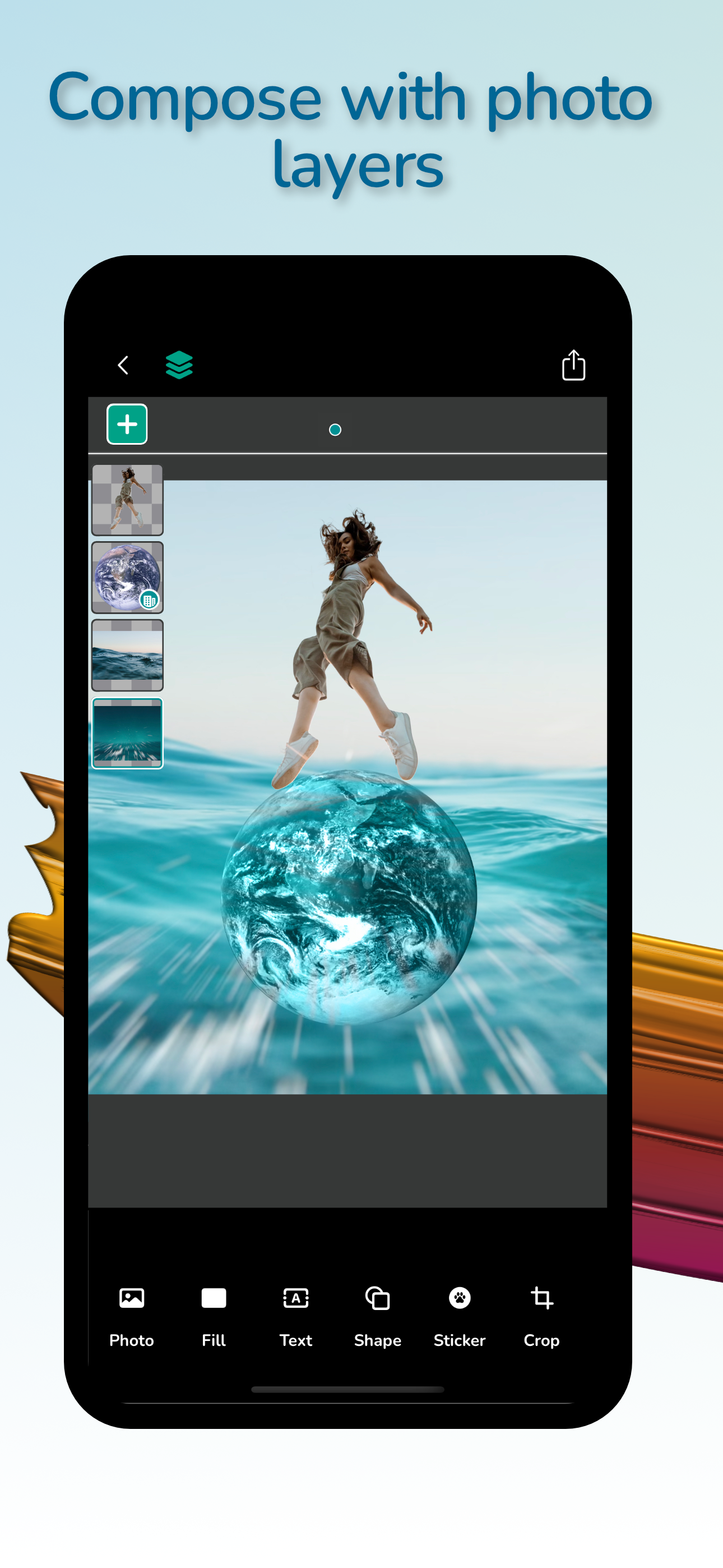
Unleash your creativity and create stunning photo compositions and collages by adding and composing layers with images, backgrounds, patterns, colors, shapes, stickers and text.
With just one touch, you can precisely cut out people from the photo and remove, change or blur the background.
In addition, you can easily erase (mask) the contents of each layer with the eraser brush.
Place two layers on top of each other and create creative clipping masks from photos, text, shapes and stickers.
With easy-to-apply filters and blending effects, create quickly eye-catching compositions and messages perfect for sharing on your social media.
Thanks to the integrated filter preview for the selected photo layer, you can quickly find the effect or filter you want.
Partially delete (mask) the filter effect and leave parts of the photo untouched by the filter.
Find matching colors for your composition in the predefined color and gradient palettes.
You can export your artwork to a HEIC, JPEG or PNG image with transparency.
Download the free version of the app and try out all the features. There is a limit to the number of compositions and available layers per composition in the free version.
Upgrading to an unlimited number of compositions and layers is possible through the In-App Purchase „Premium Access“.
Main Features:
• Edit photos and create image compositions with a layer based photo and image editor
• Precise select and cut out people in the photo
• Easily erase background, blur background or apply creative filters to the background
• Erase (mask) each layer with erasing brushes
• Create clipping masks by positioning one layer over another layer and clip the contents in the layer boundaries.
• Use cut out people, text, shape or sticker to create the clipping mask.
• Choose from a selection of predefined crop factor image sizes for exporting to social media like Instagram, Facebook or Twitter.
• Add text and set the text style attributes like:
- text font
- text color
- text outline color and width
- text background color
- text shadow color, shadow radius, and shadow x- and y- offset
• Add vector based shapes and choose:
- shape fill color
- shape fill pattern
- shape shadow
• Add stickers
• Use Blend Modes to blend colors of overlapping layers
• Apply creative filters to photos from the filters collection:
- Blur:
• Gaussian Blur
• Motion blur
• Zoom blur
- Stylize:
• Pixelate
• Pointilize
• Hexagonal Pixelate
• Crystalize
• Comic Effect
• Dot Screen
• Line Screen
• Hatched Screen
• Edge Work
• Edges
- Color Adjustment:
• Sepia Tone
• Color invert
• Color posterize
• Color Threshold
• X-Ray
• Morphology Gradient
• Spot Color
• Thermal
Clasificación de tiendas
El Store Rank se basa en múltiples parámetros establecidos por Google y Apple.
Todas las categorías en
Estados Unidos--
Foto y vídeo en
Estados Unidos--
Principales competidores & aplicaciones alternativas
Aplicaciones con una alta probabilidad de ser utilizadas por los mismos usuarios, desde la misma tienda.
Image Layer Composer - Editor

Clippedrop:Cutout to Composit

ProCut - AI Background Removal
ClipEdge:One Tap AI magic
 Photo Composer - Image Editor VS.
 enero 12, 2026