

You’ve hit your search limit
Start your free trial to keep exploring full traffic and performance insights.
Get StartedAnálisis de la app My Calendar: Planner Organizer para 15 de enero

My Calendar: Planner Organizer
- Komorebi Inc.
- App Store de Apple
- Gratis
- Productividad
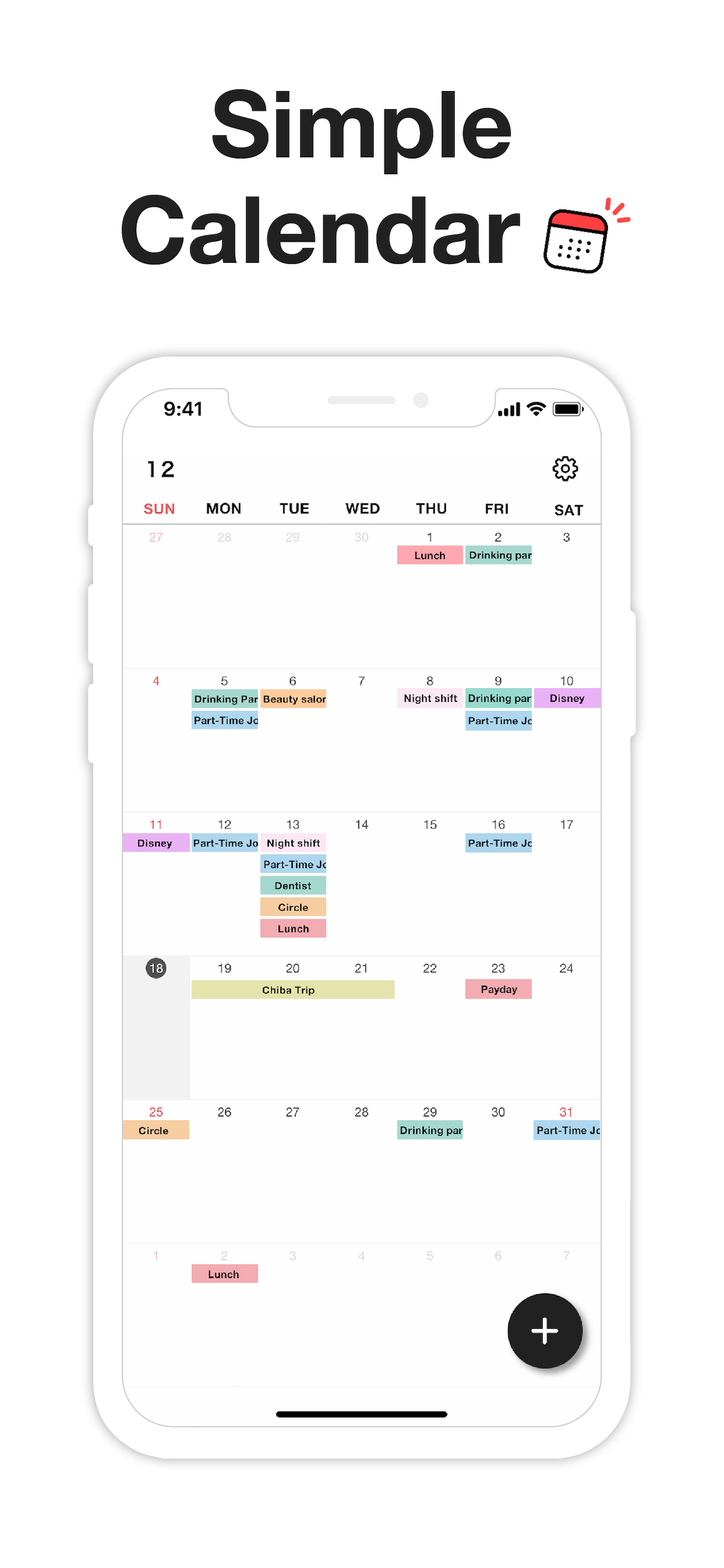
My Calendar is a simple calendar app that lets anyone easily manage their schedule.
• Extremely easy to use
• Use your favorite photo as a background image
• Easily check your schedule on a large, clutter-free screen
Despite its simplicity, this app is loaded with useful features, such as widgets and a variety of dark mode themes.
[ Features ]
• 50 theme colors
• Font size adjustment (10 levels)
• Customizable background image
• 5 lock screen widgets
• 6 home screen widgets
• Font color selection (black / white)
• Vertical and horizontal scrolling
• Passcode lock
• Change app icon
• iCloud backup
• Transfer data when changing phones, even on a different OS
---
[ Convenient features ]
■ No account required
No member registration or iCloud account is required.
Anyone can get started right away without going through the trouble of logging in.
■ Font size adjustment
Choose from five font sizes. Options for fine, bold, white and black text allow you to read without straining your eyes.
■ Color coding
You can color code your schedule simply by selecting a color when adding an event.
There are 25 stylish colors to choose from. You can even give names to frequently used colors, such as "part-time job" or "night shift."
■ Passcode lock
Keep your schedule safe from prying eyes by locking the app with a passcode. Face ID and Touch ID are also supported, of course.
■ Notifications
Set alerts for events on your schedule. For important events, you can set up push notifications that will alert you ahead of time (such as 5 minutes or 15 minutes in advance), in addition to the scheduled time.
■ Add multiple events at once by selecting several dates
When adding events to your schedule, you can select multiple dates to add several at once. This makes it easy to quickly add job shifts at irregular intervals, for example.
You can also set up recurring events with no need to manually add each date. This can be as simple as "every Tuesday" or something more unusual: the 25th of every month, every 3 weeks, the last day of every month and so on.
■ Add URLs, maps and memos
You can add URLs, maps and memos to each event. Tapping a URL will take you straight to your browser, while tapping a location will open the Google Maps app or the iOS Maps app for your convenience.
■ Theme colors
50 stylish theme colors are available!
■ Dark mode
Be gentle on your eyes with dark mode. Choose from four different dark color schemes.
■ Widgets
Five lock screen widgets and six home screen widgets allow you to display a mini calendar, show your next scheduled event and more.
---
■ Note
This app stores calendar information entirely within the app. If you remove the app, that data will be lost.
Please back up your data from the "Backup" menu in the settings screen if you intend to change your phone or if you are worried about losing the app.
If you want to use iCloud Calendar or Google Calendar, please try our Simple Calendar (S Calendar) app. It supports various calendar accounts and can manage schedule data in the cloud.
Feel free to use My Calendar and Simple Calendar alongside each other to suit your purposes.
■ Help and inquiries
Please see "Help" in the Settings screen of the app. If you still have questions after reviewing that information, you can reach us using the "Contact Us" button in the upper right corner of the Help screen.
Terms of Use:
https://komorebi-studio.com/tos_en.html
Privacy Policy:
https://komorebi-studio.com/policyredirect.html
Clasificación de tiendas
El Store Rank se basa en múltiples parámetros establecidos por Google y Apple.
Todas las categorías en
Estados Unidos--
Productividad en
Estados Unidos--
Principales competidores & aplicaciones alternativas
Aplicaciones con una alta probabilidad de ser utilizadas por los mismos usuarios, desde la misma tienda.

Treeカレンダー 簡単スケジュール管理の人気カレンダー

Simple Calendar・Schedule app

Kummy - Planner & Calendar

ChouchouCalendar
 My Calendar: Planner Organizer VS.
 enero 15, 2026