

You’ve hit your search limit
Start your free trial to keep exploring full traffic and performance insights.
Get StartedAnálisis de la app Macro Simulator CNC Conv para 18 de enero

Macro Simulator CNC Conv
- Ekaterina Filimonova
- App Store de Apple
- Pagado
- Productividad
Often times, job must be done as quickly as possible and there is no time to mess around with creating programs by hand and here the Macro Simulator CNC Conv works best.
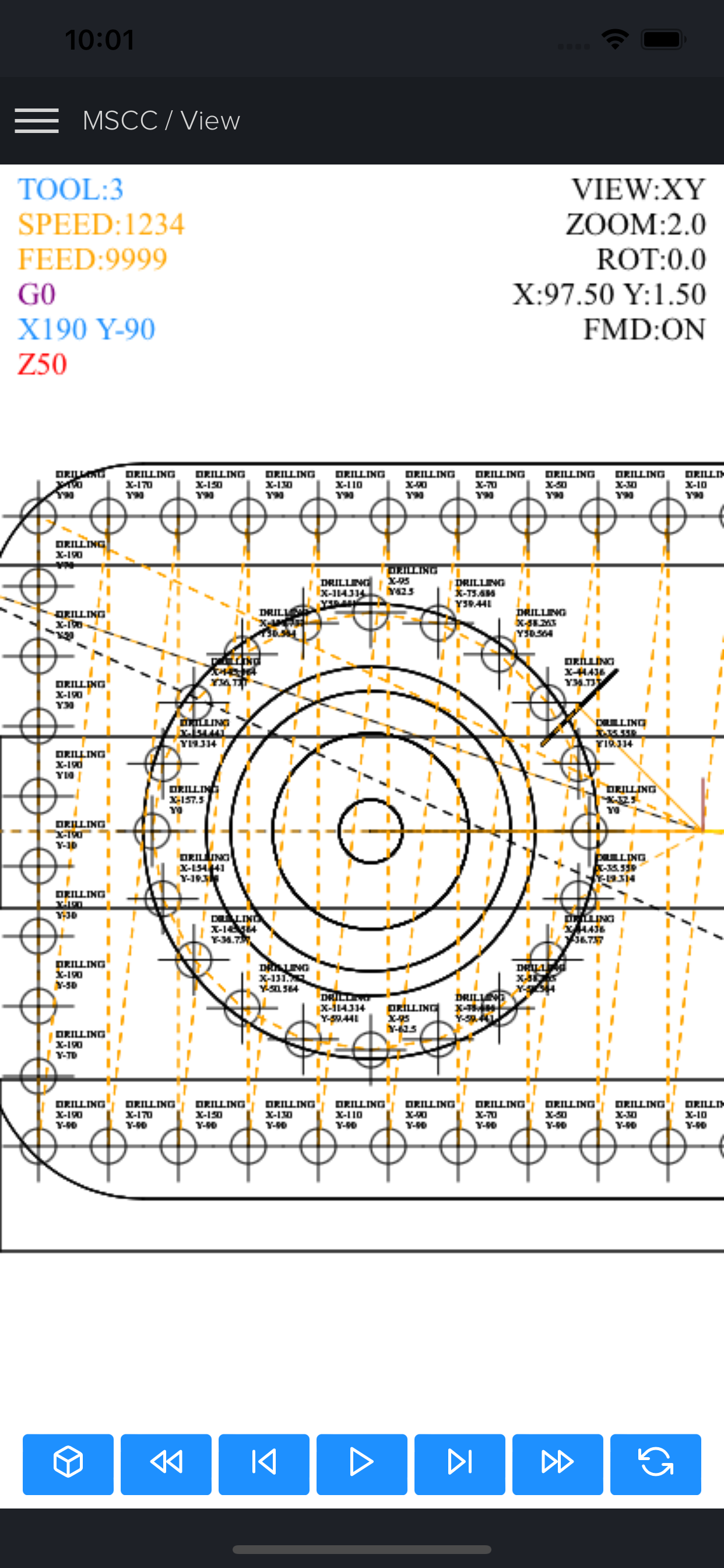
Macro Simulator CNC Conv is a powerful, modern, multi-platform CNC code editor, backplotter and simulator extended with conversational functionality. It allows you to quickly and easily take advantage of many extremely useful cycles such as helical boring, thread milling, pocket and shoulder milling, face milling and others (more in the description below), combined with the possibility of generating them as patterns (circular, angular, grid or rectangular).
Moreover, unlike many other conversational software, Macro Simulator CNC Conv allows you to combine the generated code with CNC macros, subroutines, add your own code for maximum flexibility using the built-in code editor, simulator and backplotter.
After exporting the code to pure g-code (including its compression), the resulting programs can be used on virtually all CNC machines operating on the ISO standard.
Macro Simulator CNC Conv supports many extensions needed to save the file, such as: nc, cn, ncc, cnc, eia, txt
Cycles available in conversational mode:
- HELICAL BORING (can also be used for circular pocket)
- THREAD MILLING (external and internal)
- POCKET (circular, rectangle, can also be used for grooving)
- SHOULDER (circular, rectangle)
- FACE MILLING (3 strategies)
- CYCLE (simple drilling, dwell drilling, peck drilling, tapping)
- DRILLING - peck drilling with dwell time for every peck
Program export:
- export to pure g-code (converting macro or built-in cycles)
- code compressing
- removing empty lines
- adding decimal point
- adding automatically information about the tool used (at the beginning of the program as before calling it)
Viewport information:
- 3D tool path
- simulation (play, play fast. stop, next, reset, previous, rewind)
- 5 view modes (3D, XY, XY removal, XZ, YZ)
- image rotation in x axis
- zoom
- shift image
- show/hide rapid movement
- simplified representation of tools (max 50 tools)
- metric/imperial mode
- 3 themes (dark, bright, black & white)
G-code/Fanuc/Haas/Mazak ISO support:
- absolute, incremental and polar mode
- G16 polar coordinate
- G51 scaling
- G52 local work shift
- G65/G66 macro subprogram call
- G68 coordinate system rotation
- G98 retract to initial Z value
- G99 retract to R value
- M98 subprogram (multiple formats)
- repeat canned cycle (L and K)
- circular interpolation supported by using (I, J or R)
Haas support:
- G70 Bolt Hole Circle
- G71 Bolt Hole Arc
- G72 Bolt Holes Along an Angle
Macro (Fanuc Custom Macro B) support:
- keywords: IF, THEN, GOTO, WHILE, DO, END
- math functions supported: sin, cos, tan, asin, acos, atan, sqrt, abs, round, fix, fup, ln, exp, pow
- local, common variables and some of the most popular system variables:
Macro debugger:
- showing current line
- assigned and created variables
- math and logical calculations in line
- for IF and WHILE statement shows the actual value (true or false)
Code editor:
- code highlighting
- formatting
- undo (50 times)/redo
- adding/removing EOB
- adding/removing %
- adding decimal point
Files:
- new project
- open file
- open template
- append(to add a subroutine locally)
- save
- save as (nc, cn, ncc, cnc, eia, txt)
- export(to export macro program as a pure g code program)
Input compatibility:
Fanuc 0, Fanuc 6, Fanuc 10, Fanuc 11, Fanuc 12, Fanuc 15, Fanuc 16, Fanuc 18, Fanuc 20, Fanuc 21, Fanuc 30i, Fanuc 31i, Fanuc 32i, Fanuc 35i, Haas, Mazak ISO, Siemens 802D and others using CNC macros based on Fanuc Custom Macro B.
Output compatibility (export):
same as the selected input control, can also be converted to Heidenhain, Sinumerik or other control on request
Languages:
*The conversational part is only available in English*
English, Français, Deutsche, taliano, Español, 한국어, 日本語, Polski, Magyar, Pусский, Português, 中文, Türkçe
Clasificación de tiendas
El Store Rank se basa en múltiples parámetros establecidos por Google y Apple.
Todas las categorías en
Estados Unidos--
Productividad en
Estados Unidos--
Principales competidores & aplicaciones alternativas
Aplicaciones con una alta probabilidad de ser utilizadas por los mismos usuarios, desde la misma tienda.

SOP Master

Procedural - Routine Checklist

Lean D-M-A-I-C Rpt

Lean A3 Project Rpt
 Macro Simulator CNC Conv VS.
 enero 18, 2026