

You’ve hit your search limit
Start your free trial to keep exploring full traffic and performance insights.
Get StartedAnálisis de la app Developer Colour Palette para 7 de febrero
Developer Colour Palette
- Thomas Coomer
- App Store de Apple
- Pagado
- Herramientas para desarrolladores
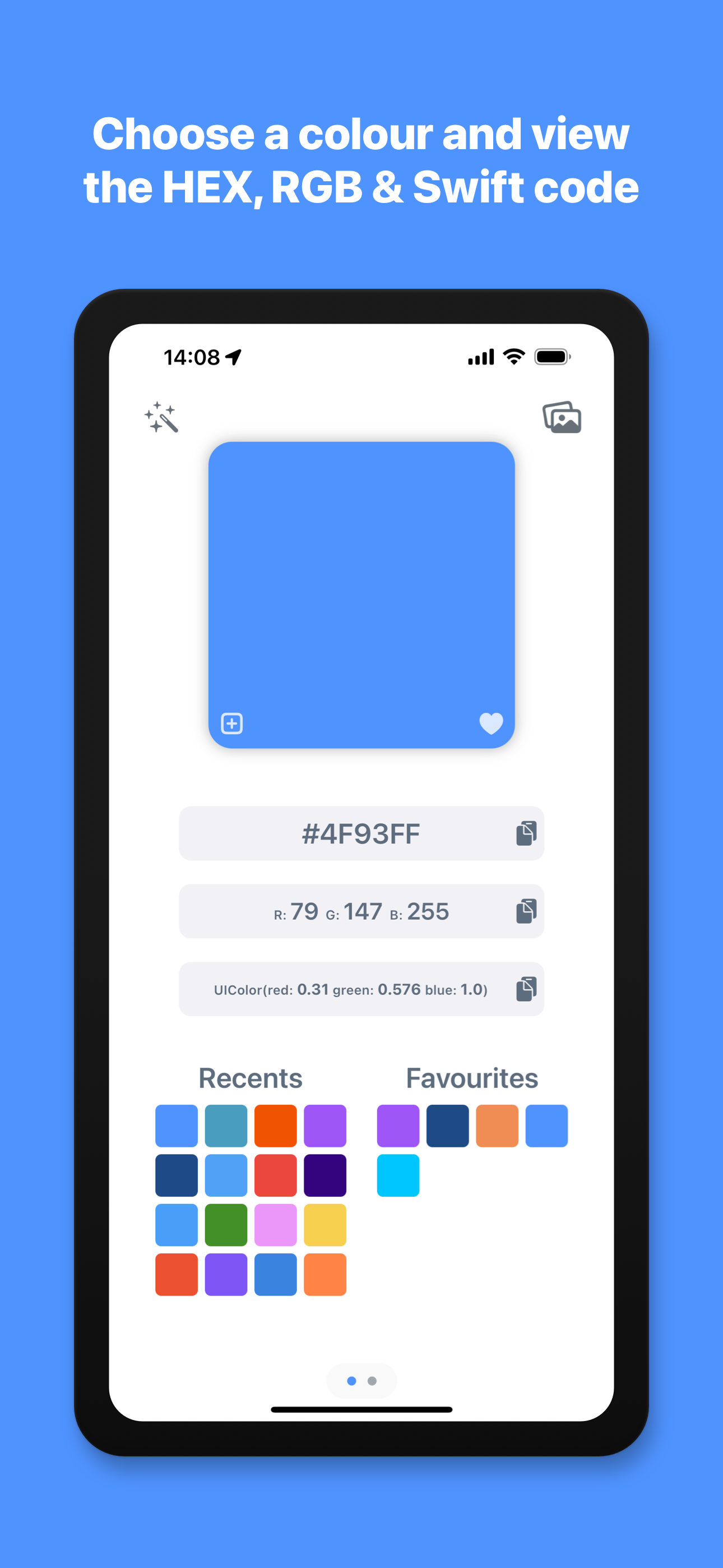
Developer Colour Palette helps you to choose, convert, organise and share the colours that you use for the projects that you are working on.
Choose a colour using the built in colour picker, or enter the colour values to see them converted to HEX, RGB and Swift code. You can then copy the colour codes with a single tap to use in your projects. The app automatically shows your recently used colours for reuse and allows you to add frequently used colours to your favourites.
You can organise your colours further, by grouping them in to different palettes for each project or brand that you are working with, name the colours to describe what part of the project they are being used for and write notes on each palette and colour. The palettes you create and colours you add will be automatically synced to the cloud and accessible on all of your Apple devices.
You can also share these palettes with other members of your design team or with a client, so that you are all working from the same colour palette. Invite others to your palette and set permissions for each person you invite, granting or denying them read, add, edit or remove access. You can also see any palettes that you have been sent within the app and choose to accept or deny the invitation, to add the palette to your shared list. The palettes you create and the palettes that are shared with you are automatically grouped and separated.
Import an image, client’s logo or style guide file from your photo library, files or camera and use the magnified colour picker to choose a specific colour from the image. The app will automatically scan the image using AI and detect the dominant colours within the image. Once it has extracted the colours, you can create a new palette containing these colours with a single tap.
If you need a little help with inspiration or to find the right colour for your project, you can use the AI Assistant tool to generate a palette or get the colour of an object. Enter a phrase such as “The sea” to see various shades of blue, “Giraffe” to see the colours of a giraffe or “New York Taxi” to be shown the colour code of the New York Taxi yellow. Once the assistant has detected the colours, you can then create a palette with these colours and it is automatically named from your search phrase.
*Subscription required for some features described above, including cloud palettes, sharing features and AI features - Monthly usage limits apply to AI features.
- Subscription Details -
Developer Colour Palette requires a monthly subscription after your 14 day free trial.
Your subscription can be cancelled at any time. No long term commitment required.
Subscriptions will be charged to your iTunes account at confirmation of purchase. Your subscription will automatically renew unless automatic renewal is turned off at least 24 hours before the end of the current period. Your account will be charged for renewal within 24 hours prior to the end of the current period. You can manage your subscriptions and automatic renewal status in Account Settings after purchase. Price may vary by location.
Privacy Policy: https://smudge.app/privacy
Terms and Conditions: https://smudge.app/app-terms
Clasificación de tiendas
El Store Rank se basa en múltiples parámetros establecidos por Google y Apple.
Todas las categorías en
Estados Unidos--
Herramientas para desarrolladores en
Estados Unidos#123
Principales competidores & aplicaciones alternativas
Aplicaciones con una alta probabilidad de ser utilizadas por los mismos usuarios, desde la misma tienda.

Appboard: Track App Rankings

iCodeEditor

AICoding

Dynamic Type
 Developer Colour Palette VS.
 febrero 7, 2026