

You’ve hit your search limit
Start your free trial to keep exploring full traffic and performance insights.
Get StartedAnálisis de la app Meow | Audio Editor para 18 de enero

Meow | Audio Editor
- Alexander Ewering
- App Store de Apple
- Gratis
- Música
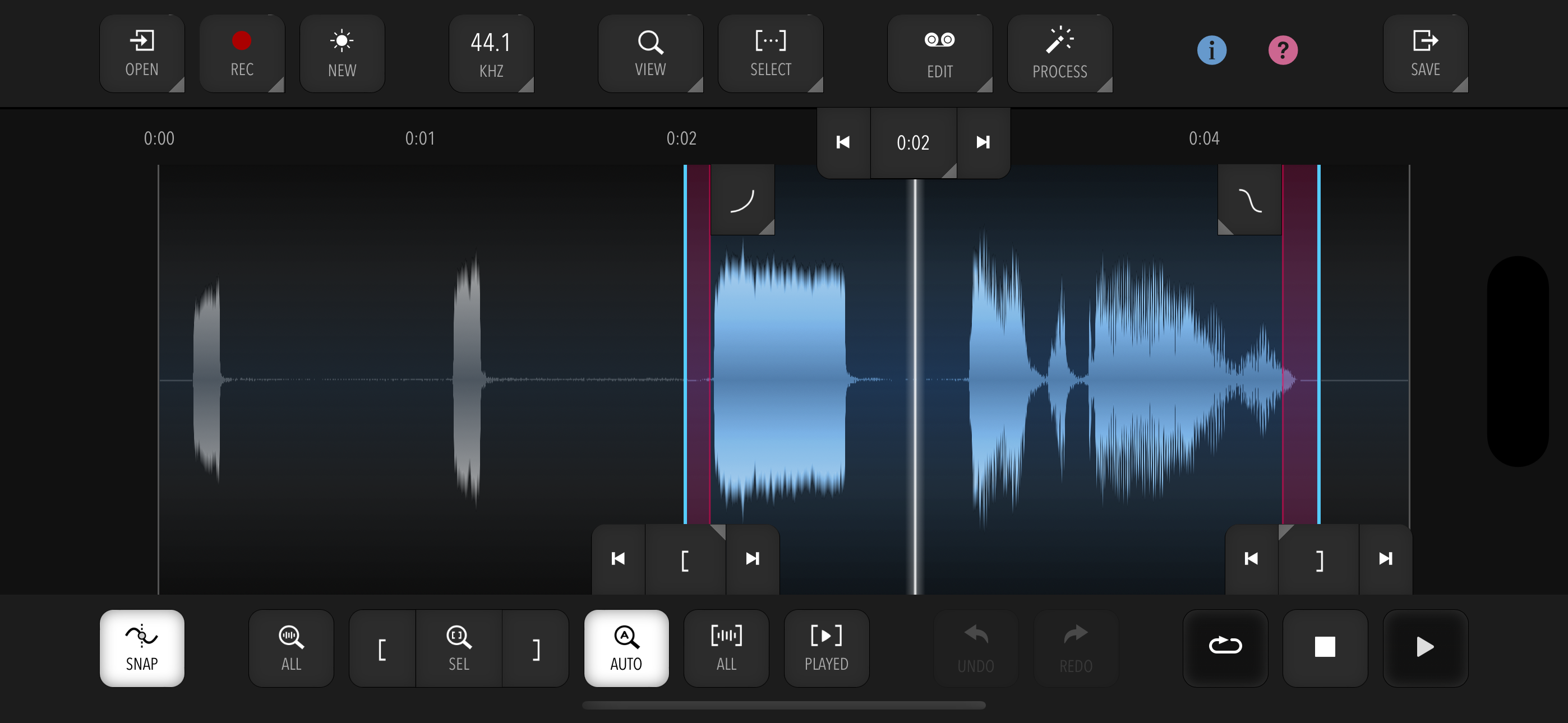
Meow is a fast and efficient audio and sample editor for quickly and easily getting general everyday audio and sample editing duties done.
It does not have a huge amount of features, but instead focuses on a fast, effective workflow and user interface.
IMPORTANT: Meow is free to try so you can see if the app suits your needs. However, to enable saving or sharing edited audio, a one-time In-App Purchase (IAP) is required.
KEY FEATURES:
- Fast, smart and efficient navigation and selection with optional snapping to zero crossings
- Undo and Redo (number of steps depends on file size)
- Automatic Crossfades (adjustable length) for most editing operations
- Interactive adjustable fade-in / fade-out points with various curve shapes
- Interactive loop cross-fade for creating seamless loops
- Nudging and manual entry of selection start / end or playhead for fine control
- Touch and mouse input fully supported
- Extensive hardware keyboard support with keyboard shortcuts including in-app reference
- Smart AutoZoom to reduce the need for manual panning / zooming
- Clipboard with automatic resampling and rechanneling
- Tempo and time signature support for editing and snapping to bars or beats, with automatic calculation from selection
- Resampling between any two supported sample rates (see below)
- In-App Recording from the device microphone with optional auto-normalize. Recording from external audio interfaces and in stereo is currently not guaranteed to work with all interfaces. Compatibility will be vastly improved in a future update.
- Sample-accurate editing and playback exactly according to selection
- Seamless and sample-accurate looping playback of selection
SAMPLE PROCESSING:
- Editing: Trim, Cut, Copy, Paste (Insert / Mix / Replace)
- Processing: Gain, Normalize, Silence, Reverse, Invert
- Filters (with live preview): Lowpass, Highpass, Bandpass, Notch
- EQ (with live preview): Peaking, Low Shelf, High Shelf, 10-Band Graphic EQ
- Channels: Make Mono / Make Stereo / Swap
- 3-Band Noise Reduction
- Supported sample rates: 96000, 48000, 44100, 22050, 11025, and 8000 Hz
- All processing done in 32-bit floating point
IMPORT:
- Supported formats: WAV, MP3, AIFF, MP4, AAC, ALAC (Apple Lossless). Note that very long audio files (> 20 minutes) are not supported.
- Import via Files, Drag & Drop, or "Open In"
- Dropped files can be merged into existing audio (Insert / Mix / Replace)
EXPORT:
- Export to Files or Share directly from the app
- Supported formats: WAV (16-bit / 24-bit / 32-bit float), MP3 (adjustable bitrate)
LIMITATIONS:
- Editing very long audio files (> 20 minutes) may cause instability and limited Undo functionality, as all processing happens in memory (RAM).
- Editing very large files can result in slowdowns.
Clasificación de tiendas
El Store Rank se basa en múltiples parámetros establecidos por Google y Apple.
Todas las categorías en
Estados Unidos--
Música en
Estados Unidos--
Principales competidores & aplicaciones alternativas
Aplicaciones con una alta probabilidad de ser utilizadas por los mismos usuarios, desde la misma tienda.

EG Nodes

Media Assistant

jAmp Bleep

Groove Rider 2
 Meow | Audio Editor VS.
 enero 18, 2026