

You’ve hit your search limit
Start your free trial to keep exploring full traffic and performance insights.
Get StartedAnálisis de la app Godafoss Audio Spectrum Waterfall QRSS CW FSKCW para 5 de enero

Godafoss Audio Spectrum Waterfall QRSS CW FSKCW
- Black Cat Systems
- App Store de Apple
- Pagado
- Servicios públicos
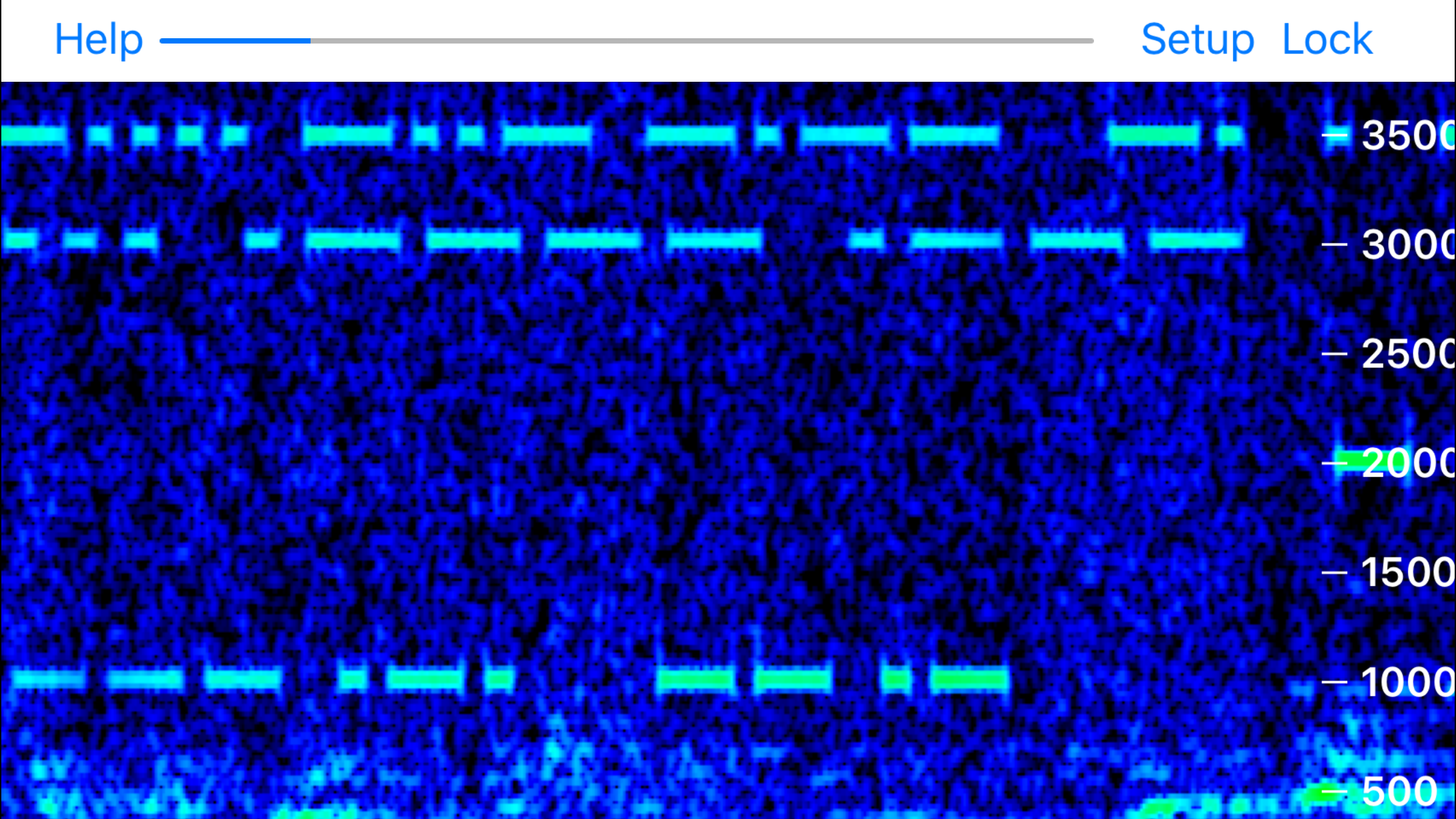
Godafoss displays a waterfall of the audio spectrum, letting you view QRSS CW, DFCW, FSKCW, and other slow transmission speed signals. You can place your device’s microphone near the speaker or headphones of your radio to pick up the sound, or directly connect if you have an appropriate cable.
A frequency axis is displayed to the right or bottom of the screen, depending on the direction the waterfall is running.
You can pan the range of audio frequencies by touching the screen and sliding with your finger, in the same direction as the frequency axis.
You can also pinch and zoom to adjust the span of frequencies displayed, up to a maximum of 0 to 20 kHz.
If you don’t want to accidentally change the frequency range, tap the Lock button so it is highlighted. Panning and pinch/zoom will not affect the frequency range, so you don’t accidentally change them.
When first started, Godafoss defaults to an FFT size of 4K, with a Hanning window. You can change these and other settings by tapping the Setup button, and a set of controls will appear:
The first two are sliders that set the minimum and maximum audio levels for the waterfall colors. Adjust these to get the best looking display for the signals of interest. Often you want a blue background, the minimum dB slider should first be adjusted for this. Then adjust the maximum slider for the strongest signal, often it is desired to make this red or pink, but you have the flexibility to set it how you wish.
The FFT size sets the number of sound samples used to compute the spectrum. Higher values provide better frequency resolution, but update more slowly, and can smear faster signals.
The window type controls what windowing function is applied to the data before the FFT is run. The window modifies the received audio data to reduce what is called “leakage” from non periodic signals. Leakage smears the signal over a wider frequency range. Experimentation will help you find he best settings. The following windows are available:
Rectangular
Hanning
Hamming
Tukey
Cosine
Lanczos
Blackman
Speedup allows multiple FFTs to be run on the same set of audio samples, shifted slightly in time, This can be useful when a larger FFT size is required, but the signal rate demands a faster update rate on the waterfall. A speedup of 1 means no speedup is applied, a speedup of 10 means that 10 FFTs are performed on each data sample.
Finally, you can change the direction the waterfall runs, to the left, right, up, or down.
Note that making changes to any of these settings only affects newly received audio, previously received audio already displayed on the waterfall is not affected.
You can take a screenshot of the waterfall by tapping on it three times. The screen will flash to let you know the picture has been taken, and it will be saved to your Saved Photos album. Then you can share your received signals with your friends.
Clasificación de tiendas
El Store Rank se basa en múltiples parámetros establecidos por Google y Apple.
Todas las categorías en
Estados Unidos--
Servicios públicos en
Estados Unidos--
Principales competidores & aplicaciones alternativas
Aplicaciones con una alta probabilidad de ser utilizadas por los mismos usuarios, desde la misma tienda.

RST Scope Pro

Sensor MoJo

LHT65 TTN Interface

Miss You iStickers
 Godafoss Audio Spectrum Waterfall QRSS CW FSKCW VS.
 enero 5, 2026