

You’ve hit your search limit
Start your free trial to keep exploring full traffic and performance insights.
Get StartedAnálisis de la app Alfred Remote para 11 de febrero

Alfred Remote
- Running with Crayons Ltd
- App Store de Apple
- Pagado
- Productividad
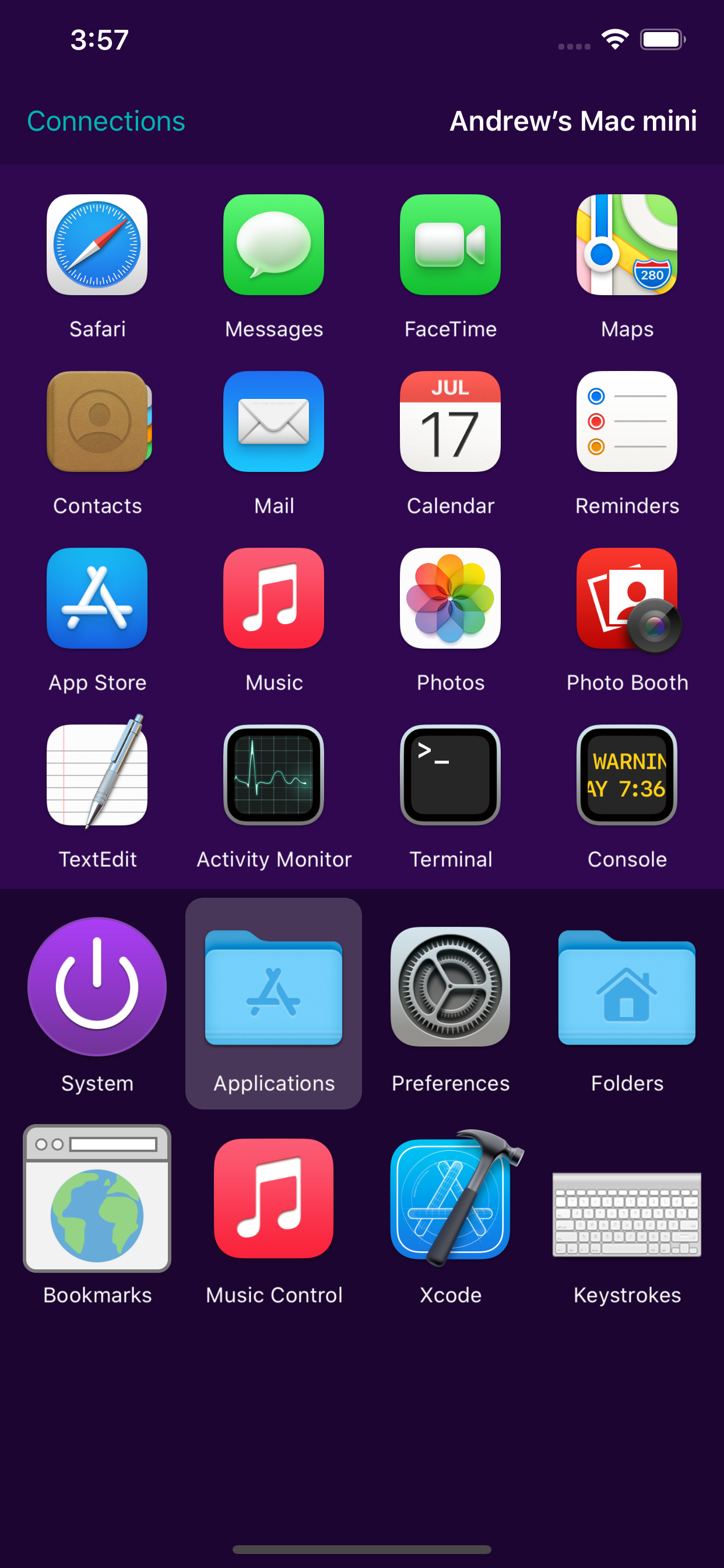
Alfred Remote is your personal command centre for Alfred for Mac. Your iPhone or iPad now becomes the perfect day-long companion to your Mac, giving you instant access to your favourite features, commands and workflows.
Alfred Remote needs to be on the same network as your Mac. Alfred 4 is recommended for the broadest range of features and best experience. Alfred 3.8.6 is the minimum requirement.
Alfred 4 for Mac is available from https://www.alfredapp.com/
WHAT CAN I DO WITH REMOTE?
With a single touch on your iOS device, you can control many Alfred actions on your Mac, including:
- Show Alfred on your Mac
- System Commands: Lock, restart, shut down, log out or sleep your Mac, eject all devices, quit all apps and empty trash
- Launch Applications and System Preferences on your Mac
- Open files and folders you've defined on your Mac
- Open websites and bookmarks, or pop up Alfred with a custom search filled in
- Replace hard to remember hotkey combinations and keywords with icons on iOS
If you're an Alfred 4 or Alfred 3 Powerpack user, you can control Powerpack features, such as:
- Quickly paste user-defined clipboard snippets into text fields and documents on your Mac
- Run user-defined scripts, AppleScripts and terminal commands
- Music.app on your Mac: Play, skip, even start playing random albums
- Connecting Remote to your favourite Alfred workflows gives almost limitless possibilities!
SETTING UP REMOTE
1. Ensure that your Mac and iOS device are on the same network
2. Open Alfred's Remote preferences on Mac and select 'Add iOS Remote'
3. Open Alfred Remote on iOS to the 'Add' screen, "Looking for Alfred"
4. Select your Mac when you see it appear on iOS, then type the passcode on your Mac
Your Mac and iOS device will now be securely connected, and the power of Alfred will be at your fingertips, making you even more productive!
MINIMUM REQUIREMENTS:
Alfred Remote is a counterpart app which requires Alfred on Mac, and the ability to connect to it from your iPhone/iPad over Wi-Fi.
- Alfred Remote is available for iPhone & iPad on iOS 12+
- Alfred 4 is recommended for the best experience and new features. Minimum requirement is Alfred 3.8.6 on macOS 10.9+ on your Mac
- You'll need the ability to connect both your Mac and your iOS device to the same network through wired or Wi-Fi connection
- To control Alfred's Powerpack actions, you'll need the Powerpack for Alfred on your Mac
Take a look at https://www.alfredapp.com/ for more details about Alfred for Mac and Alfred Remote.
Clasificación de tiendas
El Store Rank se basa en múltiples parámetros establecidos por Google y Apple.
Todas las categorías en
Estados Unidos--
Productividad en
Estados Unidos--
Principales competidores & aplicaciones alternativas
Aplicaciones con una alta probabilidad de ser utilizadas por los mismos usuarios, desde la misma tienda.

SideNotes Mobile

The No List

Yoink - Improved Drag and Drop

Rocket Typist
 Alfred Remote VS.
 febrero 11, 2026