

You’ve hit your search limit
Start your free trial to keep exploring full traffic and performance insights.
Get StartedAnálisis de la app ScreenCast Receiver para 26 de enero

ScreenCast Receiver
- NeoYantra
- Google Play Store
- Pagado
- Comunicación
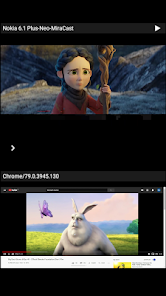
ScreenCast is Receiver App on Android for mirroring Android, Windows and Apple devices. The sender device can be an Android device or a Microsoft Windows PC (using Chrome browser). The Sender device can also be a Google cast sender like Chromebook or MAC/Linux with Chrome browser, or an Apple iPhone, iPad or Mac. The Receiver App can be installed on Android OS based devices including but not limited to Android TV, Android Set Top Box, Android Phone or Tablet.
This app is highly useful for sharing the screen/audio content of sender devices with family, friends, colleagues, customers or business partners.
Instructions for using ScreenCast App:
--------------------------------------------------------------
1. Launch ScreenCast App on the Android Device. The App will start advertising Android Device as a Receiver. Default name of the Receiver is Android Device’s name suffixed with 'Neo-Cast'.
2. On the sender Device, enable casting and select the Receiver's name from the list. Enabling the casting will vary from one device to other. Please check the sender device's user manual for instructions to enable mirroring using Google cast. The sender and receiver devices should be in the same network.
3. On the App, the list of sender devices connected to the App are shown in semi transparent control-screen which slides out on touching ">". For unhindered mirroring, slide control -screen to left by swiping it to left or by touching outside the control-screen.
4. One can disconnect sender device and mute/unmute the mirroring by touching mirroring window in the App for about two seconds, or by going to control screen and perform disconnect and mute/unmute.
Disclaimer:
Apple, Microsoft, Windows, MAC, Chrome, Chromebook, Android, Android TV, iPhone, iPad, Mac are trademarks/tradenames of their respective owners.
Clasificación del uso de ScreenCast Receiver
El rango de uso se basa en el algoritmo de Similarweb que calcula las instalaciones actuales y los usuarios activos durante un periodo de 28 días.
Todas las categorías en
Estados Unidos--
Comunicación en
Estados Unidos--
Principales competidores & aplicaciones alternativas
Aplicaciones con una alta probabilidad de ser utilizadas por los mismos usuarios, desde la misma tienda.

TapSlide

Video Recorder

Loom – Screen and Cam Recorder

Screen Recorder: Audio & Video
 ScreenCast Receiver VS.
 enero 26, 2026