

You’ve hit your search limit
Start your free trial to keep exploring full traffic and performance insights.
Get StartedAnálisis de la app Screen Capture and Recorder - para 14 de enero

Screen Capture and Recorder -
- App Doodle
- Google Play Store
- Gratis
- Herramientas
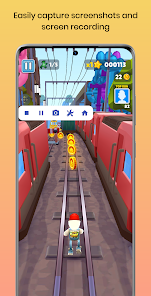
SCAR is a beautiful and easy to use screen recorder and screenshot capturing app. It provides massive video and photo editing features for your screen recordings, screenshots, and external media. Get it now and see for yourself.
Features
Sticky Notification
Use the sticky notification to easily start and/or stop capture service without even opening the app.
4K Screen Recording
Capture screen recordings in 4K quality.
Screen Recording Tools
• Use the back or front-facing camera as an overlay in screen recording for creating effective tutorials.
• While screen recording, draw on your phone screen using a paintbrush to annotate important things.
• Personalize your screen recordings by easily adding a text or image watermark to it. The watermarks are fully customizable w.r.t. the size and transparency.
Floating Button
An easy to use floating-button that lets you easily capture screen recordings and screenshots. It is fully customizable w.r.t. the size, transparency, and action on click.
Image Joiner/Sticher/Merger
Stich/Join/Merge images horizontally/vertically to create a panorama.
Video Compressor
Compress big videos to a smaller file size.
Video Trimmer
Remove unwanted parts from your videos by trimming them.
Video Audio Extractor
Extract just audio from a video track.
Mute Video
Remove soundtrack from a video.
Video Frame Extractor
Extract still images from a video.
Image Cropper
Crop important parts of your photo.
Draw & Erase
Draw on a photo using a paintbrush with customizable size and color. You can also erase if you drew something by mistake.
Add Text
Add text to your photos with customizable size and color.
Stickers
Add stickers to your photos.
Photo Filters
Add filters to your photos.
Add Photo
Add external photos on top of the photo in the editor.
Themes
The app is available in light and dark themes.
Clasificación del uso de Screen Capture and Recorder -
El rango de uso se basa en el algoritmo de Similarweb que calcula las instalaciones actuales y los usuarios activos durante un periodo de 28 días.
Todas las categorías en
Estados Unidos--
Herramientas en
Estados Unidos--
Principales competidores & aplicaciones alternativas
Aplicaciones con una alta probabilidad de ser utilizadas por los mismos usuarios, desde la misma tienda.

Loom – Screen and Cam Recorder

Smart Video Downloader

Screen Recorder Unlimited

Screen Recorder
 Screen Capture and Recorder - VS.
 enero 14, 2026