

You’ve hit your search limit
Start your free trial to keep exploring full traffic and performance insights.
Get StartedAnálisis de la app LockScreen Schedule - Calendar para 1 de febrero

LockScreen Schedule - Calendar
- Wafour Lock2
- Google Play Store
- Gratis
- Productividad
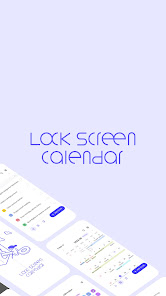
LockScreen Calendar is an ultimate to-do list app designed to help you manage your tasks effectively.
Create daily to-dos and tasks, and organize your schedule into folders for better categorization.
You can sync it with Google calendar, and view your to-dos and schedules in the form of calendars and lists.
Use the newest diary feature to jot down your thoughts, emotions, and memorable events, and reflect on your day.
✔ To-do management
- Manage your to-dos in the form of simple memos
- Press and hold a to-do to edit (copy, share, delete) multiple tasks at once.
- Check off completed to-dos with a simple touch.
✔ Schedule management
-Set a specific date and time for a to-do and manage its schedule.
-You can set an alarm for a desired time, and manage recurring schedules.
✔ Folder management
- Classify and manage complex to-dos and schedules by organizing them into folders.
- You can edit default folders and add new customized folders.
✔ List mode
- Manage your to-dos and schedules in list view.
✔ Calendar mode
- Displays an overall view of daily/weekly/monthly schedules so that you can easily navigate through your tasks.
- Calendar can be connected with another calendar account of your choice.
- Calendar can be expanded to full screen for easier management.
✔ Alarm feature
- Set an alarm to receive reminders about important schedules.
✔ Today's schedule alarm
- Notify you of today's all schedule at once through an alarm.
✔ Clipboard
- Easily edit tasks and schedules by copying them to your clipboard.
✔ Add participants
- You can add participants from your contact list to a scheduled event.
- Share the event link with participants via text message.
✔ Add locations
- You can add a location to a scheduled event.
- You can share the location link of the scheduled event with participants.
- Weather information for the chosen location will appear.
✔ Diary feature
- Write down any ideas, thoughts and emotions in the diary section.
- Add emotion stickers to the calendar to keep track of your emotions.
- Lock your diary with a passcode for privacy.
✔ Other features
- You can change the background and font size in settings.
Purpose of app permission to obtain consent prior to installation
- READ_PHONE_STATE: Permission to stop the app from running to avoid interrupting phone calls.(optional)
- ACCESS_FINE_LOCATION: Permission to request your current location to use the weather service.(optional)
- SYSTEM_ALERT_WINDOW: Permission to display tasks on the lock screen.(required)
- POST_NOTIFICATION: Permission to receive alarms related to app services.(optional)
- READ_CONTACTS : Permission in order to share your schedule with others.(optional)
- READ_CALENDAR: Permission to synchronize tasks with external calendars (optional)
* Notice: The only purpose of this app is to manage to-dos and schedules on the lock screen.
* LockScreen Todo provides weather based on your location for your convenience.
✔Customer Service
E-Mail: support@wafour.com
Phone Number: 070-4336-1593
Clasificación del uso de LockScreen Schedule - Calendar
El rango de uso se basa en el algoritmo de Similarweb que calcula las instalaciones actuales y los usuarios activos durante un periodo de 28 días.
Todas las categorías en
Estados Unidos--
Productividad en
Estados Unidos#1,355
Intereses de los usuarios & Top categorias
Principales categorías y aplicaciones utilizadas por los usuarios de LockScreen Schedule - Calendar.
Categorías principales
Afinidad
Principales aplicaciones de la categoría
33%


25%




17%



10%




Principales competidores & aplicaciones alternativas
Aplicaciones con una alta probabilidad de ser utilizadas por los mismos usuarios, desde la misma tienda.

UBhind(App lock/Screen time)

Taskito: To-Do List & Planner

TimeTune - Schedule Planner
Simple Calendar - easy planner
 LockScreen Schedule - Calendar VS.
 febrero 1, 2026