

Análisis de la app HD Screen Recording Pro para 17 de diciembre
HD Screen Recording Pro
- Incredible Apps Inc
- Google Play Store
- Pagado
- Reproductores y editores de vídeo
HD Screen Recorder is the best app to record the screen of your device (phone & tablet). It does NOT require root access, no time limit, screenshot, Draw during recorder and very easy to use with one action to start and stop recording.
HD screen recorder lets you record your screen to HD and FullHD videos and it is the only screencast app in the Android market that can be paused and resumed while recording with audio support.
You can also record audio from the mic and it is automatically muxed into the screencast videos. That makes it very convenient to create tutorial, promotional video, comment about your game and gameplay or record video chat.
☆ Key Features
▽ Screen Recording
▪Highest Quality supplied - 1080P Resolution, 12.0Mbps Quality, 60 FPS
▪Pause/Resume support - Pause/resume screen recording while recording
▪Audio Support - Use Mic to record audio or mute video recording
▪Brush - Draw over screen on the fly with your favorite color during recording for highlight
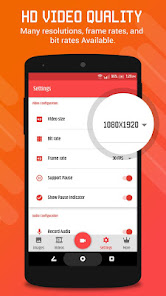
▪Customize quality - Many resolutions, frame rates, and bit rates available; support for HD video
▪Easy to use - Control screen recording through floating window
▪Countdown - Customize countdown before recording
▪Stop on Screen Off - Enable/Disable auto screen recording off on Screen Off
▽ Screenshots and Image Editing
▪ Simple Screen Shot - One Tap to Take Screen shot
▪ Edit Screenshot - Draw,Crop,Add Text to Image
You can also get the Premium feature
☆ Pro Features
▽ FaceCam
▪ Use Front/Rear Camera for making tutorial/promotion video
▪ Adjust Size of Camera Preview over screen & manage transparency of preivew
▪ Use different live filter on FaceCam
▪ Adjustable Camera preview by touch
▽ Snipping Tool
▪ Snip screenshot by selecting rectangle area on Screen.
▪ Unique feature to take screenshot of any portion of screen rather than whole screen
▽ Trim/Cut Video
▪ Cut your recorded video by adjusting start position & end position with preview
▽ Smart Invisible Button
▪ An Invisible button that does everything located at right top corner of device
▪ Use SINGLE TAP for Pause/Resume screen recording
▪ Use LONG PRESS Enable Brush
▪ Use DOUBLE TAP to stop/finish recording
▽ No Watermark
▪ Enable/Disable visibility of Watermark/Logo & Text
▽ Own Logo & Text
▪ Create your own text watermark with more text options
▪ Choose your own logo image
▽ No Advertisement
▪ 100% Free fully featured without any ads for lifetime
*** CAUTION***
HD Screen Recorder may cause some secured buttons (Install APK, grant permissions…) to be inaccessible while recording
※ To experience all the features of Screen Recorder HD, you must agree to Storage, Camera, Mic, and Draw over Apps Permissions.
Clasificación del uso de HD Screen Recording Pro
El rango de uso se basa en el algoritmo de Similarweb que calcula las instalaciones actuales y los usuarios activos durante un periodo de 28 días.
Todas las categorías en
Estados Unidos--
Reproductores y editores de vídeo en
Estados Unidos--
Principales competidores & aplicaciones alternativas
Aplicaciones con una alta probabilidad de ser utilizadas por los mismos usuarios, desde la misma tienda.

Screen Recorder

Loom – Screen and Cam Recorder

Screen Recorder - XRec Lite

ADV Screen Recorder
 HD Screen Recording Pro VS.
 17iciembre d, 2025