

Análisis de la app Net Blocker: Block Data Access para 2 de diciembre

Net Blocker: Block Data Access
- Whiz Sol
- Google Play Store
- Gratis
- Herramientas
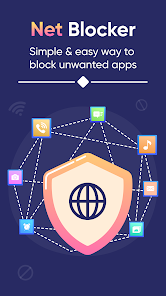
The net blocker app / app blocking is an amazing app with incredible features. Using net blocker block internet / net blocker application, one can easily block the internet of any particular app. This way the user does not need to disconnect the wifi from the device. The net blocker apk / blockers is a smart app that permits the user to disable internet access for apps. Using net blocker, one can reduce and save data usage, improve privacy, and manage battery usage. The net blocker app free / internet blocker is an easy-to-use app and is user-friendly. The UI of net blocker block internet app / internet access is easy to navigate and requires no professional guidance.
The interface of net blocker app without VPN / apps blocker has four main features including all apps, blocklist, VPN setting, and setting. The all-apps feature of net blocker for apps / block app allows the user to view all the apps installed on the device. The block list feature of net blocker pro / block internet permits the user to view all the apps that are blocked by the user. The VPN setting feature of net block app / block application lets the user manage the VPN settings of the device. The settings feature of the blocker app / apps blocker authorizes the user to manage the settings of the app.
Features of Net Blocker: Block Data Access
1. Wi-Fi blocker.
2. Block list of apps to control internet.
3. The VPN setting feature of wifi access restricted lets the user manage the VPN settings of the device. This way the user can enable and disable the VPN of the device. This feature of 阻 shows all the VPN apps installed on the device. This way the user can easily enable or disable the VPN directly form the app.
4. The settings feature of the blocker app / save from net authorizes the user to manage the settings of the app. This feature of internetblocker includes the language of app, block all apps wifi, block all apps data, reset wifi setting, and reset data setting. Using this feature, one can change the app language according to their choice and priority. In addition, the user can enable or disable the block all apps wifi. Similarly, the user can enable or disable block all apps data directly from this feature. Moreover, using app blocker, one can reset the wifi settings without closing the save form net. Finally, the user can reset data settings directly from the blockers app.
How to Use Net Blocker: Block Data Access
1. To view the list of all apps, the user needs to select the all apps tab on the home screen. After this, they need to click on the wifi and mobile data icons to enable or disable them.
2. To view the list of blocklist apps, the user needs to select the blocklist apps tab on home screen. After this, they need to click on the wifi and mobile data icons to enable or disable them.
3. Likewise, in order to manage the VPN settings, the user needs to select the VPN setting tab on home screen.
4. Finally, if the user wants to change the settings, they need to click on the settings tab on the home screen.
App Permissions:
Query All Permission: This permission is used to gather information about installed apps on your device. We use this data to provide features such as Net Blocker: Block Data Access. e.g., app usage statistics, internet access control, block internet on specific apps.
Internet Access Control: Our app allows you to control internet access for specific applications on your device. This feature helps you manage data usage, enhance privacy, and optimize your overall app experience.
Privacy and Data Security: We take your privacy seriously. Rest assured that we do not collect personal information or share data with third parties. The gathered information is solely used for enhancing the functionality of our app and providing you with a better user experience.
If you have any questions or concerns about our app's permissions and features, please feel free to contact us at apps.whizsol@gmail.com.
Clasificación del uso de Net Blocker: Block Data Access
El rango de uso se basa en el algoritmo de Similarweb que calcula las instalaciones actuales y los usuarios activos durante un periodo de 28 días.
Todas las categorías en
Estados Unidos--
Herramientas en
Estados Unidos--
Intereses de los usuarios & Top categorias
Principales categorías y aplicaciones utilizadas por los usuarios de Net Blocker: Block Data Access.
Categorías principales
Afinidad
Principales aplicaciones de la categoría
Más aplicaciones
42%





13%



7%


7%



Principales competidores & aplicaciones alternativas
Aplicaciones con una alta probabilidad de ser utilizadas por los mismos usuarios, desde la misma tienda.

eero wifi system

NETGEAR Orbi – WiFi System App
Opensignal - 5G, 4G Speed Test

Fing - Network Tools
Net Blocker: Block Data Access VS. 2iciembre d, 2025