

You’ve hit your search limit
Start your free trial to keep exploring full traffic and performance insights.
Get StartedAnalyse de l'application CourseSpeed pour le 11 janvier

CourseSpeed
- David Jennings
- App Store Apple
- Gratuit
- Navigation
App Summary:
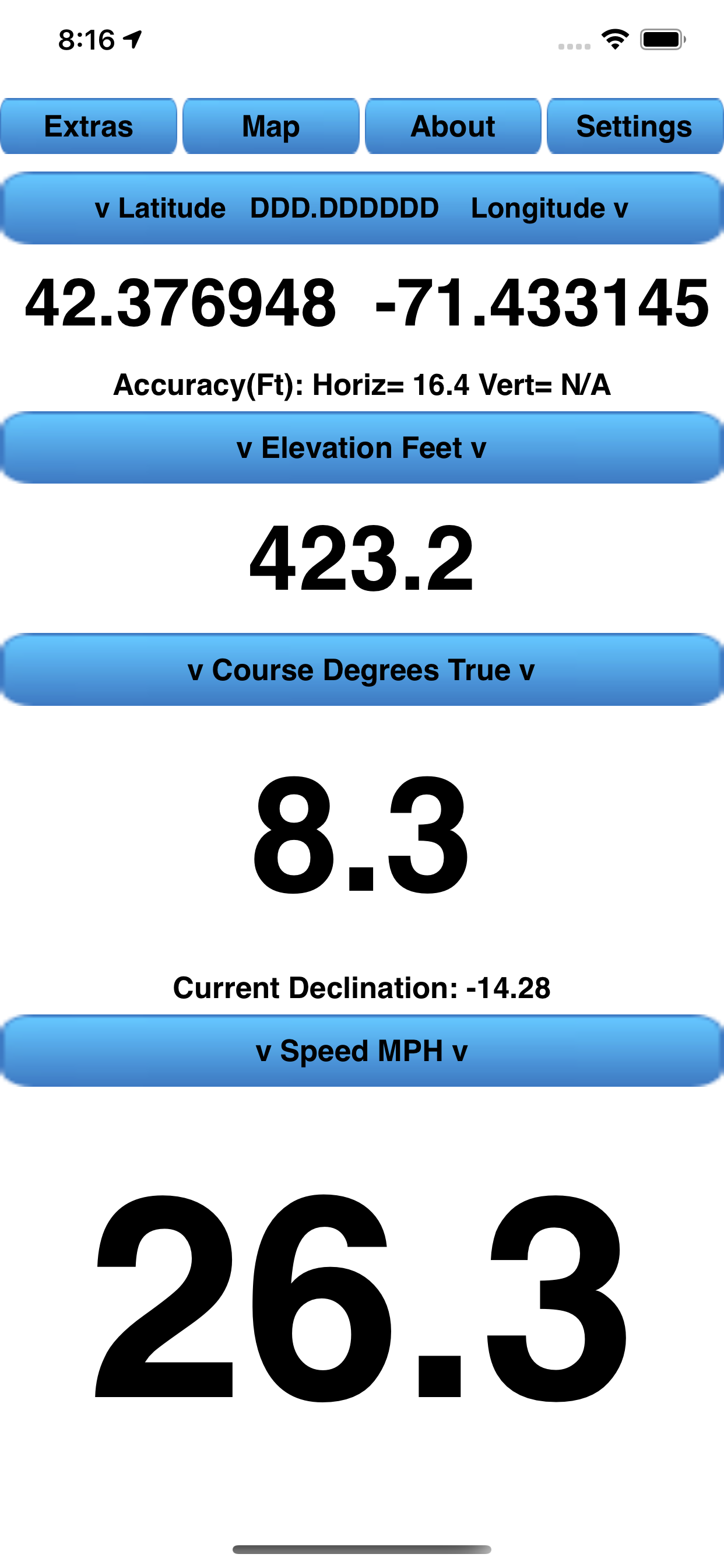
Although the CourseSpeed App was developed for boating, the App can be used anywhere, for example Boating, Hiking, Bike Riding, and Geocaching.
The app was developed to conveniently have Course, Speed, and Position available on one screen in sufficiently large fields to be seen several feet away from the iPhone as well as to show the current position on a map. However, it also provides other views that perform the following, additional useful functions:
1. Allows the current position to be followed on any of three map types and, from the map, get Turn-by-turn navigation directions with voice prompts to anywhere. The current track history can be displayed along with user entered waypoints along the track line. Both the track history and waypoints can be saved to a history file. Saved history files can be loaded to the map later for reference.
2. Allows Point-Of-Interest map pins to be added to the map. These are also saved to a file and displayed whenever the App is started and are independent of the track history Waypoints. The Map Point-Of-Interest pins can be edited or deleted.
3. Saving track points in a GPS Exchange Format (GPX) file which can be moved to a computer. The GPX track may then be viewed on any mapping program/web site that reads GPX files.
4. For the current location, displays the times of sunrise and sunset as well as the current Sun azimuth and elevation for the current day, or any other day with user date input.
5. Provides a Horizon Distance Calculator that calculates the distance an observer can see for any height of an observer and any height of an object.
6. Provides the capability to add a Mark point on the Map to which Speed-Made-Good and bearing is displayed. (Useful for sailors, geocachers, hikers)
7. Provides a Speed-Made-Good-To-Windward indication for sailers.
8. Provides an "Anchor Watch" function for boaters to determine if their anchor is "dragging".
9. Provides a Geocaching search function to use a user entered "Mark" as a geocache location.
10. Allows the management of track history files, and GPX files; i.e. renaming or deleting them.
11. Allows the following settings to be saved automatically whenever the user changes them. The settings are selectable from either the "Settings" view or other views. All are saved to a file on the iPhone and restored when the App is restarted:
1 Speed smoothing enabled
2 Course smoothing enabled
3 Course smoothing type
4 Use fractional speeds when speed less than 10 enabled
5 Enabling the recording of a GPX format track file.
6 Latitude/Longitude display format
7 Elevation Display Mode
8 Course display format
9 Speed display format
10 Map type
11 Horizon Distance units
12 Enabling/disabling Speed-Made-Good function
13 Wind Direction
14 Anchor Distance
The CourseSpeed iPhone App supports Apple's "Light" and "Dark" modes.
The CourseSpeedWatch App is also available for use with a paired iPhone running the CourseSpeed App. The CourseSpeedWatch App functionality is a subset of the iPhone App functionality and contains only data fields and buttons but no mapping capability. The following data fields/buttons are visible on a single, scrolling, screen:
1 Position (Latitude & Longitude)
2 GPS receiver Accuracy (Horizontal & Vertical)
3 Course
4 Speed
5 Altitude
6 Trip 1 Odometer value
7 Trip 1 Odometer Start/Pause/Resume button
8 Trip 1 Odometer Reset button
9 Trip 2 Odometer value
10 Trip 2 Odometer Start/Pause/Resume button
11 Trip 2 Odometer Reset button
12 Distance to a user entered Mark
13 Bearing to a user entered Mark
14 Start/Stop/Clear track button
15 Save track button
16 Current track distance
17 Sunrise time
18 Sunset time
The CourseSpeedWatch App supports one watch face "complication" called "Sun Rise/Set".
A detailed description of all the functions and options is available from the App's "About" page and also on the web at santuit-sw.weebly.com (Then click on the CourseSpeed App and CourseSpeedWatch App)
Classement dans le store
Le classement des stores est basé sur plusieurs paramètres définis par Google et Apple.
Toutes les catégories dans
États-Unis--
Navigation dans
États-Unis--
Principaux concurrents & apps alternatives
Applications ayant une forte probabilité d'être utilisées par les mêmes utilisateurs, à partir du même store.

MagVar

WMM 2025

Altitude Plus

StarPilot
 CourseSpeed VS.
 janvier 11, 2026