

Analyse de l'application GPS Camera 55. Field Survey pour le 4 février

GPS Camera 55. Field Survey
- Kalimex-Consulting s.r.o.
- App Store Apple
- Gratuit
- Navigation
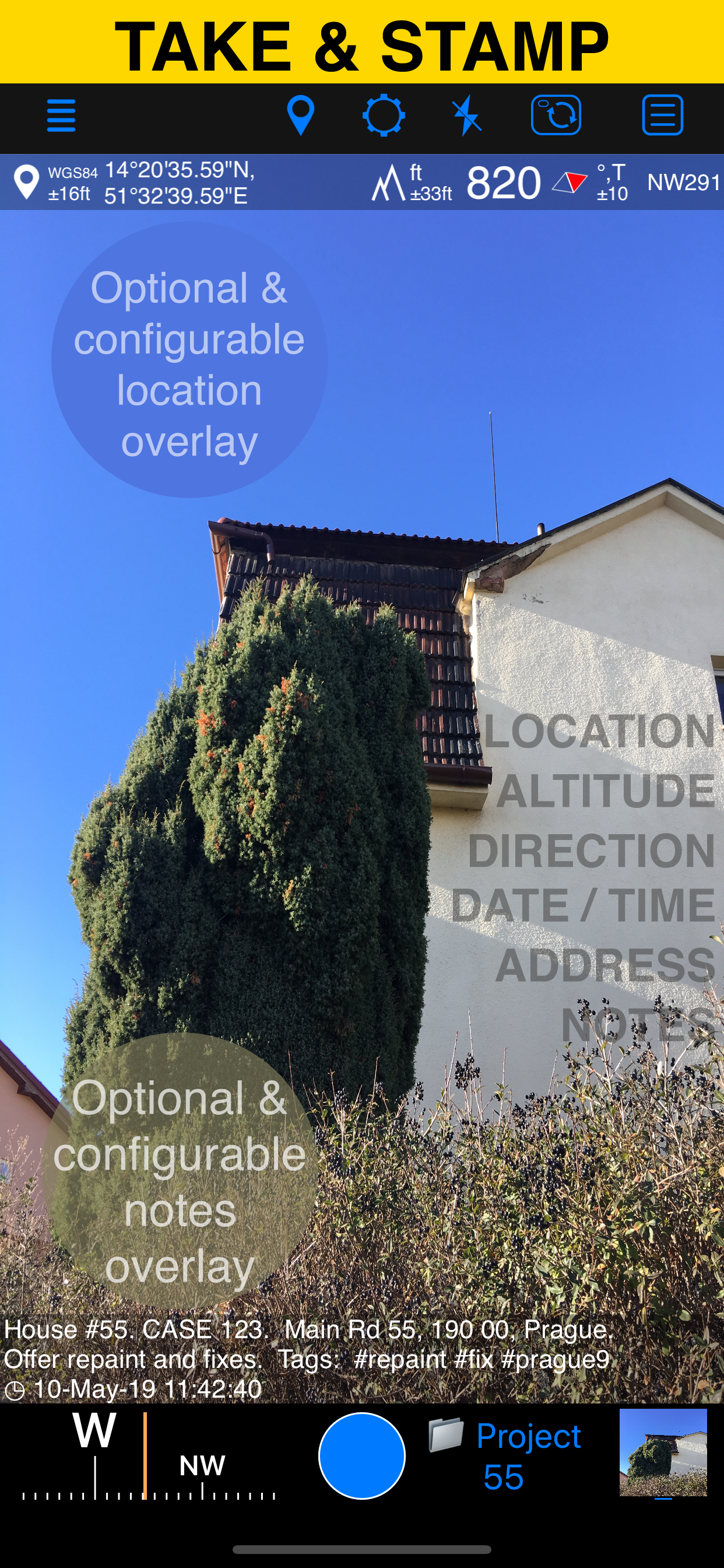
Capture photos with precise location, date, address, and custom notes stamped right on the image. Add hand-drawn annotations for quick markups in the field. Easily search and filter your shots by title, tags, or notes — or sort them by proximity and date. Organize everything into folders or collections for structured reporting. Need to work with older photos? Import from your library and restore their location, direction, and notes automatically.
LOCATION OVERLAY
Supports decimal, DM, DMS, UTM, and MGRS coordinate formats.
True or magnetic heading, in degrees or mils.
Accuracy and altitude in feet or meters.
CAMERA AND CAPTURE SETTINGS
Save photos automatically or open in preview to annotate before saving.
Option to save a copy to the photo library — original, stamped, or both.
ANNOTATE AND COMMENT
Before or after saving, zoom in/out and draw directly on the photo using your finger or Apple Pencil.
Crop, resize, rotate, or tilt the photo before or after saving.
Notes overlay supports Title, Note, Tags/Folder, and Address.
Address can be auto-filled from GPS or entered manually.
Edit notes and add annotations later (MENU > POINTS > tap an image).
Tapping a point row opens the editor, where you can add an audio note.
Timestamp support many formats and languages.
Scan QR codes, barcodes, or text and use the result for the title or note field.
WATERMARK
The Pro Pack upgrade removes the basic version watermark and allows you to set up a watermark with your own image, text, and colors, if needed.
SHARE AND EXCHANGE
Share multiple points via MENU > POINTS, or entire collections via MENU > POINT COLLECTIONS.
Images can be shared with or without location/notes text, and with or without overlays.
Photo filenames can include title, note, address, tags/folder name, collection, coordinates, altitude, heading, or capture date.
To transfer complete points and images to another device, use KMZ (Google Earth archive) — includes photos, notes, annotations, and audio.
PDF REPORTS
Generate and share PDF documents for the selected photos/points or whole collection/folder, with options for the number of images per page and photo descriptions.
ORGANIZE, SEARCH & SORT
You can organize images into collections/folders. Existing images/points can be moved between collections.
The MENU > POINTS screen enables you to search by point/image notes, address, or tags fields, filter by creation month, sort by proximity, or show points/images only for a specific collection.
IMPORT
MENU > IMPORT FROM LIBRARY will allow you to pick and import a photo from the photo library. The app will do its best to parse TIFF/EXIF/GPS/IPTC data in the photo to restore location, direction, and notes for the stamp.
NAVIGATE
You can navigate to a point/image by opening it via MENU > POINTS and using the Navigate button in the point editor screen.
MAP VIEW
An image/point’s location on a map can be reviewed by tapping on the MAP button in the point editor screen (MENU > POINTS > tap on a point row).
== PRO PACK UPGRADE ==
You can do a lot with the basic functions in the app. The PRO PACK upgrade adds:
- Ability to create additional point/image collections.
- Enables sharing of more than 5 points/images at once.
- Export/import capabilities — in particular, KMZ export/import enables transfer of collections or selected waypoints between devices.
- Ability to save hand-drawn annotations for the image.
- Crop, resize, rotate, or tilt the photo before or after saving.
- Extra protection of your work and privacy with PIN code or biometric-based access options.
- Removes the basic version watermark and allows you to apply a custom watermark with your image, text, and colors.
Terms of Use: https://www.apple.com/legal/internet-services/itunes/dev/stdeula/
Classement dans le store
Le classement des stores est basé sur plusieurs paramètres définis par Google et Apple.
Toutes les catégories dans
États-Unis--
Navigation dans
États-Unis--
Principaux concurrents & apps alternatives
Applications ayant une forte probabilité d'être utilisées par les mêmes utilisateurs, à partir du même store.

Едем.рф: поездки и аренда авто

Coordinates – GPS Converter

Каршеринг Cars7

Поехали: заказ такси, доставка
 GPS Camera 55. Field Survey VS.
 février 4, 2026