

You’ve hit your search limit
Start your free trial to keep exploring full traffic and performance insights.
Get StartedAnalyse de l'application WebCheck2 pour le 14 janvier

WebCheck2
- Tom Stankey
- App Store Apple
- Payant
- Utilitaires
Version 2.10
No Advertisements, no In-App Purchases
Ever wish you knew how long the Internet was down last night? WebCheck2 pings several Web addresses commonly used by Internet Professionals to watch for dropouts in your connectivity. Interruptions caused by your ISP, your local telephone or cable line, your router or hub, your wireless connection or even the WiFi on your iPhone®,iPod touch®or iPad® are detected and can be recorded in a log file. You can also supply WebCheck2 with up to six URLs of your own choice to be pinged along with those built-in to the App. Additionally, any of these URLs can be “disabled” (that is, not included in the list of pinged URLs) or “enabled” as you deem fit.
USER NOTE: Be aware that a poorly typed alphanumeric URL such as “Asherdftffdf” may in fact result in a successful ping. This all depends on the ability of the Web’s Domain Name System (DNS) servers to produce an Internet Protocol (IP) address (URL) that corresponds to this string of characters.
Also note that there are some servers that do not support the Ping Packets and will therefore not respond to WebCheck2.
Here’s a brief list of WebCheck2’s features.
Automatically does nearly continuous checks of your Internet connection status
Can record pertinent information into a log file, complete with time and date stamps.
The log file can be printed to a WiFi printer
WebCheck2 can stay in foreground so logging is continuous.
WebCheck2 will dim the screen after 2 minutes of hands-off operation. Any touch will restore the screen to its previous brightness level.
WebCheck2’s functionality is available on two screens.
The Front Screen:
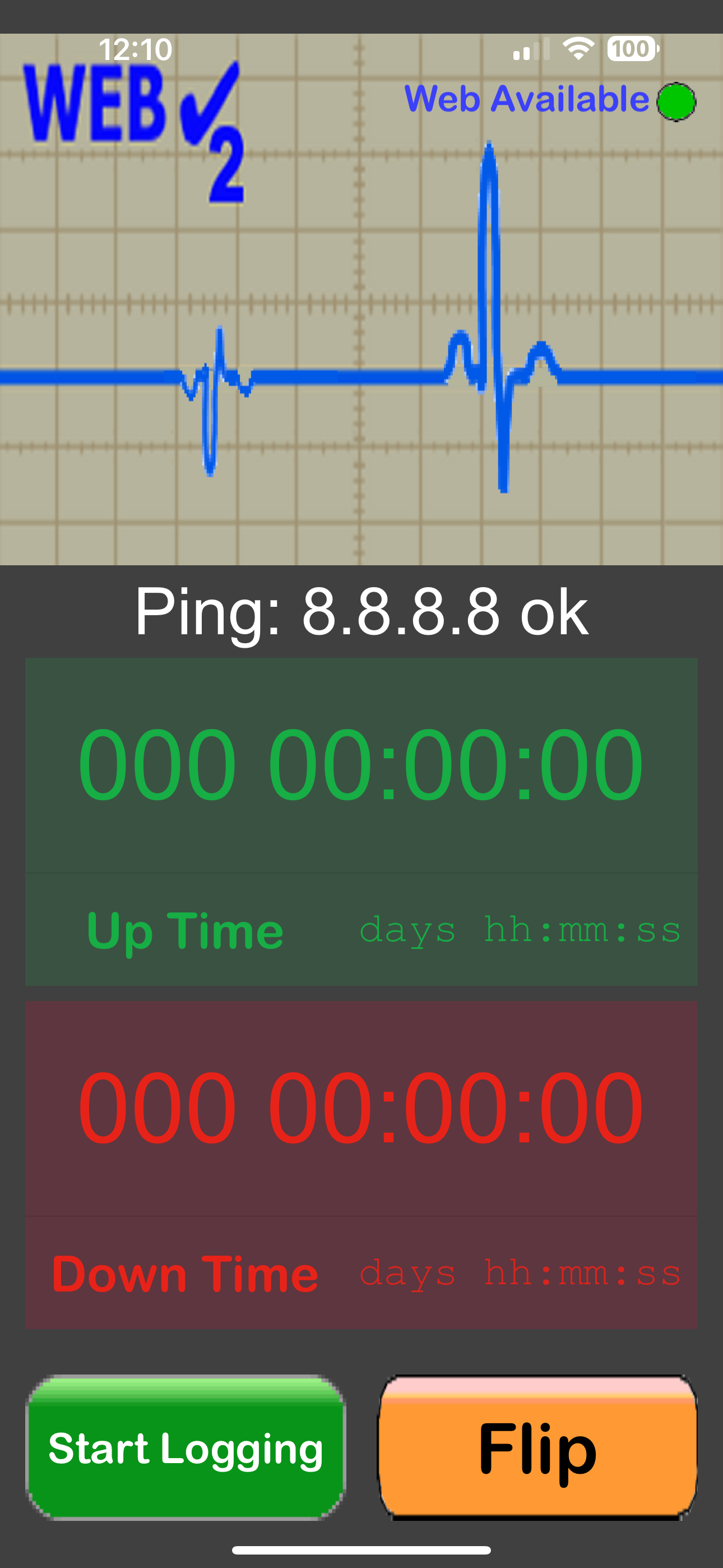
Web Availability is indicated by a Green Light
Log file generation can be started or stopped
The total connection up time and connection down time for the most recent logging session are displayed.
A simulated oscilloscope screen shows a nice animation of an outgoing pulse whenever a ping has started and an animated “echo” image when the ping is successful.
Sounds corresponding to the beginning of a ping, the end of a ping, Web Up, Web Down and button clicks are provided.
The Back Screen:
Web Availability is indicated by a Green Light
Log file generation can be started or stopped
The log file can be viewed at any time.
The log file can be printed to a WiFi printer if desired.
During logging, events such as gaps in connectivity, ping failures, starting and stopping monitoring, exiting and restarting WebCheck2 while monitoring are recorded in the log file, along with time and date stamps.
The log file can be cleared out at any time.
All sounds can be individually muted or un-muted
The built-in URLs can be removed from the pinging list via a touch as desired.
Up to six user URLs can be added to the list of those pinged.
Classement dans le store
Le classement des stores est basé sur plusieurs paramètres définis par Google et Apple.
Toutes les catégories dans
États-Unis--
Utilitaires dans
États-Unis--
Principaux concurrents & apps alternatives
Applications ayant une forte probabilité d'être utilisées par les mêmes utilisateurs, à partir du même store.

Connection_Monitor
Home Sensors Battery Levels

UNetState Pro-Ping,Trace,DNS
Electric Motors Speed Calc
 WebCheck2 VS.
 janvier 14, 2026