

You’ve hit your search limit
Start your free trial to keep exploring full traffic and performance insights.
Get StartedAnalyse de l'application Scenic Map Central USA pour le 9 janvier

Scenic Map Central USA
- Mark Granger
- App Store Apple
- Payant
- Navigation
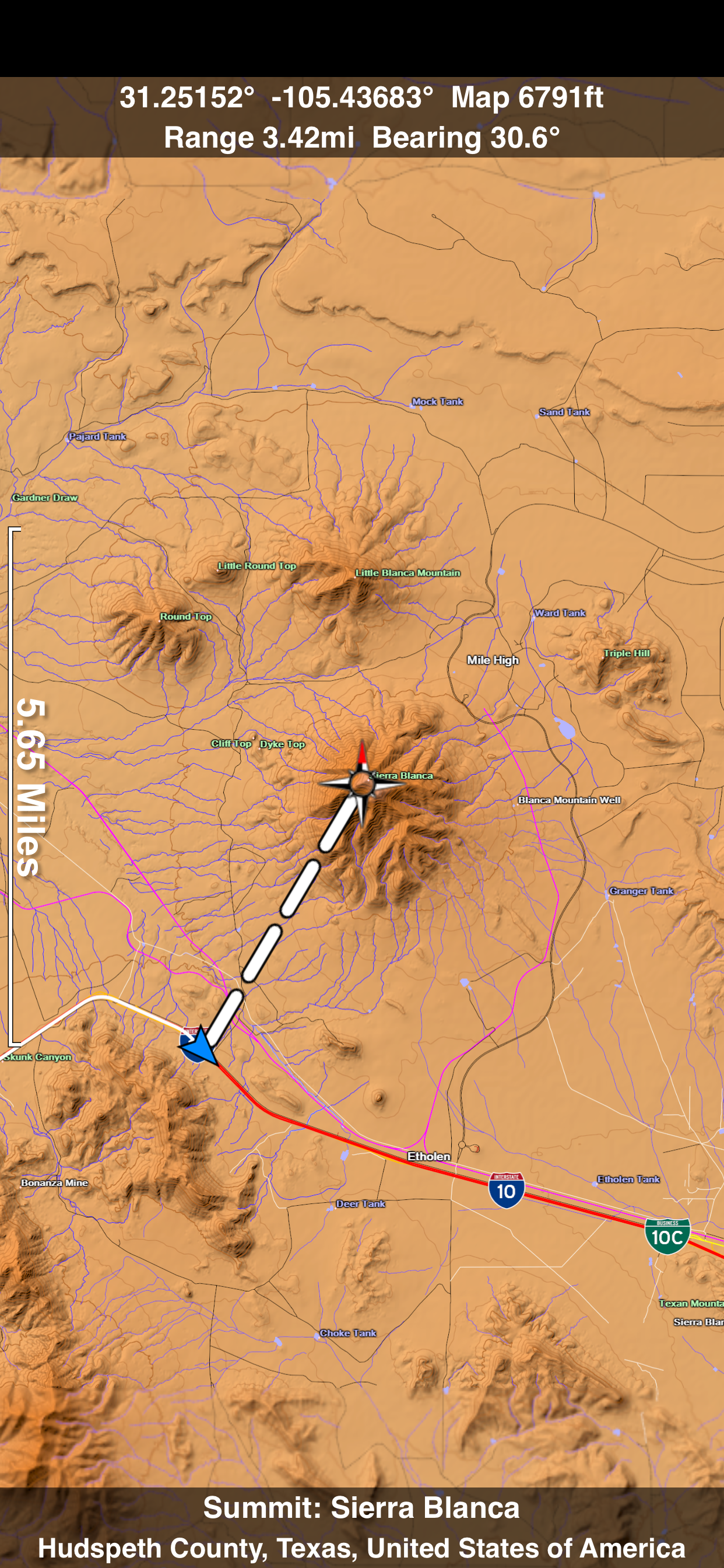
A 3D topo map of the Central USA. The vector map data is contained within the app and can be used without an internet connection. Use it in a car, a boat, a plane or while hiking. It is like having more than a third of the country in your pocket.
Scenic Map now covers the entire world via online maps. The maps are cached automatically so they can still be used when there is no cell coverage. Turn on Online Map in the Settings menu and you can then scroll or go to any location on the planet. Satellite image overlays add breathtaking detail and realism to the maps (tap preset 2 or 4 when Online Map is enabled). You can use them as you travel to see what is hidden from view at ground level. This takes moving maps to a whole new level.
Use the two finger vertical swipe gesture to tilt the map for a 3D view. Scroll like a map or fly like a flight simulator. Enable Joystick Gestures in the Settings menu and then fly around the terrain using a virtual joystick. Prefer only 2D maps? Enable the 2D Map option in the Settings menu.
Scenic Map is simply the best 3D topo map available for a mobile device. You will see incredible detail while scrolling, rotating and zooming perfectly smoothly. You will see every road even if you zoom out to the altitude of a satellite. As you zoom in, you will see every small bump and hollow of the Earth and terrain features as small as ten meters. Unlike old fashioned topo maps, Scenic Map’s roads and trails are up to date thanks to OpenStreetMap.org. It contains polygons for urban areas, shopping malls, an ever growing number of buildings and many other features, The best lake, pond, stream and rivers from the USGS and Canadian public databases are also included.
Tap the GPS center button to begin tracking your location. As you move, you will generate a track file. Tracks can be replayed with video like controls to speed up, slow down, pause, restart or skip to the end. You can display existing tracks while recording another if you want to retrace your route. When online, you can automatically create a route from your current GPS location to any other point on the map. Tracks can be received from or sent to other apps in GPX format. GPS recording stops automatically after you have remained stationary for some time or you can choose to manually stop tracking by tapping on the top track in the Tracks view.
Never before have maps been this customizable. For example, you can turn on or off the roads. You can change the lighting direction or remove terrain shading entirely. You can display contour lines even over satellite images. There are five presets which let you quickly switch between map styles. Use Metric, English or Nautical units and choose one of four different coordinate displays including UTM.
Want to learn more about a map feature? Tap the target icon and center the feature under the compass rose to display its name, type, urban area, county, state, elevation and coordinates. You will also see a bearing line back to your current GPS location or from your location to a selected waypoint. The status bar shows the bearing direction and distance along with the map and GPS elevation, the track length, and your current speed and direction of travel.
In-app documentation is provided in the Help section at the top of the Settings menu. Links are provided in the documentation to detailed coverage maps, tutorial videos, installation guide and blog at ScenicMap.com
Map data © OpenStreetMap and contributors under the Open Database License
Scenic Map supports GPS tracking while the app is in the background.
Caution: Continued use of GPS running in the background can dramatically decrease battery life.
Classement dans le store
Le classement des stores est basé sur plusieurs paramètres définis par Google et Apple.
Toutes les catégories dans
États-Unis--
Navigation dans
États-Unis--
Principaux concurrents & apps alternatives
Applications ayant une forte probabilité d'être utilisées par les mêmes utilisateurs, à partir du même store.

RoadRunner Basketball

Polish Kharkiv

RoadRunner Football

Breadcrumbs Watch - distance
 Scenic Map Central USA VS.
 janvier 9, 2026