

You’ve hit your search limit
Start your free trial to keep exploring full traffic and performance insights.
Get StartedAnalyse de l'application Meow | Audio Editor pour le 18 janvier

Meow | Audio Editor
- Alexander Ewering
- App Store Apple
- Gratuit
- Musique
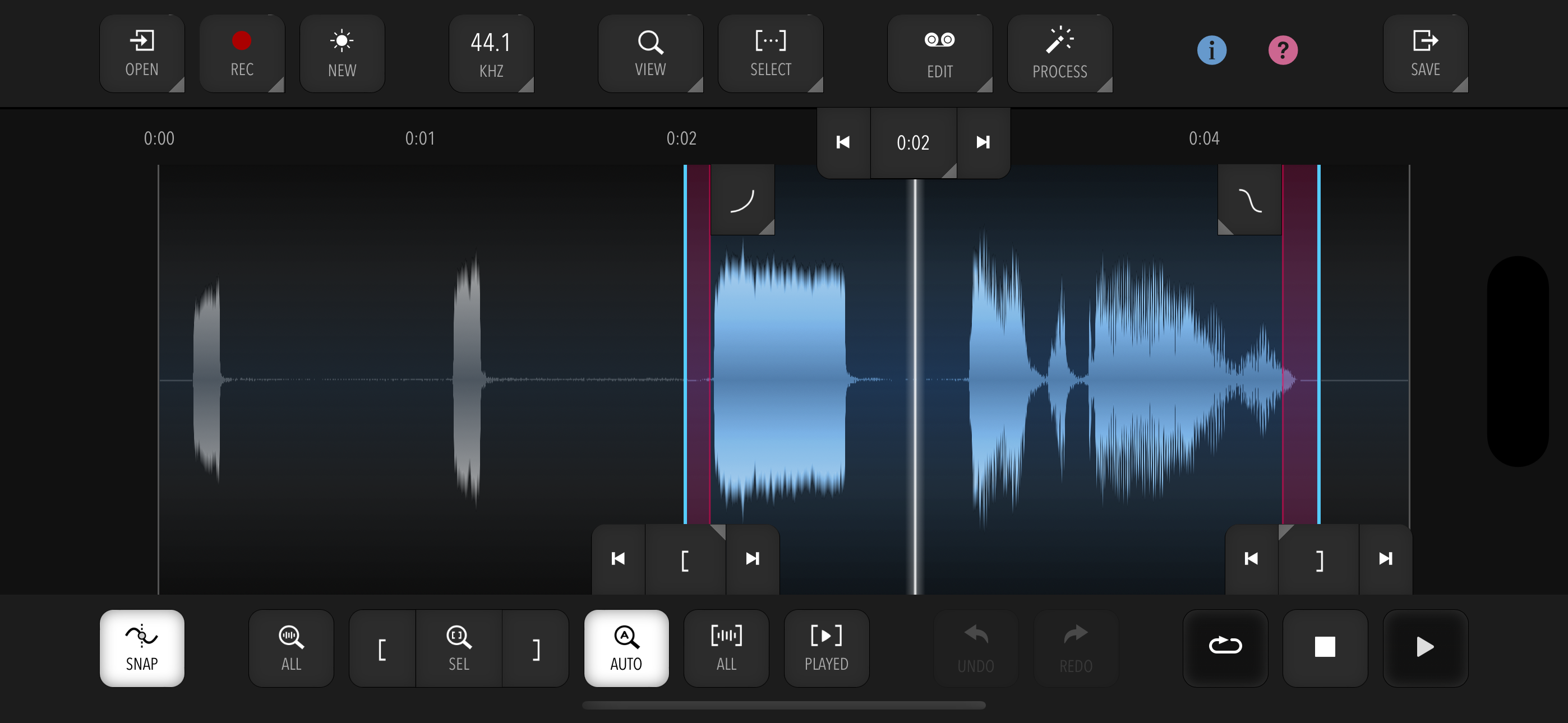
Meow is a fast and efficient audio and sample editor for quickly and easily getting general everyday audio and sample editing duties done.
It does not have a huge amount of features, but instead focuses on a fast, effective workflow and user interface.
IMPORTANT: Meow is free to try so you can see if the app suits your needs. However, to enable saving or sharing edited audio, a one-time In-App Purchase (IAP) is required.
KEY FEATURES:
- Fast, smart and efficient navigation and selection with optional snapping to zero crossings
- Undo and Redo (number of steps depends on file size)
- Automatic Crossfades (adjustable length) for most editing operations
- Interactive adjustable fade-in / fade-out points with various curve shapes
- Interactive loop cross-fade for creating seamless loops
- Nudging and manual entry of selection start / end or playhead for fine control
- Touch and mouse input fully supported
- Extensive hardware keyboard support with keyboard shortcuts including in-app reference
- Smart AutoZoom to reduce the need for manual panning / zooming
- Clipboard with automatic resampling and rechanneling
- Tempo and time signature support for editing and snapping to bars or beats, with automatic calculation from selection
- Resampling between any two supported sample rates (see below)
- In-App Recording from the device microphone with optional auto-normalize. Recording from external audio interfaces and in stereo is currently not guaranteed to work with all interfaces. Compatibility will be vastly improved in a future update.
- Sample-accurate editing and playback exactly according to selection
- Seamless and sample-accurate looping playback of selection
SAMPLE PROCESSING:
- Editing: Trim, Cut, Copy, Paste (Insert / Mix / Replace)
- Processing: Gain, Normalize, Silence, Reverse, Invert
- Filters (with live preview): Lowpass, Highpass, Bandpass, Notch
- EQ (with live preview): Peaking, Low Shelf, High Shelf, 10-Band Graphic EQ
- Channels: Make Mono / Make Stereo / Swap
- 3-Band Noise Reduction
- Supported sample rates: 96000, 48000, 44100, 22050, 11025, and 8000 Hz
- All processing done in 32-bit floating point
IMPORT:
- Supported formats: WAV, MP3, AIFF, MP4, AAC, ALAC (Apple Lossless). Note that very long audio files (> 20 minutes) are not supported.
- Import via Files, Drag & Drop, or "Open In"
- Dropped files can be merged into existing audio (Insert / Mix / Replace)
EXPORT:
- Export to Files or Share directly from the app
- Supported formats: WAV (16-bit / 24-bit / 32-bit float), MP3 (adjustable bitrate)
LIMITATIONS:
- Editing very long audio files (> 20 minutes) may cause instability and limited Undo functionality, as all processing happens in memory (RAM).
- Editing very large files can result in slowdowns.
Classement dans le store
Le classement des stores est basé sur plusieurs paramètres définis par Google et Apple.
Toutes les catégories dans
États-Unis--
Musique dans
États-Unis--
Principaux concurrents & apps alternatives
Applications ayant une forte probabilité d'être utilisées par les mêmes utilisateurs, à partir du même store.

EG Nodes

Media Assistant

jAmp Bleep

Groove Rider 2
 Meow | Audio Editor VS.
 janvier 18, 2026