

You’ve hit your search limit
Start your free trial to keep exploring full traffic and performance insights.
Get StartedAnalyse de l'application iErase pour le 11 février

iErase
- kitamura hira
- App Store Apple
- Payant
- Graphisme & Design
If you want to erase unwanted elements from a photo or repair a damaged image, this app is your best choice.
[How to use]
The App is very simple, just three steps:
1. Select a picture from your album.
2. Paint over the area you want to remove or repair
3. Press the erase button, then wait a few seconds ... done
If there are multiple areas in the picture that need attention, processing them step by step yields better results. If you're not satisfied with the outcome, you can return to the previous step for reprocessing. Of course, you can also undo the painting on the picture.
You can also mask fine details by zooming in on the image or adjusting the size of the brush.
[Ver 2.0]
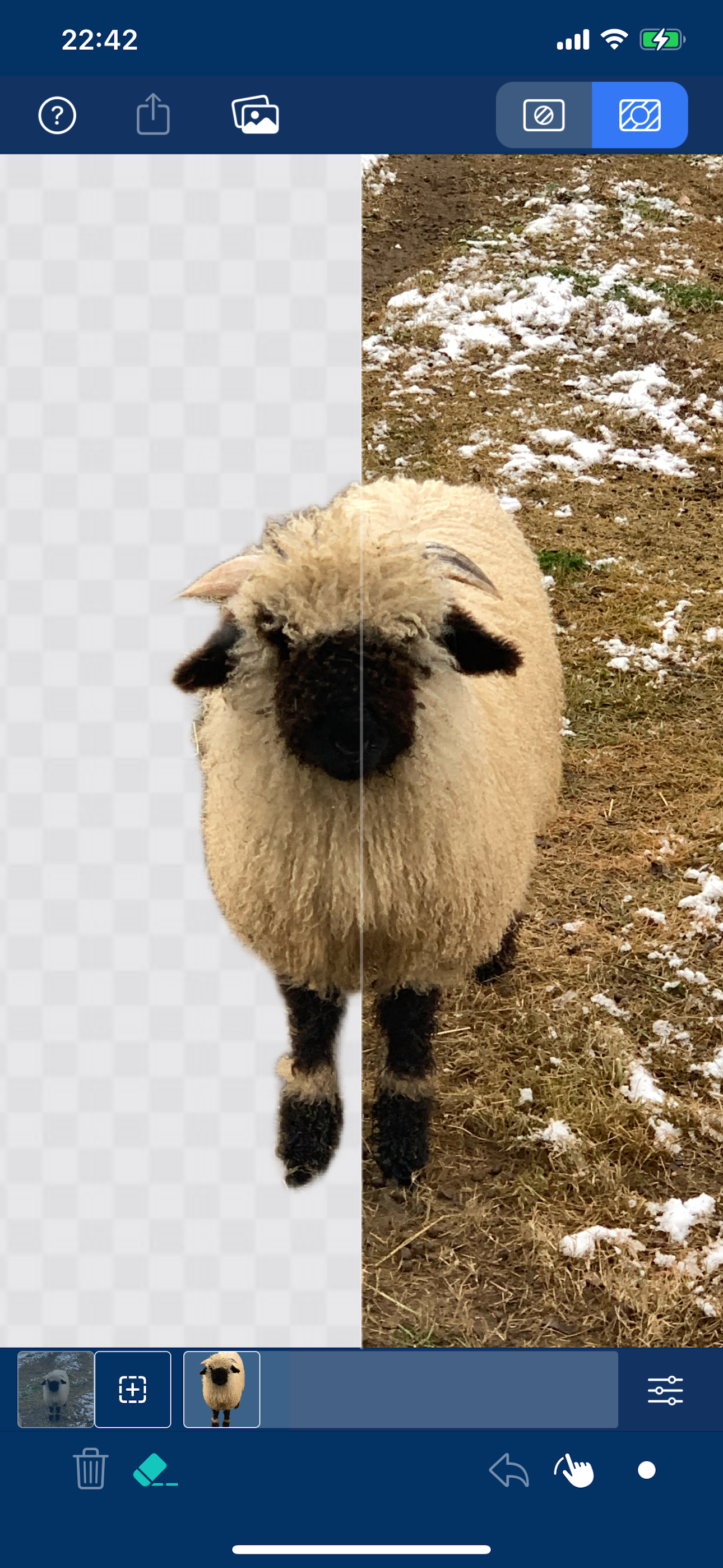
A background removal mode has been added, allowing for the extraction of specific image areas within pictures and the ability to replace the background upon output.
* In the "Remove Background" mode, directly clicking the "Remove" button will automatically analyze the entire picture and then remove the background.
* If you wish to extract a specific object, you can first smear the area where the object is located, and then remove the background.
* It's possible to perform multiple background removal operations on a single picture. Each operation will yield an object with its background removed, and these images will be managed in layers.
[Ver 3.0]
- Added photo editing feature
- Can output images with transparent backgrounds
[Tips]
If you want to move an object's position on the picture, you can do so by following the steps below:
1. Switch to "Remove Background" mode, smear the object you wish to move and then remove its background to obtain the object you wish to move.
2. Switch to "Remove Object" mode, smear the object again, and then eliminate the object.
3. Returning to "Remove Background" mode allows you to move the object to any position on the canvas.
[Supported devices]
iPhoneX and above
[Others]
*No internet required. Advanced compression technology is used to embed the model directly into the app, so this app does not need to connect to a server and can process images locally.
*Fast processing speed. This app has optimized the algorithm to the greatest extent while ensuring the treatment results.
Classement dans le store
Le classement des stores est basé sur plusieurs paramètres définis par Google et Apple.
Toutes les catégories dans
États-Unis--
Graphisme & Design dans
États-Unis#64
Principaux concurrents & apps alternatives
Applications ayant une forte probabilité d'être utilisées par les mêmes utilisateurs, à partir du même store.

PicTool -Photo & Image Toolbox

PixPaint: AI Object Removal

Speed Up Video

WatermarkX - Markup photos app
 iErase VS.
 février 11, 2026