

You’ve hit your search limit
Start your free trial to keep exploring full traffic and performance insights.
Get StartedAnalyse de l'application Dockerman: Docker Client pour le 21 janvier

Dockerman: Docker Client
- Tejesh Mehta
- App Store Apple
- Payant
- Outils de développement
A pure Docker client for iPhone, iPad, and Mac. Connect directly to your Docker daemon using standard TLS certificates. No Portainer. No middleware. No complicated setup. Just Docker.
Dockerman connects straight to the Docker Remote API using industry-standard TLS mutual authentication—the same secure method used in production environments everywhere. Your CA certificate, client certificate, and private key authenticate you directly to Docker. Simple. Secure. Powerful.
WHY DOCKERMAN?
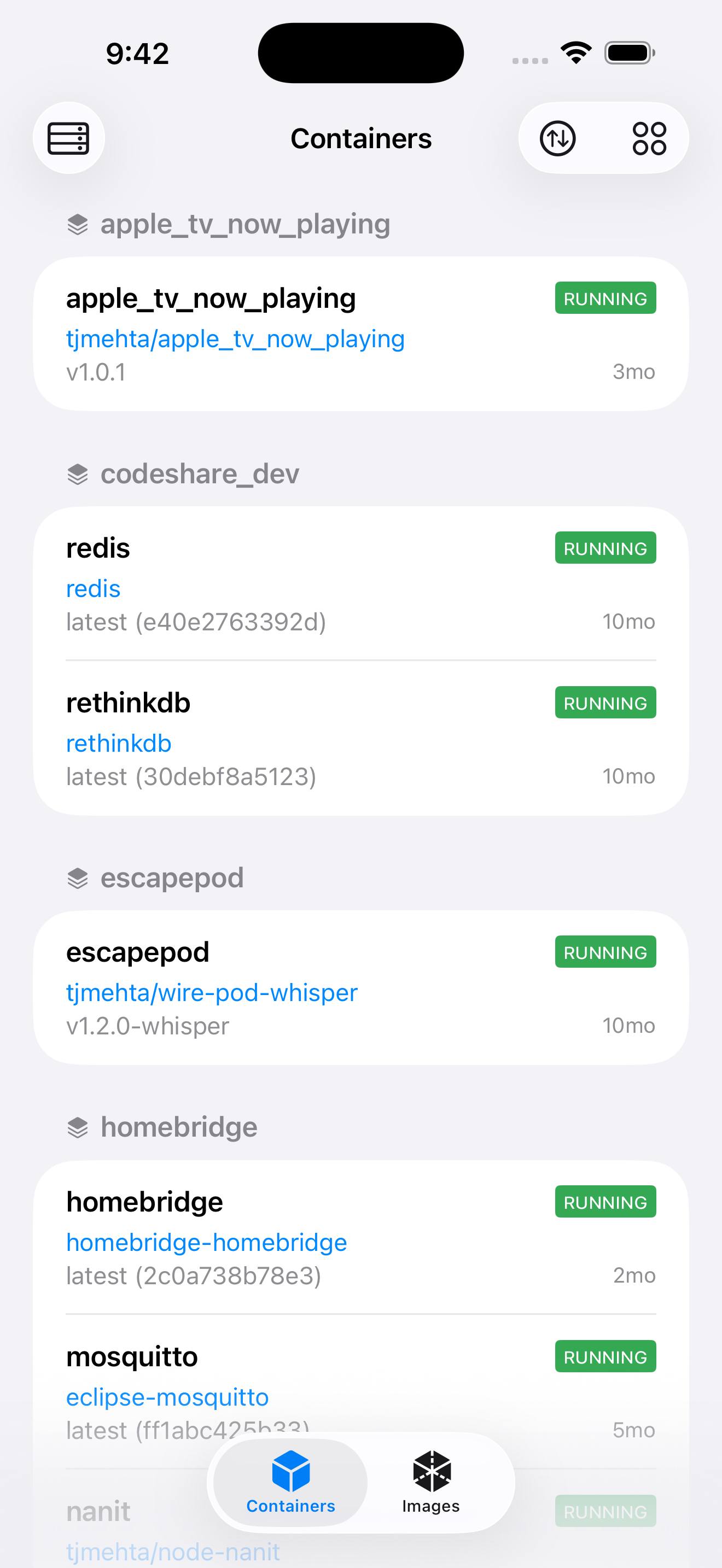
• PURE DOCKER CLIENT - Connects directly to the Docker daemon. No third-party services, no web interfaces, no middleware layers between you and your containers.
• STANDARD TLS AUTHENTICATION - Uses the same TLS client certificates that Docker itself uses. Import your CA cert, client cert, and key—done. Industry standard, enterprise grade.
• RUNS EVERYWHERE - One universal app for iPhone, iPad, and Mac. Manage Docker from your phone, tablet, or desktop with identical functionality.
• FULL CONTAINER CONTROL - Start, stop, restart, pause, unpause, kill, and delete containers with a tap. No terminal needed.
• REAL-TIME LOGS - Stream container logs live with auto-scroll. Full ANSI color support for beautiful, readable output.
• IMAGE MANAGEMENT - Browse all images, pull new ones from any registry, delete unused images to reclaim disk space.
• COMPOSE SUPPORT - View Docker Compose stacks with grouped containers. See which containers belong together.
• MULTI-HOST SUPPORT - Connect to multiple Docker hosts. Switch between development, staging, and production seamlessly.
CONTAINER ACTIONS:
Start | Stop | Restart | Pause | Unpause | Kill | Delete
IMAGE ACTIONS:
Browse | Pull | Delete | Inspect
LOG FEATURES:
Real-time streaming | Auto-scroll | ANSI colors | Line wrapping toggle
REQUIREMENTS:
• Docker daemon with Remote API enabled (TCP with TLS)
• TLS certificates (CA cert, client cert, client key)
Built with SwiftUI for native performance on all Apple devices. Perfect for DevOps engineers, sysadmins, homelab enthusiasts, and developers who want direct Docker access on the go.
TAGS: container, containers, server, remote, homelab, self-hosted, selfhosted, NAS, Synology, QNAP, TrueNAS, Unraid, OpenMediaVault, OMV, Raspberry Pi, Pi, ARM, Linux, Ubuntu, Debian, terminal, SSH, DevOps, sysadmin, infrastructure, compose, Docker Compose, stacks, images, volumes, networks, logs, monitoring, dashboard, admin, VPS, dedicated server, cloud, home server, home lab, mobile, remote access, remote management, container manager, server manager, Docker manager, Docker client, TLS, certificates, secure, API, REST API, daemon, engine, registry, pull, push, start, stop, restart, pause, delete, kill, swarm, orchestration, deploy, deployment
Classement dans le store
Le classement des stores est basé sur plusieurs paramètres définis par Google et Apple.
Toutes les catégories dans
États-Unis--
Outils de développement dans
États-Unis#33
Dockerman: Docker Clientjanvier 21, 2026