

You’ve hit your search limit
Start your free trial to keep exploring full traffic and performance insights.
Get StartedAnalyse de l'application HUD Nav pour le 28 janvier
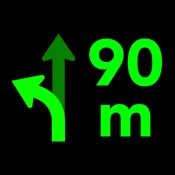
HUD Nav
- Sebastien BUET
- App Store Apple
- Payant
- Navigation
Transform your iPhone and iPad into a head-up display for any car with HUD Nav - Turn by turn Head up display navigation.
Look for a location, chose a route and place your iPhone/iPad on the dashboard — you’ll see the directions, distances, and other information, reflected on your windshield. Drive safer and keep your eyes on the road, and know in advance what’s ahead.
Features:
- Watch the direction and distance to the next turn, right on the windshield
- HUD interfaces with clear, simple and non-distracting information that you understand immediately
- Double tap the HUD to change the information displayed. 6 different modes are available:
+ Direction and distance to the next turn
+ Direction, road/street name, and distance to the next turn
+ Direction and distance to the next turn, remaining distance to destination and expected time arrival (ETA)
+ Detailed direction, road/street name, and distance to the next turn
+ Map, direction and distance to the next turn
+ Map, direction, road/street name, and distance to the next turn
- Get voice instructions and drive with a co-pilot
- Choose the voice that guides you (available in some languages)
- Motorcycle mode: the HUD is not mirrored so you can use the app while riding your bike, or driving in bright conditions
- Save places and locations in the Historic to quickly drive to them later. Edit your historic and rename places/locations, organize them or delete them
- Works with Apple Maps app: send routes from Maps to the app, and drive them with the app HUD
Note!
- On a clear day or bright conditions, the device screen brightness is typically insufficient to give a decent reflection for HUD mode. In that situation, you can use the app in motorcycle mode with the phone fixed with some mount. At night, in dusk, or in dull weather the reflection is normally well-discernible.
- When driving, make sure that your iPhone or iPad is well fixed in some mount or on some sticky pad, and doesn't prevent you from clearly seeing the road.
Continued use of GPS running in the background can quickly drain your device battery.
Note that the app uses the same "route search engine" as the Maps app. However, as not all the iOS features are available in all countries, you can check the list of features available for your country at https://www.apple.com/ae/ios/feature-availability/.
If you face any problems or find any bugs, please email us at support@seb-appstore.com or report the bug right from the app. We appreciate your feedback!
Check out our other iPhone and iPad apps at www.seb-appstore.com, with hundreds of discounted and free apps.

Classement dans le store
Le classement des stores est basé sur plusieurs paramètres définis par Google et Apple.
Toutes les catégories dans
États-Unis--
Navigation dans
États-Unis#197
Principaux concurrents & apps alternatives
Applications ayant une forte probabilité d'être utilisées par les mêmes utilisateurs, à partir du même store.

Car HUD Display Pro

Car HUD Display

beeqS

Headup Display
 HUD Nav VS.
 janvier 28, 2026