

Analyse de l'application PDF Reader for Android pour le 2 décembre

PDF Reader for Android
- Reader Tools
- Google Play Store
- Gratuit
- Outils
PDF Reader is the best PDF reading and editing application on android. PDF Reader manages and displays all PDF files on a single screen. You will not need to find PDF files everywhere in the phone. You just select the PDF file you want to view and open it. This application supports you to easily open PDF files and read documents offline anywhere, anytime.
With PDF Reader you can easily search, read, mark or create a new PDF document, easily share it via email or social networking.
Powerful PDF reader for text search, bookmark bookmarks, underline, colorization, and text copy support..
Now, reading PDFs is no longer an obstacle to your life and work. The only thing you need to do is to download this PDF Reader application, we will help you do all the rest.
PDF Reader is the best choice for you to work with professional-looking PDF files anytime, anywhere. More particularly, it is completely free for you.
PDF has a user-friendly interface so you only need 1 touch to view the desired PDF file. From the optimization of the user experience, we developed the PDF open application with many other advantages:
Manage all the PDF files in your device:
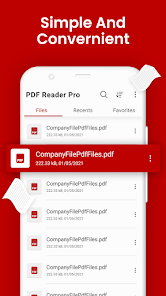
"All PDF" The application will scan all the PDF files in your device and focus in a single screen.
"Recent" Contains all the PDFs you have open, sorted by the latest open time, and you can easily view the PDFs you have recently viewed.
"Favorite" Contains the favorite PDF files that can be opened quickly.
If you have a lot of PDF files, you'll also easily find them with "Organize" and "Search" features in the application's PDF management interface.
You can easily change the name, delete file, view details of your PDF file. Share it to your fellow colleagues by email or co-worker at this screen.
Touch to open the PDF file you want to view.
Powerful PDF reader with many convenient features to help you read, edit, and make notes directly on this application:
Quick display: PDF Reader uses the most advanced technology available today to speed the loading and display of PDF files quickly even with large PDF files.
Diverse view mode: You can choose the vertical or horizontal view that fits your needs. Transition modes between pages are optimized to deliver the best reading experience.
Quick page moving: You can go to any page with the scroll bar, or you can enter the page index to move to the page you want to read.
Outline of the PDF file: PDF Reader will list the chapters of the PDF file. You will easily move to that chapter.
Search for text: Search for important keywords in the document with search tool.
Support tools: The tool supports reading PDFs such as underlining, yellowing, copying; you can work best with your PDF file. Also you can draw up PDF files.
Add bookmark to a PDF page: You can bookmark a page with great content, so that it can easily be read again later.
Night view: You can switch the night view mode with darker colors to help protect your eyes when reading PDFs at night.
Change screen brightness: Increase the brightness of the screen to suit your lighting conditions.
Mark the page you are reading: When you exit the PDF reader, the application saves your current page. At the next PDF reading, you can continue to see the page you are viewing.
We are always interested in your experience, so please let us know your comments by leaving a comment. We will try to develop to bring the best version of software to open PDF files.
Do not forget to rate this app 5 * for developer support. Thank you for using!
Rang d'utilisation de PDF Reader for Android
Le classement d'utilisation est basé sur l'algorithme de Similarweb qui calcule les installations actuelles et les utilisateurs actifs sur une période de 28 jours.
Toutes les catégories dans
Allemagne#3,485
Outils dans
Allemagne#469
Intérêts des utilisateurs & catégories principales
Principales catégories et applications utilisées par les utilisateurs de PDF Reader for Android
Top des catégories
Affinité
Top des applications pour cette catégorie
Plus d'applis
27%


15%


11%




11%



Principaux concurrents & apps alternatives
Applications ayant une forte probabilité d'être utilisées par les mêmes utilisateurs, à partir du même store.

PDF Reader(KDAN PDF): Edit PDF

PDF Reader App : Read All PDF

PDF Reader App - PDF Viewer

PDF Reader Zone
PDF Reader for Android VS. 2écembre d, 2025