

Analyse de l'application RemotePC Viewer pour le 3 décembre

RemotePC Viewer
- IDrive Inc
- Google Play Store
- Gratuit
- Productivité
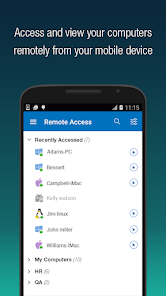
Install the RemotePC app on your mobile devices and access your computer remotely from anywhere.
With a speed of 60 FPS and 4K quality, connect to your office or home computers remotely after hours, while traveling, etc., via the RemotePC application and access files and folders along with emails and software applications.
Features:
* Instant remote computer access provided there is an active internet connection and RemotePC application installed on it.
* Provides efficient team work with friends or colleagues by accessing their remote computers and to work on presentations, documents, view/edit media files, etc.
* Access PCs and MACs using your Android devices.
* Access Android devices and Chromebooks from computers or another
Android device.
* Enhanced performance and low latency.
* Cross-platform compatibility (Windows, Mac, Linux, Android)
60 FPS speed allowing 4K quality.
* Faster remote streaming for gamers.
Functionalities:
* Transfer files via your android devices and computers with/without remote
session.
* Session recording: Record remote sessions while accessing via Android
devices.
* Clipboard actions: Control clipboard actions (copy and paste) from your
Android devices.
* Enable inactivity timeout to retain remote session running in the
background for the specified time.
* Lock the remote system via your Android device.
* Choose between better quality and speed of your remote device.
* Change the screen resolution of your remote device from Android device.
* Access and manage logged off and locked devices remotely.
* Access a remote machine while using other applications on your Android
device using picture-in-picture mode.
* Enable background sound for remote devices during remote sessions.
* Remote printing of documents and images using a local printer.
* Chat with the recipients for effective communication.
* Enable ‘Trusted Devices’ for enhanced security of your RemotePC account.
* Enable ‘Blank Host Screen’ to work privately on your remote device by turning the screen blank.
* View multiple monitors at the same time for Enterprise accounts.
* Restart your remote system via the Android device in a safe mode.
* Collaborate effectively by using Whiteboard to draw on the remote screen.
What’s New?
* Add comments for configured remote devices - other users can refer for
instructions.
* Add copied texts on OS-level screens using clipboard as keystrokes option
* Access files/folders on remote computers using any Android device or
Chromebook.
* Perform search, upload, and download operations while accessing the
files/folders on your remote computer.
* Enhanced performance and low latency
* Cross-platform compatibility (Windows, Mac, Linux, Android)
* 60 FPS speed allowing 4K quality
* Faster remote streaming for gamers
* Record remote sessions while accessing via Android devices.
* Control clipboard actions (copy and paste) from your Android devices.
* Remove the saved ‘Personal Key’ and/or ‘System Authentication’ (SAUTH) of the devices configured in your RemotePC account using Clear Credentials
Rang d'utilisation de RemotePC Viewer
Le classement d'utilisation est basé sur l'algorithme de Similarweb qui calcule les installations actuelles et les utilisateurs actifs sur une période de 28 jours.
Toutes les catégories dans
États-Unis--
Productivité dans
États-Unis#1,586
Intérêts des utilisateurs & catégories principales
Principales catégories et applications utilisées par les utilisateurs de RemotePC Viewer
Top des catégories
Affinité
Top des applications pour cette catégorie
Plus d'applis
13%




12%





11%


11%


Principaux concurrents & apps alternatives
Applications ayant une forte probabilité d'être utilisées par les mêmes utilisateurs, à partir du même store.

RealVNC Viewer: Remote Desktop

TeamViewer Remote Control

AirDroid: File & Remote Access

Backbone — Next-Level Play
RemotePC Viewer VS. 3écembre d, 2025