

You’ve hit your search limit
Start your free trial to keep exploring full traffic and performance insights.
Get StartedAnalyse de l'application Indic Keyboard pour le 12 janvier

Indic Keyboard
- Indic Project
- Google Play Store
- Gratuit
- Outils
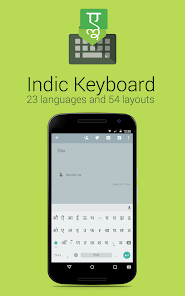
Indic Keyboard is a versatile keyboard for Android users who wish to use Indic and Indian languages to type messages, compose emails and generally prefer to use them in addition to English on their phone. You can use this application to type anywhere in your phone that you would normally type in English.
- 23 languages supported
- Learns the common words you use and provides suggestions.
- Provides compact, convenient keyboard layouts for the casual users as well as the language lovers
- Transliteration - You type using English, the app will convert it into your language. Eg: Typing "namaste" will give you नमस्ते
- Fully integrates with native Android look and feel
- Free and Open Source - Made for the people, by the people. YOU can make it better.
What languages are supported ?
- Assamese Keyboard (অসমীয়া) - Inscript, Transliteration
- Arabic Keyboard (العَرَبِيةُ)
- Bengali / Bangla Keyboard (বাংলা) - Probhat, Avro, Inscript, Compact
- Burmese Keyboard (ဗမာ) / Myanmar - xkb
- English
- Gujarati Keyboard (ગુજરાતી) - Phonetic, Inscript, Transliteration
- Hindi Keyboard (हिन्दी) - Inscript, Transliteration
- Kannada Keyboard (ಕನ್ನಡ) - Phonetic, Inscript, Transliteration (Baraha), Compact, Anysoft
- Kashmiri Keyboard (کأشُر) - Inscript, Transliteration
- Malayalam Keyboard (മലയാളം) - Phonetic, Inscript, Transliteration (Mozhi), Swanalekha
- Manipuri Keyboard / Methei Keyboard (মৈতৈলোন্) - Inscript
- Maithili Keyboard (मैथिली) - Inscript
- Marathi Keyboard (मराठी) - Transliteration
- Mon Keyboard (ဘာသာ မန်;)
- Nepali Keyboard (नेपाली) - Phonetic, Traditional, Transliteration, Inscript
- Oriya Keyboard (ଓଡ଼ିଆ) - Inscript, Transliteration, Lekhani
- Punjabi / Gurmukhi Keyboard (ਪੰਜਾਬੀ) - Phonetic, Inscript, Transliteration
- Sanskrit Keyboard (संस्कृत) - Transliteration
- Santali Keyboard-(संताली) - Inscript (Devanagari script)
- Sinhala Keyboard / Sinhalese (සිංහල) - Transliteration
- Tamil Keyboard (தமிழ்) - Tamil 99, Inscript, Phonetic, Compact, Transliteration
- Telugu Keyboard (తెలుగు) - Phonetic, Inscript, Transliteration, KaChaTaThaPa, Compact
- Urdu Keyboard (اردو) - Transliteration
# How do I enable it ?
Indic keyboard has a wizard that will walk you through the process of setting it up so that you can use it comfortably.
# When I try to enable the keyboard, I am getting a warning about "collecting data"?
This message is a part of the Android operating system. It will appears whenever you try to enable a third party keyboard. Nothing to worry here.
# What is a keyboard layout ?
Indic keyboard provides multiple "keyboard layouts". This means that you will have different ways to type in your native language.
Transliteration allows you to type out words using English characters, but will automatically transform the words to your native language. For example, if you type "namaste" in English while using Devanagari transliteration keyboard, it will transform it to नमस्ते correctly
Inscript layout is the standardized keyboard that Government of India came up with to cater for the majority of the languages in India. We support the full specification, and if you are already familiar with Inscript on your Desktop, it will work on the phone too.
Phonetic keyboard is similar to Transliteration scheme - you can type what the words sound like using English characters, and it will be automatically transformed into your language.
Compact Keyboard allows typing Indian languages without the shift key. You can long press on the letters to get more options.
Find out more at : https://indic.app
Privacy Policy: https://indic.app/privacy.html
Rang d'utilisation de Indic Keyboard
Le classement d'utilisation est basé sur l'algorithme de Similarweb qui calcule les installations actuelles et les utilisateurs actifs sur une période de 28 jours.
Toutes les catégories dans
États-Unis--
Outils dans
États-Unis--
Intérêts des utilisateurs & catégories principales
Principales catégories et applications utilisées par les utilisateurs de Indic Keyboard
Top des catégories
Affinité
Top des applications pour cette catégorie
Plus d'applis
53%





14%





10%




5%

Principaux concurrents & apps alternatives
Applications ayant une forte probabilité d'être utilisées par les mêmes utilisateurs, à partir du même store.

Translate: Screen Translator

Typewise Custom Keyboard

Mint Keyboard:Fonts,Emojis

Naver SmartBoard - Keyboard
Indic Keyboard VS. janvier 12, 2026