

Analyse de l'application VRTV VR Video Player Lite pour le 2 décembre

VRTV VR Video Player Lite
- Chai Software
- Google Play Store
- Gratuit
- Lecteurs vidéo & Éditeurs
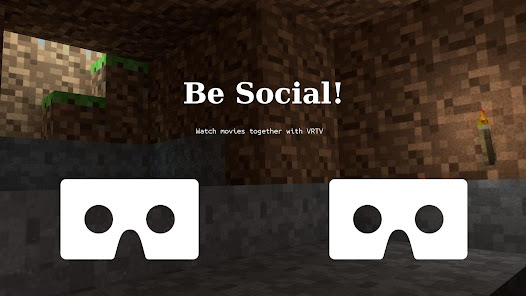
Watch your favorite 2D and 3D videos in VR with VRTV VR Video Player and a Cardboard compatible headset! VRTV features beautiful virtual environments and is the ONLY VR video player that supports watching together with a friend in full synchronised play.
VTRV VR Video Player has great support for all common 3D/2D formats and modes including 180, 220, 270 and 360 panoramas and fisheye objective projection.
If you enjoy the free version, why not try the full version? It features:
- An additional virtual environment: a cozy living room!
- Next/previous buttons, skip between files in the same directory without leaving VR.
- No ads!
VRTV VR Video Player features:
- Synchronization feature! Enjoy watching a movie together with another Cardboard friend!
- Subtitles in SRT format, with full support for RTL languages, Unicode characters and automatic encoding detection.
- Configurable subtitle size.
- Immersive virtual environments. Watch in your own home theater, or in a crafty cave.
- Player controls in a great VR UI.
- Fully configurable gamepad and keyboard controls.
- Supports 3D and 2D movies in a variety of formats: Side by side (SBS), Over and Under (OU, Top and Bottom), Panoramic video in 180 (Dome), 220, 270 and 360 degrees. Also supports fisheye projection videos.
- Simple material design.
- Uses the latest Cardboard SDK with less drift.
- Headset configuration from within the app. Supports several different head trackers, find the one that works best with your phone and eliminate drift.
- Streaming files over a network. Open a stream from VRTV or use your favourite browser of file explorer to open streams in VRTV VR Video Player.
- Static video mode. For long movies, lock the video in place right in front of you.
VR Button guide:
- Below screen: Open file browser (Full version only) and Play controls
- Left of screen: Subtitle on/off, text size, Sync on/off and Screen lock. Read more about Sync below!
- Top of screen: Re-center with timer, SDK re-center (keep horizon level), Screen-type switch, Video type switch (2D/3D Side By Side, 3D Over/Under), and fisheye projection toggle.
- Right of screen: Screen size and volume
Synchronization instructions:
- Synchronization is a feature that keeps a movie in sync between two devices. To enable sync, first set up the IP of the device you wish to sync with in Settings/General, where you can also find the IP of your own device. Do this on both phones so they have each others IP configured.
- Select a video to play. If it's a local video it must be present on both devices.
- In the VR UI, click the "sync" button on both devices to enable synchronization.
- On one of the devices, start the video by pressing the play button. After a small delay, the movie will start playing synchronized on both devices.
Seeking and network play is supported!
This application is supported by ads, but will not interrupt or otherwise limit your viewing experience. If you'd like to support the development, please rate the application and write a review, or purchase the full version! Feature suggestions and bug reports are always welcome!
Permission usage:
NFC, WRITE_EXTERNAL_STORAGE : Used by the Cardboard SDK to set up and save your headset configuration.
ACCESS_WIFI_STATE: Used for finding the IP of your device and displaying it in the Sync settings, to help set up synchronized play with another device.
INTERNET, READ_EXTERNAL_STORAGE: Required for accessing media on the device and for streaming.
Note: The VIBRATE permission is not used and will be removed in the next release.
Rang d'utilisation de VRTV VR Video Player Lite
Le classement d'utilisation est basé sur l'algorithme de Similarweb qui calcule les installations actuelles et les utilisateurs actifs sur une période de 28 jours.
Toutes les catégories dans
États-Unis--
Lecteurs vidéo & Éditeurs dans
États-Unis#518
Intérêts des utilisateurs & catégories principales
Principales catégories et applications utilisées par les utilisateurs de VRTV VR Video Player Lite
Top des catégories
Affinité
Top des applications pour cette catégorie
Plus d'applis
50%






38%



6%


3%


Principaux concurrents & apps alternatives
Applications ayant une forte probabilité d'être utilisées par les mêmes utilisateurs, à partir du même store.

Qello Concerts

VUZ: Live 360 VR Videos

Lua Player Pro (HD POP-UP)

Video Converter Pro
VRTV VR Video Player Lite VS. 2écembre d, 2025