

CalliPro محترف الخط 앱 분석 (11월 2일)

CalliPro محترف الخط
- Diwan Software Limited
- Apple App Store
- 유료
- 생산성
Callipro lets you create beautiful Arabic-style calligraphy with ease! Customize styles, colors, and curves to design stunning calligraphic art—no experience needed. Whether you're a pro or just playing around, express yourself in elegant, flowing script. Save and share your creations in seconds!
The main features include Powerful Calligraphy Tools, Quran Integration, Fonts & Typography, Layout & Design Control, Precise Editing Features, Multilingual Interface, Save, Export & Share, and Flexible Canvas Options.
- Add Text, Shapes, or both to a Favorites list.
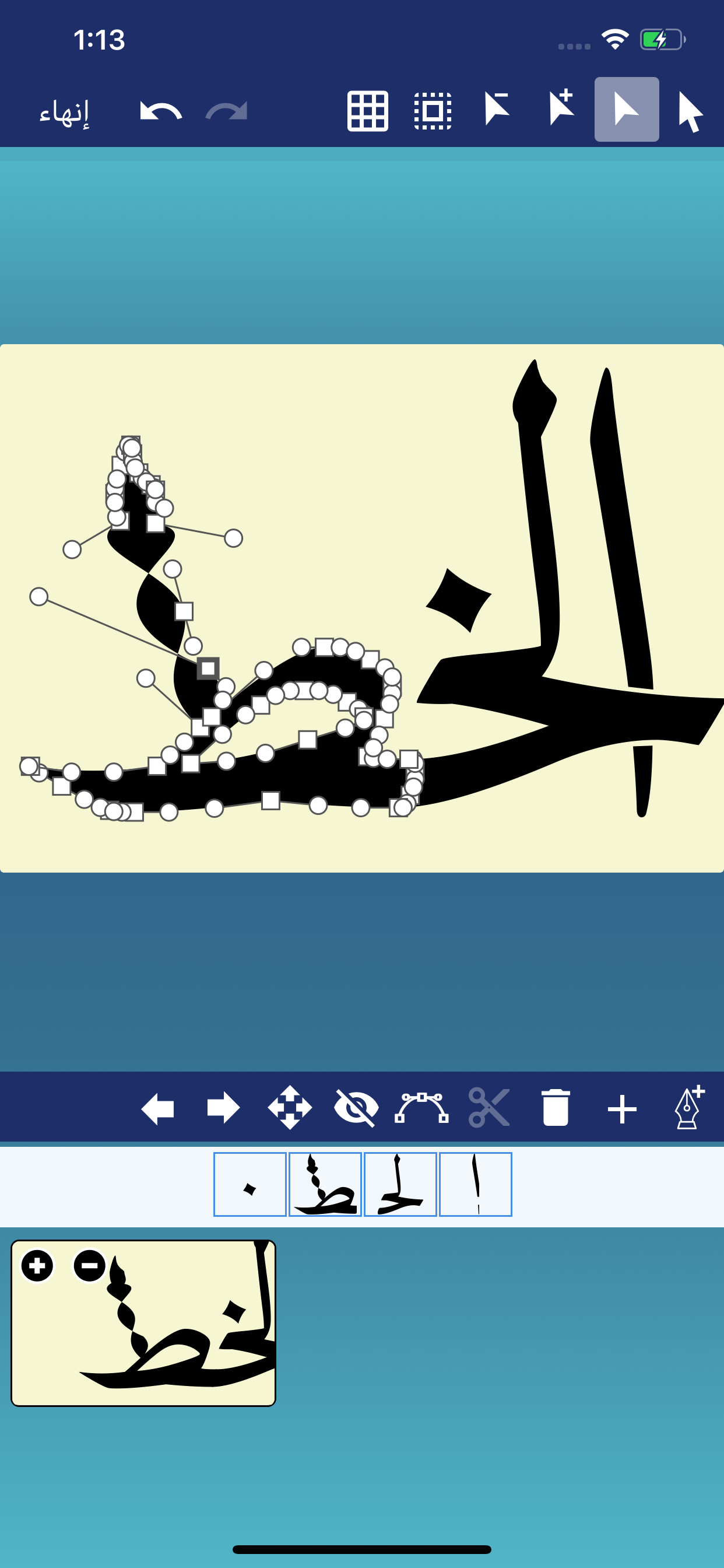
- Edit the Text, Tashkeel, Shapes, and Glyphs as a path (full Edit Path features available as In-App Purchase).
- Show or hide touch gesture.
- Insert Quranic text using Mishafi Gold or Silver with search capability (full Quran available as In-App Purchase).
- Inspect the glyphs and ligatures for any font and add them to the design.
- Choose a specific color using the Eyedropper tool.
- Align text or shapes using the Alignment tools.
- Bring design elements Forward or send them Backward.
- Choose from a variety of vector shapes.
- Change the color and the width of the text outline.
- Choose either Arabic, English or Indonesian UI [user interface] and menus.
- Edit and then re-send a design received through iMessage (requires iOS 10 or later).
- Choose from a collection of 21 fonts including Diwan's most advanced Arabic fonts like Diwan Naskh Mishafi, Diwan Thuluth, Diwan Farsi, Waseem (Ruqa’a like font), Kufi, and more.
- Import external fonts - Note: Import external fonts and import design are not supported by Google Drive.
- Select from a number of shaping options for each word segment including alternative shapes, wide forms, and removed dots.
- Freely position word segments to create complex compositions.
- Add a range of decorative shapes that can be positioned freely to decorate the overall design.
- Change the font size.
- Use multi-level undo and redo.
- Select from a wide range of colors for text and background.
- Make the background transparent.
- Save the design as an image that can be used with other applications.
- Save the design as a high-resolution PDF.
- Export the design to SVG (Scalable Vector Graphics).
- Create designs with different sizes.
- Save designs and open them at any time.
- Export or Import designs.
- Merge two designs to create one design.
- Zoom in or out.
- Add a background image.
- Use a grid for easier positioning of text.
- Rotate the text.
- Flip the text horizontally and vertically.
- Insert multi-line text.
- Select font size, alignment, and line spacing before inserting the text.
- Lock or Unlock the design.
- Group words or letters.
- Share and send the design through iMessage (requires iOS 10 or later).
- Share the design on Facebook no longer available.
스토어 순위
스토어 순위는 Google과 Apple이 설정한 여러 매개변수를 기반으로 합니다.
모든 카테고리 ·
미국--
생산성 ·
미국--


 CalliPro محترف الخط VS.
 11월 2, 2026