

You’ve hit your search limit
Start your free trial to keep exploring full traffic and performance insights.
Get StartedHohner Chromatic Accordion app analytics for October 24

Hohner Chromatic Accordion
- Michael Eskin
- Apple App Store
- Paid
- Music
Mimicking the layout of Hohner's iconic chromatic button accordions (CBA), both B-System (Bayan) and C-System, this intuitive virtual accordion is easy to play and sounds exactly like the real instrument.
The Hohner Chromatic Accordion has a 52-button treble button board and 36 bass/chord buttons.
Choose between B or C-System button layout using the layout selector on the edge of the screen.
Choose between Bass/Major/Minor/7 or Counter Bass/Major/Minor configuration for the left side of the instrument.
The bass/chord side may be transposed up or down two semitones using the control at the bottom left of the screen. Note that when the pitch is transposed, the note labels do not change. This may be addressed in a future update. This feature expands the range of bass side by shifting the entire bass up or down two rows.
MIDI Control: The Treble sounds may be controlled via MIDI from external hardware or other MIDI player or controller apps. Lowest note is G3 (MIDI Note 55) Range is G3 through E6.
Touch the "?" button to rotate through the different button label displays.
Touch the "i" button to show the setting page where you balance the volume of the treble, bass, and chords independently.
On the settings page, you may also set the reverb style, individual reverb send levels for the treble, bass, and chords, as well as the overall reverb level.
Set the MIDI channel for the treble side using the "MIDI Channel" slider.
Touch the Hohner logo for the help screen with a link to the Hohner accordion website or touch the Accordion Life logo to start learning with online accordion lessons.
The Hohner Chromatic Accordion app allows musicians to practice chord combinations, scales, and songs on-the-go.
Headphones can be used for private practice, or the audio output of the virtual accordion can be amplified by plugging into computer speakers, or other sound enhancing devices.
This app is ideal for the beginning student or professional musician who needs a simple carry-on companion to compliment his or her actual accordion. While not meant to be a replacement for a real accordion, the app is a convenient and easy tool for practicing, learning, or teaching.
IMPORTANT: Since you may want to play chords and melody with more than 4 fingers on the screen at a time, you must disable "Multitasking Gestures" in the iPad Settings. Run the Settings app, go to "General / Multitasking Gestures" and turn them off.
Store Rank
The Store Rank is based on multiple parameters set by Google and Apple.
All Categories in
United States--
Music in
United States--
Top Competitors & Alternative Apps
Apps with a high probability of being used by the same users, from the same store.

Accordion Vintage
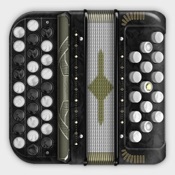
Accordion Chromatic Button
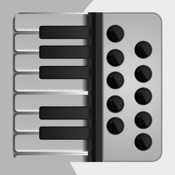
Accordion Piano - Aerophone.

SampleTank CS
 Hohner Chromatic Accordion VS.
 October 24, 2026