


10月22日 的 JavaScript Editor: JS IDE 應用程式分析

JavaScript Editor: JS IDE
- Sahana A S
- Apple App Store
- 免費版
- 開發者工具 (Developer Tools)
Write JavaScript, TypeScript and React on your iPhone or iPad. A real code editor with a console, a live React preview, npm packages, multi-file projects, and one tap to put your work on the web.
JavaScript Editor is a pocket JavaScript playground for web developers, students and anyone preparing for a coding interview. Your code runs on your device the moment you tap Run.
WHAT YOU CAN DO
• Run JavaScript and read logs, warnings and errors in the console
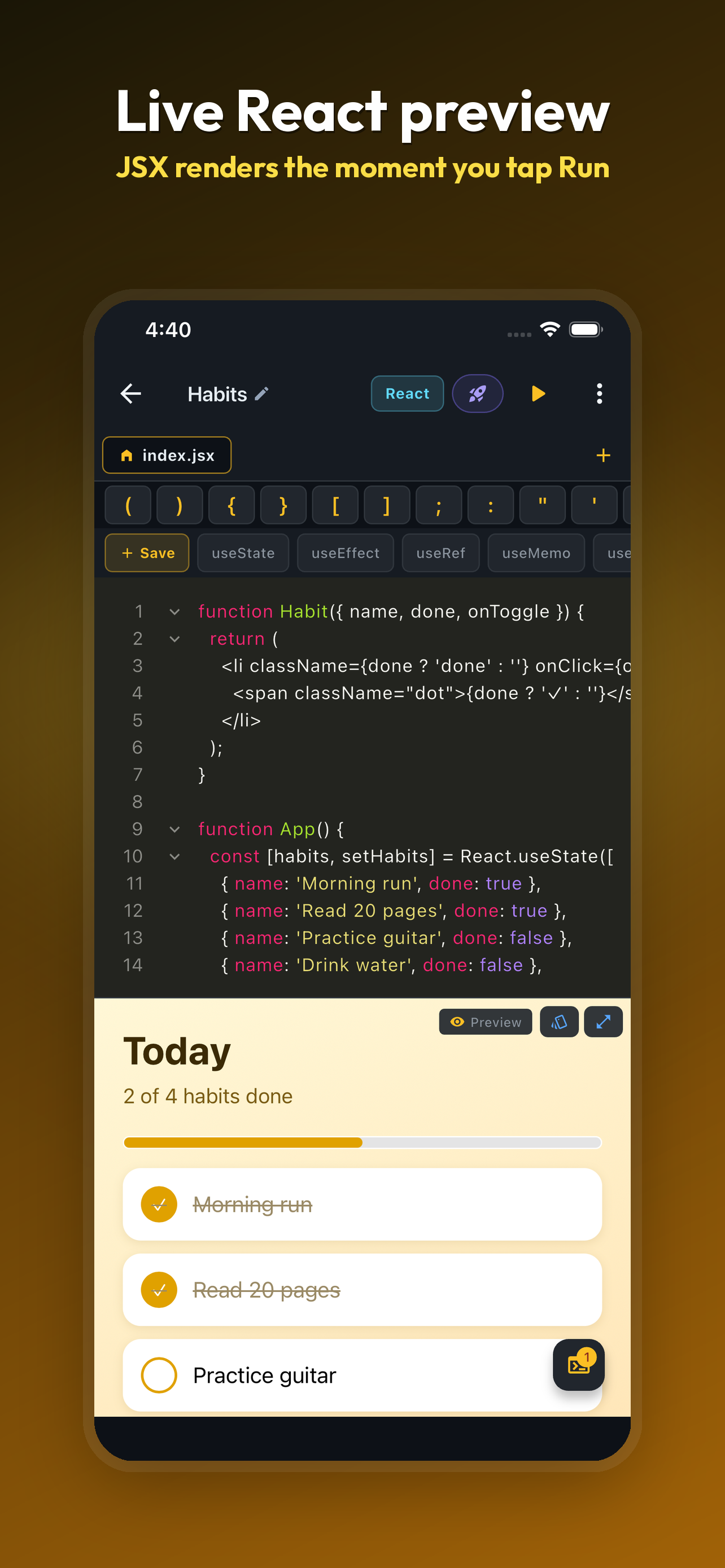
• Write React components with JSX and watch them render in a live preview
• Write TypeScript and TSX; types are stripped before your code runs
• Import npm packages with a normal import statement
• Split a project across files and folders and import between them
• Publish a project to a link that opens in any browser
• Open .js and .jsx files, and save your work, with the Files app
REACT PREVIEW
Tap Run and your component mounts in a preview pane below the editor. Edit its CSS in one tap, or go fullscreen to see the result on the whole screen.
TYPESCRIPT
Turn on TypeScript and use interfaces, generics and typed props. Your code runs straight away, with no build step.
NPM PACKAGES
Import a package by name and it resolves when you run. No terminal, no install, no config file.
PUBLISH TO THE WEB
Turn a project into a link and send it to anyone. Imports, npm packages and TypeScript all work exactly as they do in the app. Publish again and the same link shows the new version. Take a page down whenever you like.
A CODE EDITOR BUILT FOR A SMALL SCREEN
Syntax highlighting, a symbols bar for the punctuation you would otherwise hunt for, a React hooks bar, find and replace, word wrap, undo history, adjustable font size and a set of editor themes.
CONSOLE AND DEBUGGING
Colour-coded log, info, warn and error lines with timestamps. Runtime errors show up in the console so you can find the line that broke.
EXAMPLES
More than 40 JavaScript and React examples: arrays, async and await, closures, classes, fetch, hooks, state, forms, lists and visual effects.
WHO IT IS FOR
• Web developers sketching a component away from their laptop
• Students learning JavaScript, TypeScript, React or the DOM
• Interview candidates practising algorithms in real JavaScript
• Self-taught coders following a tutorial on the go
FREE, WITH AN OPTIONAL PRO UPGRADE
The editor, console, React preview and examples are free. Pro removes ads and unlocks multi-file projects, TypeScript, publishing, editor themes, custom snippets, find and replace and one-tap formatting. No account or sign-in needed.
Available in 16 languages.
SUBSCRIPTION AND PRICING
• JavaScript Editor Pro Lifetime — $19.99, one payment
• JavaScript Editor Pro Monthly — $1.99 per month, renews automatically
• Payment is charged to your Apple Account at confirmation of purchase
• A subscription renews unless it is cancelled at least 24 hours before the end of the current period
• Manage or cancel anytime in your Apple Account settings
Terms of Use (EULA): https://www.apple.com/legal/internet-services/itunes/dev/stdeula/
Privacy Policy: https://cosmovex.web.app/apps/jsvedit/privacy-policy
商店排名
商店排名基於Google和Apple設定的多個參數。
所有類別 在
美國--
開發者工具 (Developer Tools) 在
美國--


 JavaScript Editor: JS IDE VS.
 10月 22, 2026