

You’ve hit your search limit
Start your free trial to keep exploring full traffic and performance insights.
Get StartedUltimate Voice Recorder app analytics for November 19

Ultimate Voice Recorder
- Fingertip Access LLC
- Apple App Store
- Paid
- Business
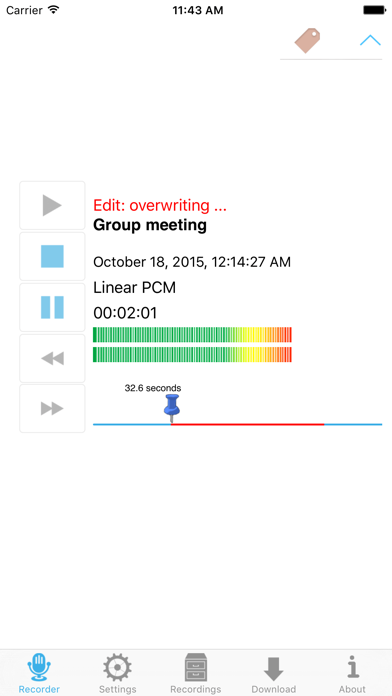
Ultimate Voice Recorder is one of the most feature rich recording application for iPhone, iPod touch and iPad. It boasts features including fast rewind/forward and seek, silence skipping, recording slicing to optimize file transfer and even photo attachments to all your recording. Recording can be performed in background so that you can do other things with your phone during recording.
Ever found it tedious to locate the interested pars of a long recording by fast forwarding and rewinding a lots? Now with timeline mode, you can attach any texts or photos to any parts of recordings during recording or playback so that you can simply tap the timestamps to jump to the desired parts of recordings quickly.
You can send out your recordings easily to your Dropbox, GoogleDrive, OneDrive, FTP account and by email. You can also copy all your recordings to your desktop directly from iTunes or through WiFi connection.
Complete feature list:
1. You can re-record or append to existing recordings. Refer to help on edit mode in About screen.
2. You can trim a recording from a starting point to the end or trim only the part within a starting and ending timestamps of your choice.
3. Record, pause, play, fast forward, fast rewind, touch to seek play position.
4. Enable/disable silence-skip control to record only when needed.
5. Copy recordings to a Dropbox, Google Drive, One Drive or a FTP server via WiFi or celluar connection.
6. Automatically upload recordings to a Dropbox, Google Drive, OneDrive and FTP server you specify.
7. Multiple audio codecs: Linear PCM, U-Law, A-Law, Apple IMA4, iLBC.
8. Multiple recording file format: WAV, CAF, AIFF, AIFC.
9. Rename, delete, edit recordings, and tag recordings.
10. Search recordings by name, descriptions and tags.
11. Application password.
12. View details of recordings: creation time, size, duration, format.
13. Advanced recording settings such as sample rate, mono or stereo.
14. You can put multiple recording in a sending queue, and the application will upload them via Dropbox/GoogleDrive/OneDrive/ FTP for you one by one.
15. Call interruption support
16. Specify a recording length limit or unlimited length depending on available space.
17. Audio level indicator during playing and recording.
18. Download all recordings via wifi to your desktop from your iphone or copy them directly from iTunes to your desktop.
19. One touch recording lets you start recording right way by simply touching the app icon.
20. Take photos with camera and attach to each recording
21. Continue recording in background
**NOTE** Only free quicktime player is needed to play non-wav files on PC!
Store Rank
The Store Rank is based on multiple parameters set by Google and Apple.
All Categories in
United States--
Business in
United States#169
Top Competitors & Alternative Apps
Apps with a high probability of being used by the same users, from the same store.

Mijn Beuk
 Ultimate Voice Recorder VS.
November 19, 2026