

You’ve hit your search limit
Start your free trial to keep exploring full traffic and performance insights.
Get Startedgtsync: Sync Tasks & Reminders app analytics for October 27

gtsync: Sync Tasks & Reminders
- Florian Kaiser
- Apple App Store
- Paid
- Productivity
Two-way sync between Google Tasks (including tasks in Google Calendar) and the Reminders app (including Reminders in the Calendar app).
A seamless way to keep everything you need to do synchronized across both platforms. gtsync securely connects Google Tasks to the Reminders app. Add a reminder using Siri on your commute, and it's waiting for you alongside your tasks in Google Calendar on your laptop. Check an item off in your browser, and it clears from your iPhone. One unified workflow, zero friction.
Sync and organization
• Bi-directional sync between the Reminders and Google Tasks apps
• Sync reminders in the native Calendar app and tasks in the Google Calendar app
• Sync titles, notes, completion status, and due dates
• Discover and match task lists and reminder lists
• Choose which lists are included
• Automatically include new lists if you want
• Create a missing list automatically when needed
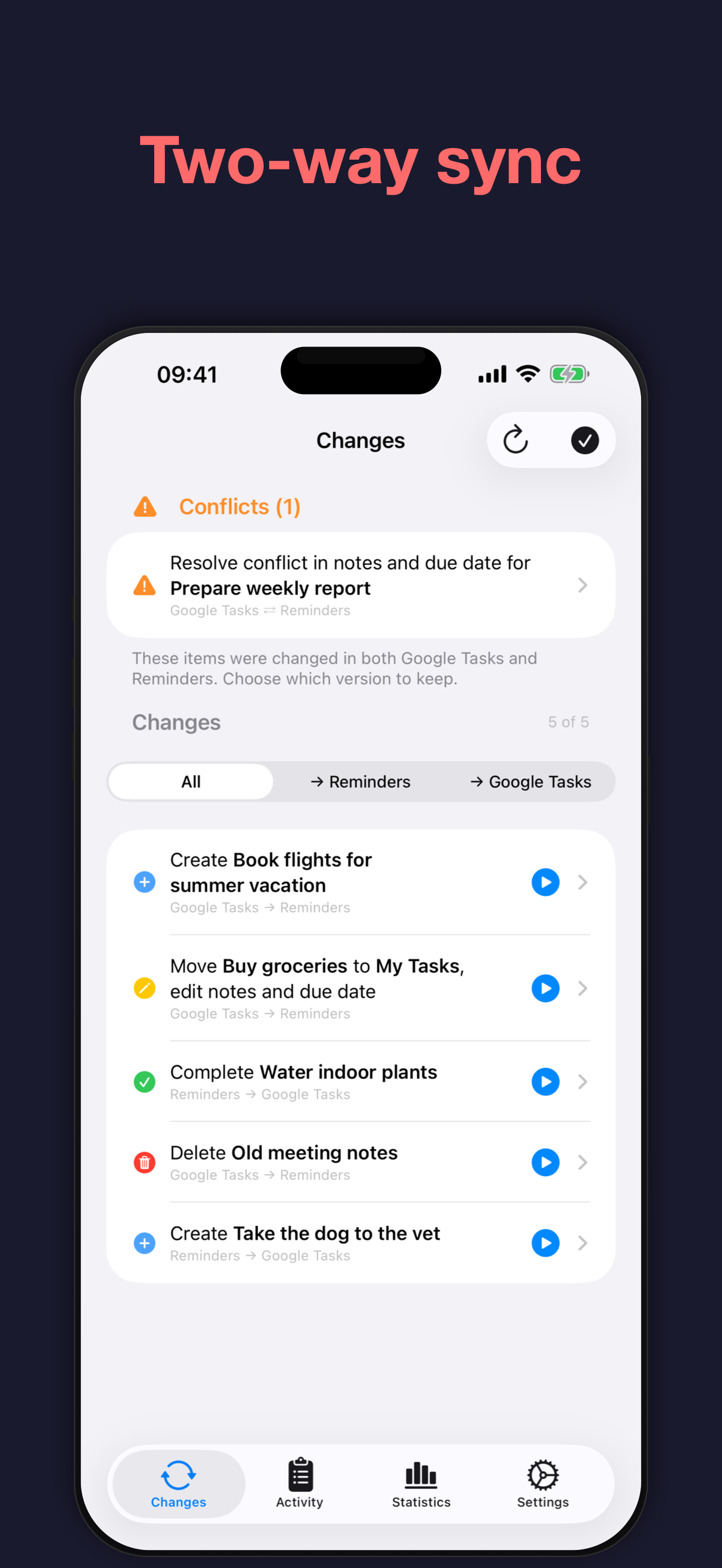
Review and resolve changes
• See pending creates, updates, and deletions before applying them
• Review the direction, list, timestamp, and changed fields for each item
• Compare both versions when an item changed in both services
• Choose whether to keep the Google Tasks or Reminders version
• Optionally resolve conflicts automatically using the most recently modified version
Automatic and on-demand sync
• Optional background sync takes care of staying in sync
• Use the Siri Shortcuts action to sync on demand, in an automation, or when you open a task app
• Get notified about conflicts and other issues that need your attention
Safety and visibility
• Configurable safety threshold for large batches of automatic changes
• Automatic sync pauses when the threshold is exceeded so you can review first
• Activity history with sync actions, errors, and timestamps
• Progress indicators and the ability to stop an in-progress sync
Statistics
• Day, week, and month views of your sync activity, with quick navigation between periods
• At-a-glance totals for items synced, completed, conflicts, and errors
• Activity chart showing creates, edits, completions, uncompletions, and deletions over time
• Breakdowns by direction, action, and list
• Tap any breakdown to see the matching entries in your activity history
Privacy
• Sync processing and sync history stay on your device
• Connects directly to Reminders and your Google account
Limitations
gtsync syncs titles, notes, completion state, and due dates between Reminders and Google Tasks. The following fields do not sync due to platform differences and limitations:
• Attachments
• Alerts / reminders
• Priority
• Recurrence (repeating tasks)
• Time-specific due dates (reduced to date-only values)
Store Rank
The Store Rank is based on multiple parameters set by Google and Apple.
All Categories in
United States--
Productivity in
United States#39
Top Competitors & Alternative Apps
Apps with a high probability of being used by the same users, from the same store.

SyncBridge Tasks

Parchment: Agenda & Daily Note

gTasks for Google Tasks

Unforgetful: Never Lose a Task
 gtsync: Sync Tasks & Reminders VS.
 October 27, 2026