

Sie haben Ihr Suchlimit erreicht
Starten Sie Ihren kostenlosen Testzugang, um weiterhin alle Traffic- und Performance-Insights zu erkunden.
Los geht'sToyota Dashcam Viewer App-Analysen für 17. August

Toyota Dashcam Viewer
- Toyota Canada Inc.
- Apple App Store
- Kostenlos
- Versorgungseinrichtungen
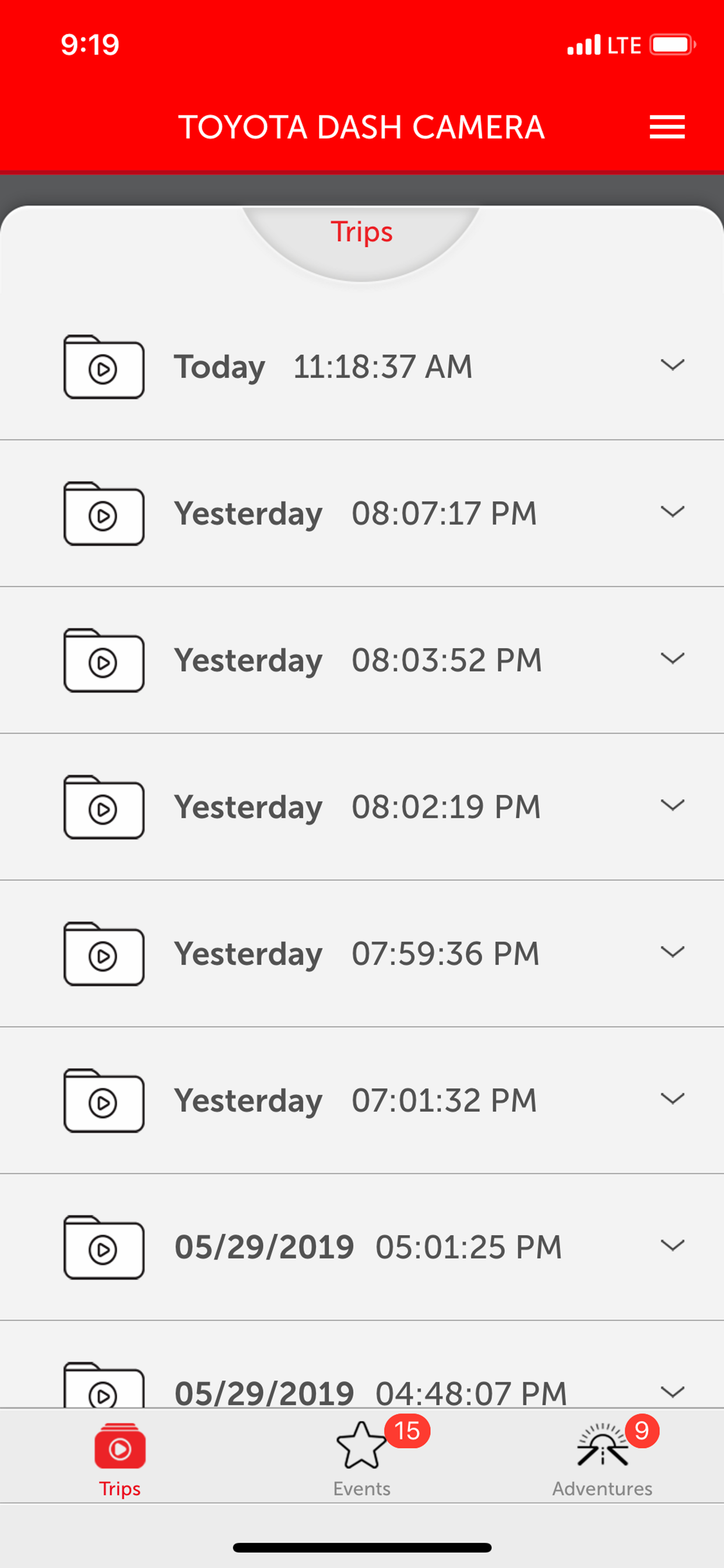
The TOYOTA DASHCAM App allows access to your genuine TOYOTA DASHCAM with your iPhone using the built in WIFI connection. Adjust the camera settings and/or download your memorable videos directly using your iPhone.
App Features:
- View and download your recorded videos directly to your phone
- Adjust camera settings:
• Video quality
• Buzzer noise levels
• Turn ON/OFF Adventure Mode, and adjust SD card’s Adventure Mode memory allocation
• Turn ON/OFF Parking Surveillance Mode, and adjust sensitivity, wake-up modes and surveillance start delay functions
• Live view feature
- For your safety, the app will disconnect from the TOYOTA DASHCAM if vehicle movement is detected. Do not operate your iPhone while vehicle is in motion.
Camera Features:
Your TOYOTA DASHCAM features 5 unique recording modes: 3 automatic modes and 2 manual modes activated using the “ACTION” button:
1) Continuous recording – automatically records when vehicle ignition is on. Never worry about turning on the camera to start recording. When SD card is full, oldest files are automatically overwritten.
2) Automatic Incident recording – if an abnormal shock is detected when driving, camera automatically locks and protects the video file from overwriting for review at a later time. Sensitivity can be adjusted. Maximum of 10 event videos can be protected from overwriting.
3) Parking surveillance – when vehicle is parked with vehicle ignition off, camera automatically wakes up and starts recording if an abnormal shock is detected. Parking surveillance files are locked and protected from overwriting. Sensitivity can be adjusted. Maximum of 10 parking surveillance recordings can be protected from overwriting.
4) Manual Flagged Event recording – capture interesting moments by pressing the “ACTION” button on the camera. The current video segment(s) 12 seconds before and 8 seconds after button activation will be protected. Maximum of 5 manual event recordings can be protected from overwriting.
5) Adventure Mode recording – capture your driving adventures. Press and hold the “ACTION” button on the camera for 1 second to start protecting the recorded videos. The Adventure Mode recording will stop protecting files after maximum time is reached, or when the “ACTION” button is pressed and held again for 1 second. Maximum of 1 hour of Adventure Mode videos can be protected from overwriting.
Open Source Software Used:
https://www.e-iserv.jp/top/driverecorder/DashCamViewer/oss/oss_sp.html?lang=en
Rang speichern
Der Store-Rang basiert auf mehreren Parametern, die von Google und Apple festgelegt wurden.
Alle Kategorien in
Vereinigte Staaten--
Versorgungseinrichtungen in
Vereinigte Staaten--
Top-Wettbewerber und alternative Apps
Apps mit hoher Wahrscheinlichkeit, von denselben Benutzer:innen aus demselben Store verwendet zu werden.

Toyota Integrated Dashcam

Lexus Integrated Dashcam

HydroHome - by BC Hydro

PRIME Wire
 Toyota Dashcam Viewer VS.
 August 17, 2026