

Sie haben Ihr Suchlimit erreicht
Starten Sie Ihren kostenlosen Testzugang, um weiterhin alle Traffic- und Performance-Insights zu erkunden.
Los geht'sDocSign - Sign Documents App-Analysen für 21. November

DocSign - Sign Documents
- RICKHIL PUNEET PRAKASH
- Apple App Store
- Kostenlos
- Versorgungseinrichtungen
Sign documents instantly with SignDocs - the fast, professional way to add your signature to any document right from your iPhone.
WHY DOCSIGN?
DocSign combines powerful document scanning, signature creation, and signing tools into one seamless app. Whether you're signing contracts, approval forms, permission slips, or business documents, DocSign makes it effortless.
SIGNATURE CREATION & MANAGEMENT
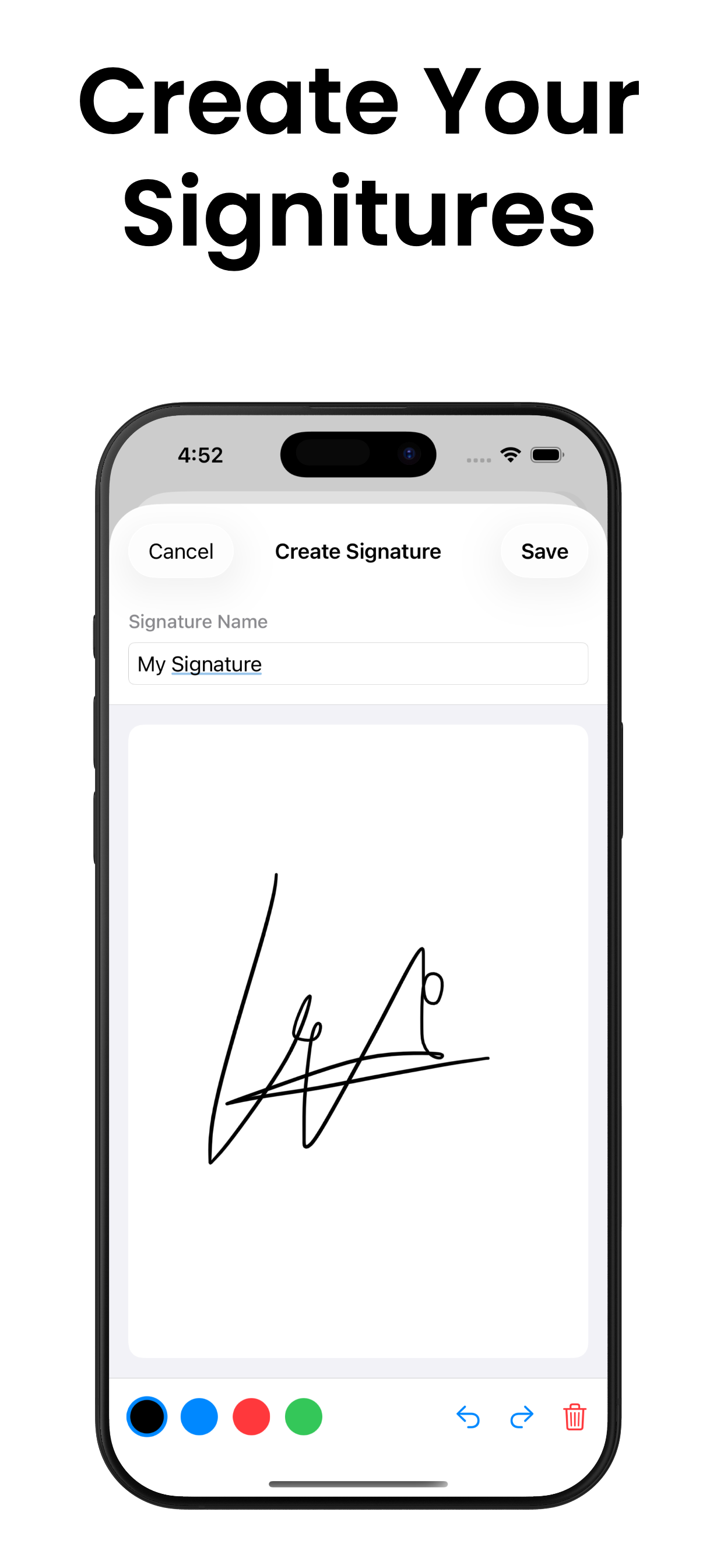
Draw realistic signatures with your finger or Apple Pencil
Create multiple signatures for different purposes
Choose from black, blue, red, or green ink colors
Save unlimited signatures to your personal library
Set your most-used signature as default for quick access
Rename and organize your signature collection
DOCUMENT CAPTURE MADE EASY
Professional document scanner using your iPhone camera
Import photos from your library (up to 10 at once)
Support for PDF and image files
Auto-detect document edges for clean scans
Multi-page document support
POWERFUL SIGNING TOOLS
Drag and position signatures exactly where needed
Add multiple signatures to single documents
Sign multi-page documents with ease
Real-time preview before saving
Navigate between pages effortlessly
QUICK ACCESS & ORGANIZATION
Recent documents carousel for instant access
Thumbnail previews of all your signatures
Clean, intuitive interface designed for speed
One-tap access to signing workflow
PROFESSIONAL RESULTS
DocSign produces high-quality signed documents ready for email, printing, or digital submission. Perfect for:
Business contracts and agreements
Real estate documents
Permission forms and applications
Tax documents and financial paperwork
Medical forms and consent documents
Legal documents and affidavits
Employment paperwork
School forms and permission slips
PRIVACY & SECURITY
All documents and signatures are stored securely on your device. Your sensitive information never leaves your iPhone without your permission.
GET STARTED IN SECONDS
Scan or import your document
Create your signature (or choose from your library)
Position your signature on the page
Save and share your signed document
SIGNDOCS PRO
Upgrade to Pro for enhanced features and unlimited signing capabilities. Try it free during onboarding!
Download DocSign today and say goodbye to printing, signing, and scanning. Sign documents anywhere, anytime - right from your pocket.
You may purchase an auto-renewing subscription through an In-App Purchase.
• Auto-renewable subscription
• Your subscription will be charged to your iTunes account at confirmation of purchase and will automatically renew (at the duration selected) unless auto-renew is turned off at least 24 hours before the end of the current period.
• Current subscription may not be cancelled during the active subscription period; however, you can manage your subscription and/or turn off auto-renewal by visiting your iTunes Account Settings after purchase
https://signdocsprofessionaldocuments.wordpress.com/privacy-policy
https://signdocsprofessionaldocuments.wordpress.com/terms-of-service
Rang speichern
Der Store-Rang basiert auf mehreren Parametern, die von Google und Apple festgelegt wurden.
Alle Kategorien in
Vereinigte Staaten--
Versorgungseinrichtungen in
Vereinigte Staaten--
Top-Wettbewerber und alternative Apps
Apps mit hoher Wahrscheinlichkeit, von denselben Benutzer:innen aus demselben Store verwendet zu werden.

P7M Viewer Opener Reader

Signature Maker - Easign

Docs Scanner & Sign Documents

Signature Creator - SigPDF
 DocSign - Sign Documents VS.
November 21, 2026