

You’ve hit your search limit
Start your free trial to keep exploring full traffic and performance insights.
Get StartedHtml Editor Plus app analytics for May 3

Html Editor Plus
- Heng Jia Liang
- Apple App Store
- Paid
- Developer Tools
HTML Editor is a powerful, lightweight code editor built for web developers on iPhone and iPad. Write, edit, and preview HTML, CSS, JavaScript, JSON, XML, PHP, and plain text files — all from your mobile device.
• Write Code Anywhere
A full-featured code editor with syntax highlighting, line numbers, auto-closing HTML tags, and a quick-insert toolbar for common snippets. Supports monospace fonts with adjustable size, soft wrap, and dark mode.
• Instant Live Preview
See your HTML pages rendered in real time with the built-in browser preview. Switch between editor, preview, or side-by-side hybrid view on iPad.
• Project Management
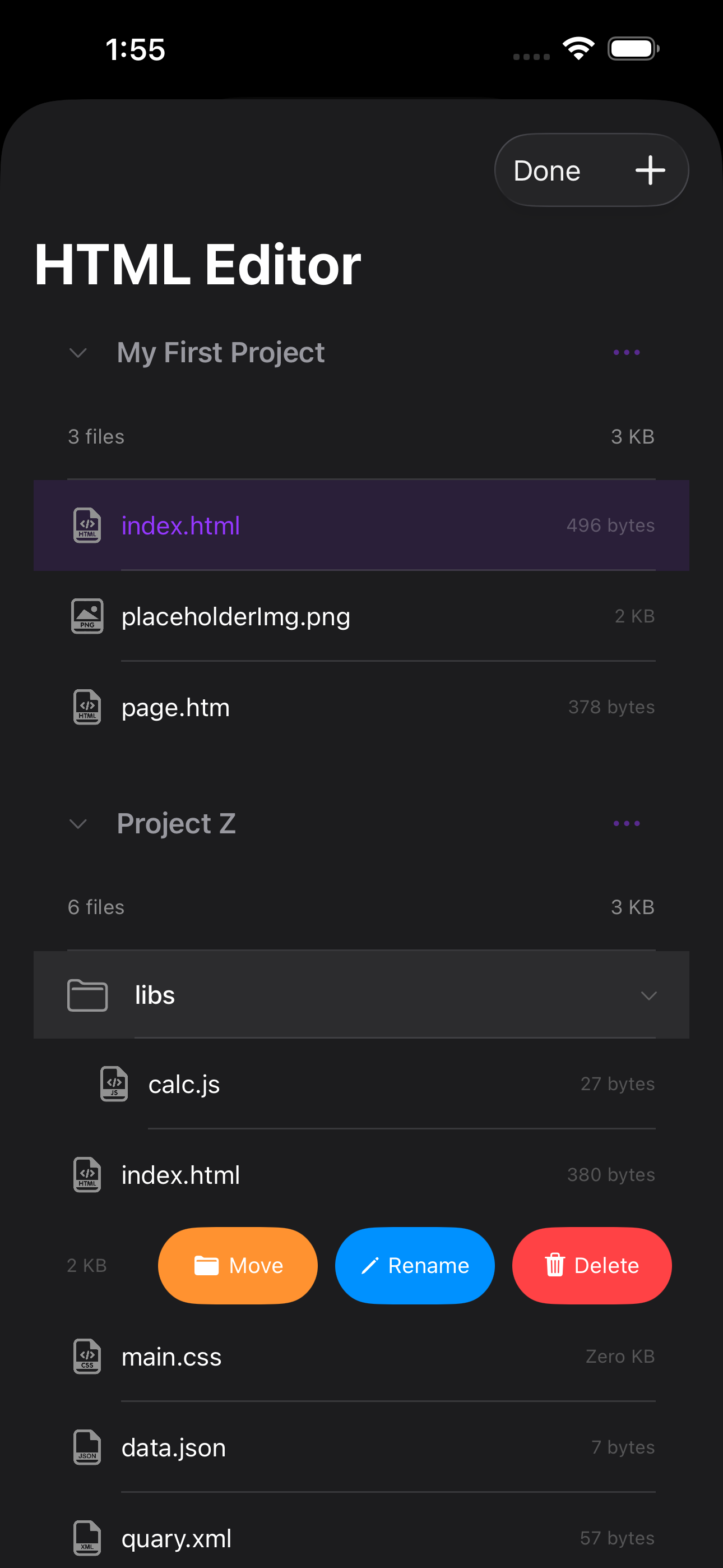
Organize your work into projects with folders and nested subfolders. Create, rename, move, and delete files with simple swipe gestures. View file sizes and project details at a glance.
• Media Support
Import and preview images, videos, and audio files. Create placeholder images with custom colors and dimensions. Supports JPG, PNG, GIF, MP4, MOV, MP3, and more.
• Files App Integration
All project files are accessible through the iOS Files app. Drop files into your project folder and they appear automatically — no import needed.
• Built for iPad
Adaptive layout with sidebar navigation and a three-mode toggle: Editor, Preview, or Hybrid side-by-side view.
• Supported File Types
HTML, HTM, CSS, JS, JSON, XML, PHP, TXT, JPG, JPEG, PNG, GIF, BMP, WebP, HEIC, TIFF, MP4, MOV, MP3, M4A, WAV, and more.
• Export & Share
Export entire projects as ZIP files to share or back up your work.
Whether you are a professional web developer working on the go or a student learning to code, HTML Editor gives you everything you need to build and preview web pages right from your pocket.
• Quick Start with HTML Editor
- Tap the Plus button to create a new project. A new HTML file will be created.
- Tap any HTML file, then tap Done to enter edit mode.
- Edit the HTML and preview the results by pressing the Preview button.
- For convenience, you can copy HTML files into the File Manager using iTunes File Sharing or the Files app.
• About HTML, CSS, and JavaScript
HTML (HyperText Markup Language):
The standard markup language for documents displayed in a web browser. It works alongside technologies like Cascading Style Sheets (CSS) and JavaScript.
CSS (Cascading Style Sheets):
A style sheet language used to define the presentation of documents written in HTML or XML. CSS is a core technology of the web, enabling developers to customize the appearance of web pages.
JavaScript (JS):
A versatile programming language that powers web page behavior on the client side. As of 2022, 98% of websites use JavaScript, often alongside third-party libraries.
HTML is essential for structuring web documents (web pages), while CSS defines their appearance. Together, they form the backbone of web design.
HTML Editor makes it easy to read or edit HTML files stored on your iOS devices. Test your HTML/CSS code on the go or experiment with JavaScript code directly from your mobile device.
Thank you for your support! Visit nitrio.com for more apps designed for your iOS devices.
Store Rank
The Store Rank is based on multiple parameters set by Google and Apple.
All Categories in
United States--
Developer Tools in
United States--
Top Competitors & Alternative Apps
Apps with a high probability of being used by the same users, from the same store.

QR Studio(Pro)

VUEScope

QuickChart(Pro)

HTML WYSIWYG
 Html Editor Plus VS.
 May 3, 2026