

You’ve hit your search limit
Start your free trial to keep exploring full traffic and performance insights.
Get StartedAnalyse de l'application BigPaper -Mind Map, PDF Markup pour le 22 octobre

BigPaper -Mind Map, PDF Markup
- 学东 齐
- App Store Apple
- Gratuit
- Productivité
BigPaper is a borderless note taking application. You can import and expand PDFs and other formats in BigPaper and freely take notes in an infinite canvas without being limited by the edges of the document.
You can use BigPaper on both iPhone and iPad for efficient editing with iCloud data sync.
Whether it's annotating PDFs, making handbooks, or creating mind maps, BigPaper is ready to go.
BigPaper's features include multi-format document import, text input, handwriting, mind mapping, tables, scanned documents, free edge screenshots, containers, folder management, search for handwriting and text, etc.
We welcome every rating, and we will read every piece of feedback and take notes to incorporate it in future updates.
Your 5-star review will encourage us to continue to upgrade BigPaper and introduce new features.
—— Introduction of functions ——
「Infinite canvas, freeform add elements」
Canvas can be zoomed and moved for editing.
Add documents in multiple formats such as PDF, as well as multiple types of elements such as tables, text, drawings, handwriting, pictures, stickers, paper, scanned documents, and more. These elements can be scaled and rotated.
「Mind Mapping - Easily connect ideas」
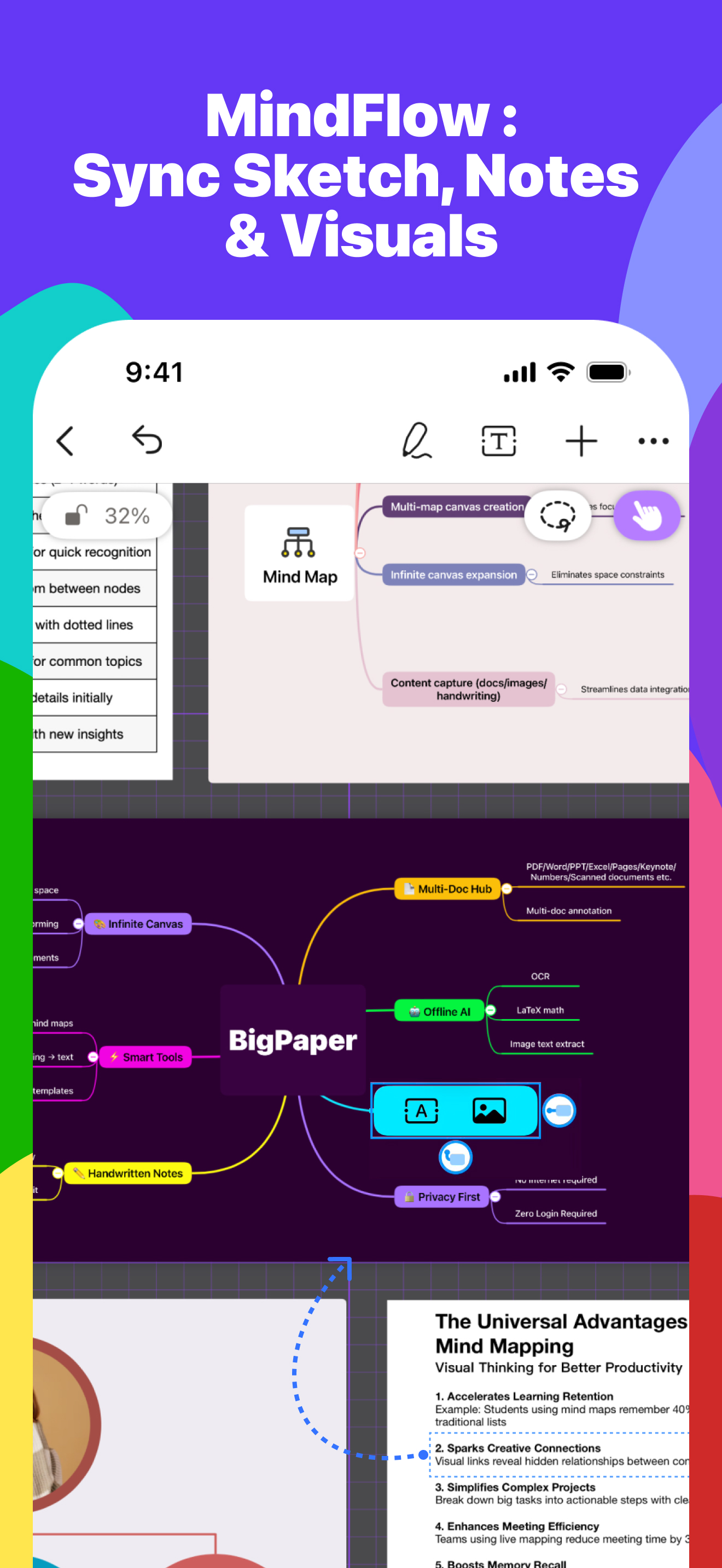
Innovative mind mapping mode. Connect elements on the page (text, pictures, tables, etc.) to quickly generate mind maps from inspiration.
Also support the step-by-step enlargement of the idea by expanding the mind map.
「Type anywhere」
Customize the font, size and color of the text. To-do list, bullets can be added to the text.
「Brush Tool - Handwritten and Drawings」
Customize brush presets including color, transparency, tip size.
Full-screen drawing, freely annotated documents that are not limited by the edges of the document.
Smart Shapes: Hold a stylus or fingertip after drawing a graphic on the screen, intelligently recognize and generate the perfect shape.
「Create Table」
Easy create forms. Add row, add column, move row, move column. Tables can be linked to mind maps.
「Import and Export」
Imported document formats: PDF, Word, PowerPoint, Excel, Pages, Keynote, Numbers, etc.
Expand all pages of the document to easily read and highlight all the content.
Select text in the document to copy.
Export PDF, export image, and BigPaper format. WYSIWYG, everything can be displayed in the exported document.
「Reading Mode」
Customize the "scrolling direction" to realize the classic reading mode.
「Screenshot Mode - Quickly capture key points」
In screenshot mode, you can continuously select areas to take screenshots, these screenshots will be added to the canvas immediately, and can continue to be edited and added to the mind map.
「Stickers, Paper Templates」
The themes of stickers include weather, three-dimensional geometry, music, etc., saving creation time and improving note-taking efficiency.
Use stickers and paper stencils in combination to create beautiful manuscripts.
「Multiple Selection Tool - Efficient Editing」
You can freely select an area on the canvas using the multi-selection tool. The selected content as a whole can be resized, rotated, moved, deleted, and exported.Draw borders to take screenshots freely.
「Manage files with folders」
You can create folders to manage files. Easy personalization includes folder editing, file moving, sticking to the top, and more.
「iCloud Sync」
Continue to create notes on different devices and capture inspiration anytime, anywhere.
「Scan」
Scan documents, OCR text recognition(Available in English, Chinese, French, Italian, German, Portuguese and Spanish.)
「Search and Jump Locations」
Search for handwriting, text, text in documents. Also: OCR text recognition results of scanned documents and recognition of text in pictures.
Contact us and send feedback: bp_10happy@hotmail.com
Classement dans le store
Le classement des stores est basé sur plusieurs paramètres définis par Google et Apple.
Toutes les catégories dans
États-Unis--
Productivité dans
États-Unis--
Principaux concurrents & apps alternatives
Applications ayant une forte probabilité d'être utilisées par les mêmes utilisateurs, à partir du même store.

Mind Map - HoodleMind

BoardNotes: Notes, PDF, Docs

MindSpace - Mind Map

GUGA-Hyperboard
 BigPaper -Mind Map, PDF Markup VS.
 octobre 22, 2026